Changelog
We ship new features, fixes, and improvements to Formo every week.
Changelog
We ship new features, fixes, and improvements to Formo every week.
This week went to improvements and fixes across the board.
Improvements and Fixes
Added all Formo MCP server tools on a session's first request, so agents no longer see a partial tool list.
Updated MCP tools with shorter parameter descriptions, typed structured results, and clear read-only or data-changing markers.
Fixed MCP clients that don't send the
offline_accessscope being asked to sign in again every hour.Fixed MCP funnel queries failing when steps were passed as an array.
Fixed ChatGPT, Claude, and Vercel connections to the MCP server getting read-only query access. Sign-in now requests every scope, and you choose what to allow on the consent screen (MCP OAuth).
Added a Retry button to token-gated forms when a balance or allowlist check can't run.
Updated token-gated forms to tie wallet signatures to the specific form and enforce one response per verified wallet.
Added a required captcha on bot-protected forms.
Updated multi-factor authentication so accounts with MFA need a fully verified session to use the dashboard API and approve MCP connections.
Updated Coinbase wallet labels to count only active attestations.
Fixed the active wallet's address going missing in the Web SDK when another installed wallet extension switches networks (v1.42.1).
Fixed a WalletConnect network-switch error on public forms.
Fixed demo dashboards calling the API when opening the segments dropdown.
Fixed Insights sections that time out being retried when the model is slow.
Platform security and performance improvements.
Minor UX and UI improvements.
This week went to improvements and fixes across the board.
Improvements and Fixes
Added all Formo MCP server tools on a session's first request, so agents no longer see a partial tool list.
Updated MCP tools with shorter parameter descriptions, typed structured results, and clear read-only or data-changing markers.
Fixed MCP clients that don't send the
offline_accessscope being asked to sign in again every hour.Fixed MCP funnel queries failing when steps were passed as an array.
Fixed ChatGPT, Claude, and Vercel connections to the MCP server getting read-only query access. Sign-in now requests every scope, and you choose what to allow on the consent screen (MCP OAuth).
Added a Retry button to token-gated forms when a balance or allowlist check can't run.
Updated token-gated forms to tie wallet signatures to the specific form and enforce one response per verified wallet.
Added a required captcha on bot-protected forms.
Updated multi-factor authentication so accounts with MFA need a fully verified session to use the dashboard API and approve MCP connections.
Updated Coinbase wallet labels to count only active attestations.
Fixed the active wallet's address going missing in the Web SDK when another installed wallet extension switches networks (v1.42.1).
Fixed a WalletConnect network-switch error on public forms.
Fixed demo dashboards calling the API when opening the segments dropdown.
Fixed Insights sections that time out being retried when the model is slow.
Platform security and performance improvements.
Minor UX and UI improvements.
This week went to improvements and fixes across the board.
Improvements and Fixes
Improved dashboard load times. Pages render from your session and from cached data instead of holding a full-page spinner, and the Overview card fills in card by card.
Added live demo dashboards to every template on formo.so/dashboards.
Updated the wallet profile Merkl list to show campaign counts per program, for example "Aave · $8.41 · 6 campaigns".
Removed prediction market wallet labels. Polymarket balances are unaffected.
Improved Ask AI follow-up suggestions.
Updated the CLI (1.3.2) to match the current API and MCP contracts.
Fixed an invite opened while signed in as a different email offering no way forward. It now offers to sign in with the invited email.
Fixed the Users table collapsing when a filter was applied with Audience insights open.
Fixed the Users net worth filter listing wallets with no profile, so the total matched the rows shown.
Fixed OpenSea data missing from wallet profiles.
Fixed the Overview page showing separate Volume and Revenue tabs while revenue loaded.
Improved public form load times. Forms are now server-rendered and cached, and a form without a wallet field no longer loads the wallet connectors it never shows.
Added a retry on token gate checks that cannot run, so an upstream outage shows a retry instead of a failed check.
Removed Scroll Sepolia from token gating.
Fixed the requirement list on token-gated forms jumping around while the page loaded.
Fixed submissions on gated forms being rejected when a wallet disconnected mid-check. The gate now asks the respondent to sign again.
Fixed native token gates on Tempo passing for any wallet, since Tempo has no native gas token. Use an ERC-20 condition with a TIP-20 token such as pathUSD instead.
Fixed an uncaught WalletConnect error on public forms when a wallet switched chains.
Platform security and performance improvements.
Minor UX and UI improvements.
This week went to improvements and fixes across the board.
Improvements and Fixes
Improved dashboard load times. Pages render from your session and from cached data instead of holding a full-page spinner, and the Overview card fills in card by card.
Added live demo dashboards to every template on formo.so/dashboards.
Updated the wallet profile Merkl list to show campaign counts per program, for example "Aave · $8.41 · 6 campaigns".
Removed prediction market wallet labels. Polymarket balances are unaffected.
Improved Ask AI follow-up suggestions.
Updated the CLI (1.3.2) to match the current API and MCP contracts.
Fixed an invite opened while signed in as a different email offering no way forward. It now offers to sign in with the invited email.
Fixed the Users table collapsing when a filter was applied with Audience insights open.
Fixed the Users net worth filter listing wallets with no profile, so the total matched the rows shown.
Fixed OpenSea data missing from wallet profiles.
Fixed the Overview page showing separate Volume and Revenue tabs while revenue loaded.
Improved public form load times. Forms are now server-rendered and cached, and a form without a wallet field no longer loads the wallet connectors it never shows.
Added a retry on token gate checks that cannot run, so an upstream outage shows a retry instead of a failed check.
Removed Scroll Sepolia from token gating.
Fixed the requirement list on token-gated forms jumping around while the page loaded.
Fixed submissions on gated forms being rejected when a wallet disconnected mid-check. The gate now asks the respondent to sign again.
Fixed native token gates on Tempo passing for any wallet, since Tempo has no native gas token. Use an ERC-20 condition with a TIP-20 token such as pathUSD instead.
Fixed an uncaught WalletConnect error on public forms when a wallet switched chains.
Platform security and performance improvements.
Minor UX and UI improvements.
Here are this week's highlights:
Core Web Vitals
Expanded Merkl Campaign Data
Improvements and Fixes
Core Web Vitals
Formo now measures Core Web Vitals from your real visitors. They are Google's standard measures of how a page feels to load: how long until the main content appears (LCP, FCP), how fast the page answers a click or tap (INP), how much the layout jumps around while loading (CLS), and how quickly your server responds at all (TTFB).
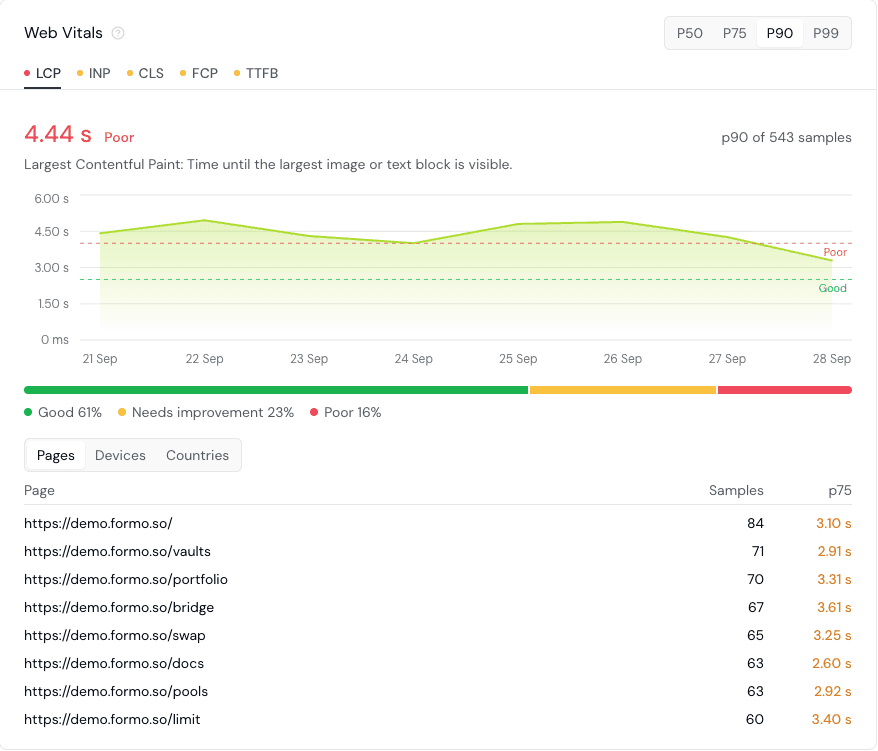
The Overview page shows each metric rated good, needs improvement, or poor against Google's thresholds, with the pages measured most often so you know which to fix first.
Web vitals are off until you turn them on. The Web SDK (1.42.0) takes Google's web-vitals library (version 5 or later) as an option, so apps that do not use web vitals never load it.
import { FormoAnalyticsProvider } from '@formo/analytics';
import * as webVitals from 'web-vitals';

export function Providers({ children }: { children: React.ReactNode }) {
  return (
    <FormoAnalyticsProvider writeKey="<YOUR_WRITE_KEY>" options={{ webVitals }}>
      {children}
    </FormoAnalyticsProvider>
import { FormoAnalyticsProvider } from '@formo/analytics';
import * as webVitals from 'web-vitals';

export function Providers({ children }: { children: React.ReactNode }) {
  return (
    <FormoAnalyticsProvider writeKey="<YOUR_WRITE_KEY>" options={{ webVitals }}>
      {children}
    </FormoAnalyticsProvider>
See web vitals and the web_vitals event to get started.
Expanded Merkl Campaign Data
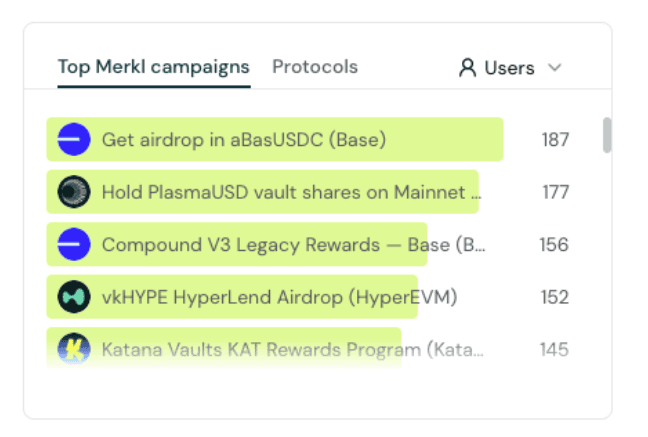
Merkl campaign labels now carry what a wallet actually earned, not just which campaigns it joined. Each entry on a wallet covers one Merkl opportunity with its protocol, its name, and its total reward in USD, counting claimed, claimable, and pending rewards.

Audience insights gets a new chart for Top Merkl campaigns, each ranked by how many of your wallets earned from them, with each protocol's own icon. Click through from any row to filter your users by that campaign or protocol.
Learn more about wallet labels.
Improvements and Fixes
Added wallet address and transaction hash search to the Activity page, so you can look up exactly what one wallet or one transaction did. ENS names and both EVM and Solana formats are supported.
Added onboarding emails for new workspace owners and invited members, so a new workspace arrives with a guided setup sequence.
Added a Copy instructions button to the install flow. It copies a short prompt carrying your write key that points an AI coding agent at the install guide, so your agent can add Formo for you.
Improved search with numeric prompts ("net worth more", "usdc balance over"), behaviour prompts, negation written after the field name, and tolerance for typos in field names.
Improved flow chart performance and completeness.
Improved accuracy and performance of acquisition card on Insight.
Fixed stale and deleted wallet labels appearing in the Users table, on wallet profiles, and in label filters.
Improved Ask AI and MCP churn analysis, with clearer guidance on lifecycle windows, period length, and how much of your population a churn signal actually covers.
Fixed the Live view globe failing to fall back to the static map when a browser cannot get WebGL2.
Fixed the Activity feed day header showing the wrong wallet provider for a visitor who had several wallets installed.
Fixed sign-in stalling on a loading screen.
Fixed invite links opening the wrong page.
Fixed onboarding progress being lost across a token refresh.
Fixed workspaces scheduled for deletion vanishing from the workspace switcher. They now stay visible with a notice so you can recover one, and a paid checkout restores it.
Fixed project setup being offered to members without permission to create or update projects.
Fixed unsupported image formats being accepted on upload, for both forms and analytics.
Fixed Ask AI losing named query tools, and removed a deprecated data exploration tool.
Platform security and performance improvements.
Minor UX and UI improvements.
Here are this week's highlights:
Core Web Vitals
Expanded Merkl Campaign Data
Improvements and Fixes
Core Web Vitals
Formo now measures Core Web Vitals from your real visitors. They are Google's standard measures of how a page feels to load: how long until the main content appears (LCP, FCP), how fast the page answers a click or tap (INP), how much the layout jumps around while loading (CLS), and how quickly your server responds at all (TTFB).
The Overview page shows each metric rated good, needs improvement, or poor against Google's thresholds, with the pages measured most often so you know which to fix first.
Web vitals are off until you turn them on. The Web SDK (1.42.0) takes Google's web-vitals library (version 5 or later) as an option, so apps that do not use web vitals never load it.
import { FormoAnalyticsProvider } from '@formo/analytics';
import * as webVitals from 'web-vitals';

export function Providers({ children }: { children: React.ReactNode }) {
  return (
    <FormoAnalyticsProvider writeKey="<YOUR_WRITE_KEY>" options={{ webVitals }}>
      {children}
    </FormoAnalyticsProvider>
See web vitals and the web_vitals event to get started.
Expanded Merkl Campaign Data
Merkl campaign labels now carry what a wallet actually earned, not just which campaigns it joined. Each entry on a wallet covers one Merkl opportunity with its protocol, its name, and its total reward in USD, counting claimed, claimable, and pending rewards.
Audience insights gets a new chart for Top Merkl campaigns, each ranked by how many of your wallets earned from them, with each protocol's own icon. Click through from any row to filter your users by that campaign or protocol.
Learn more about wallet labels.
Improvements and Fixes
Added wallet address and transaction hash search to the Activity page, so you can look up exactly what one wallet or one transaction did. ENS names and both EVM and Solana formats are supported.
Added onboarding emails for new workspace owners and invited members, so a new workspace arrives with a guided setup sequence.
Added a Copy instructions button to the install flow. It copies a short prompt carrying your write key that points an AI coding agent at the install guide, so your agent can add Formo for you.
Improved search with numeric prompts ("net worth more", "usdc balance over"), behaviour prompts, negation written after the field name, and tolerance for typos in field names.
Improved flow chart performance and completeness.
Improved accuracy and performance of acquisition card on Insight.
Fixed stale and deleted wallet labels appearing in the Users table, on wallet profiles, and in label filters.
Improved Ask AI and MCP churn analysis, with clearer guidance on lifecycle windows, period length, and how much of your population a churn signal actually covers.
Fixed the Live view globe failing to fall back to the static map when a browser cannot get WebGL2.
Fixed the Activity feed day header showing the wrong wallet provider for a visitor who had several wallets installed.
Fixed sign-in stalling on a loading screen.
Fixed invite links opening the wrong page.
Fixed onboarding progress being lost across a token refresh.
Fixed workspaces scheduled for deletion vanishing from the workspace switcher. They now stay visible with a notice so you can recover one, and a paid checkout restores it.
Fixed project setup being offered to members without permission to create or update projects.
Fixed unsupported image formats being accepted on upload, for both forms and analytics.
Fixed Ask AI losing named query tools, and removed a deprecated data exploration tool.
Platform security and performance improvements.
Minor UX and UI improvements.
Here are this week's highlights:
Improved Search
Improvements and Fixes
Improved Search
Get answers more quickly with a new and improved search experience. You can now describe what you are searching for in your own words, such as "power users on chain Y with net worth > 1000" or "new users who placed orders from arrived from campaign X", and search automatically turns it into one or more filters.
The new and improved search feature is available everywhere on the dashboard so you can go from a question to answers quickly. No more digging through menus or filters.
Use analytics to inspect visitors, events, funnels, and wallet activity.
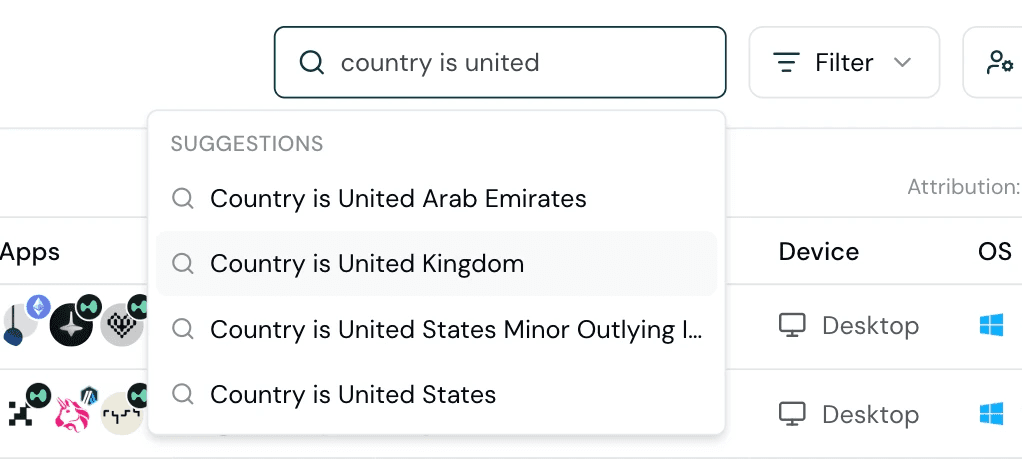
With this update, every workspace gets access to all filters such as Channel, Page, Lifecycle, Labels, Behaviour, Last event, and Merkl campaigns.
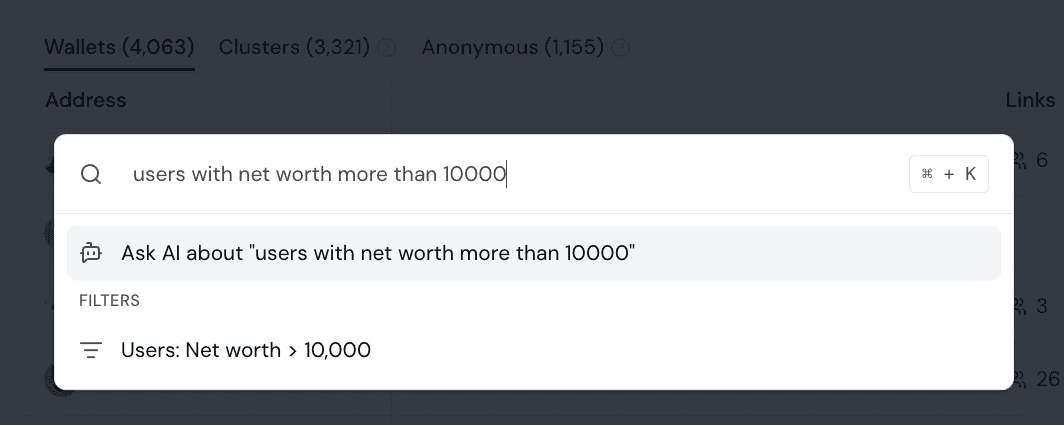
For open-ended questions, use Ask AI to explore, chart your data, and build custom reports with your personal AI data analyst.
Improvements and Fixes
New Chain Support: Arc Mainnet is now available on Formo.
Added wallet labels, UTM, and builder codes to Live View cards, so you can tell who is on your app right now in greater detail.
Fixed EVM wallet addresses being stored in mixed case at ingest. EVM addresses are now EIP-55 checksummed on the way in, so a wallet sent by an older SDK or a direct API call no longer splits into two identities or misses joins to its wallet profile.
Fixed bot traffic appearing in the OS and browser breakdowns.
Fixed activity dates being credited to the wrong wallet when one session or device connected several wallets. Each event is now attributed to its own address first, then to the wallets seen on that session, then to those seen on that anonymous ID.
Fixed one visitor appearing as two cards in Live View when their latest page view carried no wallet address.
Fixed the MAU bar for workspaces with no plan, which now shows as full and labels the workspace Inactive.
Fixed Ask AI reporting an error when you stopped a question part-way, and spending your credits on an answer that was cut short because the conversation had grown too long.
Fixed MCP schema discovery so the server reads live table schemas, and made tool errors protocol-safe for strict clients.
Fixed contract ABI reconciliation timing out under lock contention, which delayed contract event decoding.
Improvements to data quality and correctness.
Major dashboard performance boosts.
UX / UI improvements.
Here are this week's highlights:
Improved Search
Improvements and Fixes
Improved Search
Get answers more quickly with a new and improved search experience. You can now describe what you are searching for in your own words, such as "power users on chain Y with net worth > 1000" or "new users who placed orders from arrived from campaign X", and search automatically turns it into one or more filters.
The new and improved search feature is available everywhere on the dashboard so you can go from a question to answers quickly. No more digging through menus or filters.
Use analytics to inspect visitors, events, funnels, and wallet activity.
With this update, every workspace gets access to all filters such as Channel, Page, Lifecycle, Labels, Behaviour, Last event, and Merkl campaigns.
For open-ended questions, use Ask AI to explore, chart your data, and build custom reports with your personal AI data analyst.
Improvements and Fixes
New Chain Support: Arc Mainnet is now available on Formo.
Added wallet labels, UTM, and builder codes to Live View cards, so you can tell who is on your app right now in greater detail.
Fixed EVM wallet addresses being stored in mixed case at ingest. EVM addresses are now EIP-55 checksummed on the way in, so a wallet sent by an older SDK or a direct API call no longer splits into two identities or misses joins to its wallet profile.
Fixed bot traffic appearing in the OS and browser breakdowns.
Fixed activity dates being credited to the wrong wallet when one session or device connected several wallets. Each event is now attributed to its own address first, then to the wallets seen on that session, then to those seen on that anonymous ID.
Fixed one visitor appearing as two cards in Live View when their latest page view carried no wallet address.
Fixed the MAU bar for workspaces with no plan, which now shows as full and labels the workspace Inactive.
Fixed Ask AI reporting an error when you stopped a question part-way, and spending your credits on an answer that was cut short because the conversation had grown too long.
Fixed MCP schema discovery so the server reads live table schemas, and made tool errors protocol-safe for strict clients.
Fixed contract ABI reconciliation timing out under lock contention, which delayed contract event decoding.
Improvements to data quality and correctness.
Major dashboard performance boosts.
UX / UI improvements.
Here are this week's highlights:
Idempotency for Custom Events
Mobile SDK Improvements
Improvements and Fixes
Idempotency for Custom Events
The Web SDK (1.41.0) and the Mobile SDK (1.3.0) now accept an optional idempotency_key property for custom events. It expects a stable identifier for the action, such as an order ID.
See how these events appear in product analytics.
formo.track("Order Placed", {
  idempotency_key: order.id, // optional idempotency key for deduplication
  token_pair: 'ETH/USD',
  volume: 1250,
});
This ensures you don't sent duplicate events by accident due to minor changes in prices and slippage parameters. The key is hashed into the message ID and is never sent as a property.
See deduplicating events and the idempotency docs to learn more.
Mobile SDK Improvements
The Mobile SDK now gets the same identity, consent, and deduplication rules as the Web SDK. Four behaviours were ported across:
The
reset()contract.reset()is a logout, not a new visit. It clears the user ID, the wallet identity, and the identify markers, and starts a new session. The device ID, the wallets the device has seen, and the attribution that brought the user in all stay, because they describe the device and the visit rather than the person. (Consent withdrawal remains the one case that clears everything.)The tracking policy gates.
detect()andidentify()now evaluate the full tracking policy before they write any state, so a wallet seen while the current chain is excluded is no longer silenced for the rest of the session.Wallet marker lifetimes. Mobile storage is persistent, so a marker written once could suppress
detectfor the life of the app. Markers now expire a day after their last write, matching the lifetime of the web marker cookie, and are capped at 20 per device.The duplicate suppression window and
idempotency_key. Both arrived on mobile with 1.3.0, with the same 60 second window and the same reserved property described above.
Improvements and Fixes
Added
idempotency_keysupport and the rolling duplicate suppression window to the Mobile SDK.Fixed duplicate suppression being tied to delivery in the Web SDK (1.41.0). The first event of a page load is sent the moment it arrives. Fingerprints now expire on their own 60 second window.
Fixed property order splitting one event into two when events were compared for duplicates (1.41.4).
Fixed
formofy()building a second SDK instance next to the first (1.41.1), which sent every autocaptured event once per instance under tag managers, React strict mode, and hot reloads. A repeat call with the same write key now reuses the live instance.Fixed buffered events being lost when the SDK is torn down (1.41.5). They are now delivered before the instance goes inert, so an unmount is no longer silent data loss.
Fixed events dropped on consent withdrawal or teardown failing silently. Each one now reports a coded error to your callback and error handler (1.41.2 and 1.41.4).
Fixed Solana wallet state going out of sync when
reset()ran, when connect capture was off, or when an excluded chain gated the event, which left later events carrying a stale chain (1.41.2).Fixed a Solana wallet authorized before the SDK loads being reported under a stale snapshot, and the cluster you set being dropped once a framework-kit store attached (1.41.3).
Fixed the Live view globe raising map tiling errors.
Fixed scheduled emails being lost when the mail gateway returned a transient error. They are now retried.
Updated the demo project with behavioural wallet labels and corrected acquisition breakdowns, so the sample data matches what your own workspace shows.
Platform security and performance improvements.
Here are this week's highlights:
Idempotency for Custom Events
Mobile SDK Improvements
Improvements and Fixes
Idempotency for Custom Events
The Web SDK (1.41.0) and the Mobile SDK (1.3.0) now accept an optional idempotency_key property for custom events. It expects a stable identifier for the action, such as an order ID.
See how these events appear in product analytics.
formo.track("Order Placed", {
  idempotency_key: order.id, // optional idempotency key for deduplication
  token_pair: 'ETH/USD',
  volume: 1250,
});
This ensures you don't sent duplicate events by accident due to minor changes in prices and slippage parameters. The key is hashed into the message ID and is never sent as a property.
See deduplicating events and the idempotency docs to learn more.
Mobile SDK Improvements
The Mobile SDK now gets the same identity, consent, and deduplication rules as the Web SDK. Four behaviours were ported across:
The
reset()contract.reset()is a logout, not a new visit. It clears the user ID, the wallet identity, and the identify markers, and starts a new session. The device ID, the wallets the device has seen, and the attribution that brought the user in all stay, because they describe the device and the visit rather than the person. (Consent withdrawal remains the one case that clears everything.)The tracking policy gates.
detect()andidentify()now evaluate the full tracking policy before they write any state, so a wallet seen while the current chain is excluded is no longer silenced for the rest of the session.Wallet marker lifetimes. Mobile storage is persistent, so a marker written once could suppress
detectfor the life of the app. Markers now expire a day after their last write, matching the lifetime of the web marker cookie, and are capped at 20 per device.The duplicate suppression window and
idempotency_key. Both arrived on mobile with 1.3.0, with the same 60 second window and the same reserved property described above.
Improvements and Fixes
Added
idempotency_keysupport and the rolling duplicate suppression window to the Mobile SDK.Fixed duplicate suppression being tied to delivery in the Web SDK (1.41.0). The first event of a page load is sent the moment it arrives. Fingerprints now expire on their own 60 second window.
Fixed property order splitting one event into two when events were compared for duplicates (1.41.4).
Fixed
formofy()building a second SDK instance next to the first (1.41.1), which sent every autocaptured event once per instance under tag managers, React strict mode, and hot reloads. A repeat call with the same write key now reuses the live instance.Fixed buffered events being lost when the SDK is torn down (1.41.5). They are now delivered before the instance goes inert, so an unmount is no longer silent data loss.
Fixed events dropped on consent withdrawal or teardown failing silently. Each one now reports a coded error to your callback and error handler (1.41.2 and 1.41.4).
Fixed Solana wallet state going out of sync when
reset()ran, when connect capture was off, or when an excluded chain gated the event, which left later events carrying a stale chain (1.41.2).Fixed a Solana wallet authorized before the SDK loads being reported under a stale snapshot, and the cluster you set being dropped once a framework-kit store attached (1.41.3).
Fixed the Live view globe raising map tiling errors.
Fixed scheduled emails being lost when the mail gateway returned a transient error. They are now retried.
Updated the demo project with behavioural wallet labels and corrected acquisition breakdowns, so the sample data matches what your own workspace shows.
Platform security and performance improvements.
Here are this week's highlights:
Behavioural Wallet Labels
Multiple Events per Funnel Step
Solana Wallet Discovery
Improvements and Fixes
Behavioural Wallet Labels
Formo now labels wallets by what they do onchain. Twelve new behaviour labels are automatically set based each wallet's DeFi positions:
View the resulting wallet segments in wallet profiles.
Label | Rule | Value |
|---|---|---|
DeFi Lender | Supplies at least $100 to lending markets such as Aave, Compound or Morpho. | Supplied USD |
DeFi Borrower | Owes at least $100 across lending markets and CDPs such as Aave, Maker or Sky. | Borrowed USD |
Liquidity Provider | Holds at least $100 in DEX liquidity positions on Uniswap, Curve, PancakeSwap and similar. | Position USD |
Yield Farmer | Holds at least $100 in vaults or yield aggregators such as Pendle or Yearn. | Deposit USD |
Staker | Holds at least $100 in liquid staking, restaking or native chain staking such as Lido or EigenLayer, or $100 of liquid staking tokens such as stETH, wstETH or rETH. | Staked USD |
Perp Trader | Holds at least $100 of open margin or liquidity in a perpetuals venue such as Hyperliquid or GMX. | Position USD |
Options Trader | Holds at least $100 in an onchain options venue. | Position USD |
Basis Trader | Holds at least $100 in a delta-neutral dollar product such as Ethena. | Deposit USD |
RWA Holder | Holds at least $100 in tokenised real-world assets: gold, treasury and cash notes, tokenised stocks, private credit pools, carbon or real estate. | Position USD |
Bridge User | Has used a bridge or bridge aggregator such as Stargate, Across or Hop. | Bridges used, for example "Stargate, Across" |
Aggregator User | Has swapped through a swap aggregator such as 1inch, CoW or Paraswap. | Aggregators used, for example "1inch, CoW" |
Prediction Market User | Has a Polymarket account, or holds a position in another onchain prediction market. | Open position USD |
Labels include a USD value which support >, >=, < and <= comparisons. You can use this to filter for 'DeFI Lenders with positions >$10,000' and other sgements.
Labels are added and removed automatically based on if the conditions are met, so they are always fresh. The latest wallet profile snapshots are used to assign labels.
Learn more about behavioural labels.
Multiple Events per Funnel Step
A funnel step can now match multiple events. A user is considered to have completed the step when they perform any event in the step, for example 'performed event A or event B.'
Each event in the step can have its own filters, so you can specify a step as Connect Wallet where ref is foo OR Page View where ref is bar.
See multiple events support to learn more.
Solana Wallet Discovery
The Web SDK (1.39.0) now discovers Solana wallets through the Wallet Standard, so wallet connects are captured whatever wallet library your app uses.
Solana autocapture used to be opt-in and required integration with framework-kit, which meant apps built on wallet-adapter, Privy, Dynamic, Reown, or a custom integration produced no connect events at all for Solana wallets. The SDK now runs the Wallet Standard handshake, automatically detects Solana events, and handles autocapture of connect and disconnect events.
Building on Solana? See the Solana integration guide to get started.
Improvements and Fixes
Updated wagmi mode to support automatic wallet discovery.
Fixed the Web SDK minting a fresh anonymous id per event when a cookie write was refused.
Fixed navigating between workspaces landing you in the previous workspace.
Fixed the Activity country breakdown listing a country named "Direct" for rows with no country.
Fixed the SQL editor reporting a server error for a query with a syntax error or unknown column. You now get the real reason.
Fixed an Insights brief saying a metric "declined" next to a value that had grown.
Fixed the events API returning a server error for a malformed request body. A bad payload now returns 400 and is no longer retried.
Fixed wallet profile enrichment losing wallets whose import stopped part way. Retries are now persisted and replayed on the next run.
Platform security and performance improvements.
Here are this week's highlights:
Behavioural Wallet Labels
Multiple Events per Funnel Step
Solana Wallet Discovery
Improvements and Fixes
Behavioural Wallet Labels
Formo now labels wallets by what they do onchain. Twelve new behaviour labels are automatically set based each wallet's DeFi positions:
View the resulting wallet segments in wallet profiles.
Label | Rule | Value |
|---|---|---|
DeFi Lender | Supplies at least $100 to lending markets such as Aave, Compound or Morpho. | Supplied USD |
DeFi Borrower | Owes at least $100 across lending markets and CDPs such as Aave, Maker or Sky. | Borrowed USD |
Liquidity Provider | Holds at least $100 in DEX liquidity positions on Uniswap, Curve, PancakeSwap and similar. | Position USD |
Yield Farmer | Holds at least $100 in vaults or yield aggregators such as Pendle or Yearn. | Deposit USD |
Staker | Holds at least $100 in liquid staking, restaking or native chain staking such as Lido or EigenLayer, or $100 of liquid staking tokens such as stETH, wstETH or rETH. | Staked USD |
Perp Trader | Holds at least $100 of open margin or liquidity in a perpetuals venue such as Hyperliquid or GMX. | Position USD |
Options Trader | Holds at least $100 in an onchain options venue. | Position USD |
Basis Trader | Holds at least $100 in a delta-neutral dollar product such as Ethena. | Deposit USD |
RWA Holder | Holds at least $100 in tokenised real-world assets: gold, treasury and cash notes, tokenised stocks, private credit pools, carbon or real estate. | Position USD |
Bridge User | Has used a bridge or bridge aggregator such as Stargate, Across or Hop. | Bridges used, for example "Stargate, Across" |
Aggregator User | Has swapped through a swap aggregator such as 1inch, CoW or Paraswap. | Aggregators used, for example "1inch, CoW" |
Prediction Market User | Has a Polymarket account, or holds a position in another onchain prediction market. | Open position USD |
Labels include a USD value which support >, >=, < and <= comparisons. You can use this to filter for 'DeFI Lenders with positions >$10,000' and other sgements.
Labels are added and removed automatically based on if the conditions are met, so they are always fresh. The latest wallet profile snapshots are used to assign labels.
Learn more about behavioural labels.
Multiple Events per Funnel Step
A funnel step can now match multiple events. A user is considered to have completed the step when they perform any event in the step, for example 'performed event A or event B.'
Each event in the step can have its own filters, so you can specify a step as Connect Wallet where ref is foo OR Page View where ref is bar.
See multiple events support to learn more.
Solana Wallet Discovery
The Web SDK (1.39.0) now discovers Solana wallets through the Wallet Standard, so wallet connects are captured whatever wallet library your app uses.
Solana autocapture used to be opt-in and required integration with framework-kit, which meant apps built on wallet-adapter, Privy, Dynamic, Reown, or a custom integration produced no connect events at all for Solana wallets. The SDK now runs the Wallet Standard handshake, automatically detects Solana events, and handles autocapture of connect and disconnect events.
Building on Solana? See the Solana integration guide to get started.
Improvements and Fixes
Updated wagmi mode to support automatic wallet discovery.
Fixed the Web SDK minting a fresh anonymous id per event when a cookie write was refused.
Fixed navigating between workspaces landing you in the previous workspace.
Fixed the Activity country breakdown listing a country named "Direct" for rows with no country.
Fixed the SQL editor reporting a server error for a query with a syntax error or unknown column. You now get the real reason.
Fixed an Insights brief saying a metric "declined" next to a value that had grown.
Fixed the events API returning a server error for a malformed request body. A bad payload now returns 400 and is no longer retried.
Fixed wallet profile enrichment losing wallets whose import stopped part way. Retries are now persisted and replayed on the next run.
Platform security and performance improvements.
Here are this week's highlights:
Improved WalletConnect Support
EIP-1193 Fallback for Wagmi Mode
Improvements and Fixes
Improved WalletConnect Support
The Web SDK (1.38.2) can now track wallets your app constructs in code, not just the ones a browser injects from EIP-1193.
Wallet discovery covers wallets that announce themselves and wallets that sit at window.ethereum, which is every injected browser wallet and nothing else. A provider your app builds in code, such as WalletConnect, announces nothing.
Hand the provider over with registerProvider and it takes the same path a discovered wallet does: connect and disconnect lifecycle events, and signature and transaction autocapture.
formo.registerProvider(provider);
formo.registerProvider(provider);
Using Wagmi mode? This is automatically handled for you and you don't need to make any changes.
See the WalletConnect integration guide to get started.
EIP-1193 Fallback for Wagmi Mode
Wagmi mode captures signature and transaction events from Wagmi hooks. However, if your app also sends imperatively through viem, with sendTransaction, .signMessage, or .writeContract, those calls create no Wagmi mutation and were never captured.
Opt in with eip1193Fallback and the SDK instruments the active connector's provider with the same request wrapper the EIP-1193 mode uses:
wagmi: { eip1193Fallback: true }
wagmi: { eip1193Fallback: true }
Upgrade to the latest SDK to get started.
Improvements and Fixes
Added a copy button to delete confirmation dialogs, so you can copy the confirmation phrase instead of retyping it manually.
Updated the Type filter to Event type across Activity and Explore, matching the field name in your data.
Updated the description of the Transactions metric to say exactly what it counts. See key metrics.
Fixed Solana and other non-EVM events showing a raw chain id instead of the chain name in Activity and on the Users page.
Fixed wallet profiles that were still being enriched showing as missing rather than pending.
Fixed the anonymous user count including users from data sources outside the one you filtered to.
Fixed analytics pages erroring on an invalid or hand-edited date range in the URL.
Fixed filters on the demo project not applying to the charts and tables below them.
Fixed Insights queries failing on duplicate format clauses.
Fixed the Insights brief withholding a section when a metric grew from zero. A change from a zero baseline now reads "New".
Fixed Ask AI withholding correct answers to period-over-period comparison questions.
Fixed Ask AI rendering SQL in a doubled code block, and closing the chat list after you deleted a conversation.
Fixed the API reference for the Events API which now shows the latest full set of responses the endpoint returns.
Fixed the CLI reference showing the wrong boolean flag syntax and pipeline defaults.
Platform security and performance improvements.
Minor UX and UI improvements.
Here are this week's highlights:
Improved WalletConnect Support
EIP-1193 Fallback for Wagmi Mode
Improvements and Fixes
Improved WalletConnect Support
The Web SDK (1.38.2) can now track wallets your app constructs in code, not just the ones a browser injects from EIP-1193.
Wallet discovery covers wallets that announce themselves and wallets that sit at window.ethereum, which is every injected browser wallet and nothing else. A provider your app builds in code, such as WalletConnect, announces nothing.
Hand the provider over with registerProvider and it takes the same path a discovered wallet does: connect and disconnect lifecycle events, and signature and transaction autocapture.
formo.registerProvider(provider);
Using Wagmi mode? This is automatically handled for you and you don't need to make any changes.
See the WalletConnect integration guide to get started.
EIP-1193 Fallback for Wagmi Mode
Wagmi mode captures signature and transaction events from Wagmi hooks. However, if your app also sends imperatively through viem, with sendTransaction, .signMessage, or .writeContract, those calls create no Wagmi mutation and were never captured.
Opt in with eip1193Fallback and the SDK instruments the active connector's provider with the same request wrapper the EIP-1193 mode uses:
wagmi: { eip1193Fallback: true }
Upgrade to the latest SDK to get started.
Improvements and Fixes
Added a copy button to delete confirmation dialogs, so you can copy the confirmation phrase instead of retyping it manually.
Updated the Type filter to Event type across Activity and Explore, matching the field name in your data.
Updated the description of the Transactions metric to say exactly what it counts. See key metrics.
Fixed Solana and other non-EVM events showing a raw chain id instead of the chain name in Activity and on the Users page.
Fixed wallet profiles that were still being enriched showing as missing rather than pending.
Fixed the anonymous user count including users from data sources outside the one you filtered to.
Fixed analytics pages erroring on an invalid or hand-edited date range in the URL.
Fixed filters on the demo project not applying to the charts and tables below them.
Fixed Insights queries failing on duplicate format clauses.
Fixed the Insights brief withholding a section when a metric grew from zero. A change from a zero baseline now reads "New".
Fixed Ask AI withholding correct answers to period-over-period comparison questions.
Fixed Ask AI rendering SQL in a doubled code block, and closing the chat list after you deleted a conversation.
Fixed the API reference for the Events API which now shows the latest full set of responses the endpoint returns.
Fixed the CLI reference showing the wrong boolean flag syntax and pipeline defaults.
Platform security and performance improvements.
Minor UX and UI improvements.
Web SDK Improvements and Smart Accounts Support
Here are this week’s highlights:
Web SDK Improvements
Smart Account Support: EIP-5792 Batched Calls
Improvements and Fixes
Web SDK Improvements
We’ve shipped improvements to the Web SDK that closes a family of data quality bugs that may cause missing, duplicated, or misattributed events in some scenarios.
Fixed Wagmi mode sometimes losing wallet sessions when the SDK loaded after Wagmi reconnected a wallet.
Fixed Wagmi account switches going undetected on rare instances.
Fixed signature and transaction events being tagged with the active wallet’s chain instead of the chain that signed.
Fixed signature events using
personal_signfrom being dropped.Fixed one wallet’s address sometimes being reported under every other discovered wallet during identify.
Fixed autocapture not applying when signature and transaction capture was enabled after init, and providers that failed to wrap never being retried.
Fixed
reset()and other methods losing their binding when destructured fromuseFormo().
Smart Account Support: EIP-5792 Batched Calls
The Web SDK now captures batched calls sent through wallet_sendCalls, the method smart accounts use instead of eth_sendTransaction.
Multiple integration paths are covered:
- Wagmi mode picks up a useSendCalls mutation, and
- EIP-1193 mode wraps the request directly.
You get one transaction event per call rather than one per batch, so per-contract activity and revenue stay correct. Upgrade to the latest SDK to get started.
Improvements and Fixes
Added an Audience insights toggle on the Users page, so you can collapse the breakdown cards and reach the users table without scrolling.
Updated the Activity page layout to match Overview, with the refresh, search, and filter controls in a page header above the card.
Fixed public shared boards rendering an error page instead of the board.
Fixed public boards rendering charts without their saved settings.
Fixed the Flow drill-in on shared boards opening a user list anonymous viewers cannot load.
Fixed chart previews in the SQL editor ignoring the selected date range.
Fixed the Users page erroring when a sort column carried across tabs on reload.
Fixed the Users table refresh button skipping the Clusters tab.
Fixed missing and incorrect chain icons.
Fixed the projects intro page getting stuck on a link to a project no longer in your workspace.
Fixed stale captions on form fields.
Platform security and performance improvements.
Minor UX and UI improvements.
Web SDK Improvements and Smart Accounts Support
Here are this week’s highlights:
Web SDK Improvements
Smart Account Support: EIP-5792 Batched Calls
Improvements and Fixes
Web SDK Improvements
We’ve shipped improvements to the Web SDK that closes a family of data quality bugs that may cause missing, duplicated, or misattributed events in some scenarios.
Fixed Wagmi mode sometimes losing wallet sessions when the SDK loaded after Wagmi reconnected a wallet.
Fixed Wagmi account switches going undetected on rare instances.
Fixed signature and transaction events being tagged with the active wallet’s chain instead of the chain that signed.
Fixed signature events using
personal_signfrom being dropped.Fixed one wallet’s address sometimes being reported under every other discovered wallet during identify.
Fixed autocapture not applying when signature and transaction capture was enabled after init, and providers that failed to wrap never being retried.
Fixed
reset()and other methods losing their binding when destructured fromuseFormo().
Smart Account Support: EIP-5792 Batched Calls
The Web SDK now captures batched calls sent through wallet_sendCalls, the method smart accounts use instead of eth_sendTransaction.
Multiple integration paths are covered:
- Wagmi mode picks up a useSendCalls mutation, and
- EIP-1193 mode wraps the request directly.
You get one transaction event per call rather than one per batch, so per-contract activity and revenue stay correct. Upgrade to the latest SDK to get started.
Improvements and Fixes
Added an Audience insights toggle on the Users page, so you can collapse the breakdown cards and reach the users table without scrolling.
Updated the Activity page layout to match Overview, with the refresh, search, and filter controls in a page header above the card.
Fixed public shared boards rendering an error page instead of the board.
Fixed public boards rendering charts without their saved settings.
Fixed the Flow drill-in on shared boards opening a user list anonymous viewers cannot load.
Fixed chart previews in the SQL editor ignoring the selected date range.
Fixed the Users page erroring when a sort column carried across tabs on reload.
Fixed the Users table refresh button skipping the Clusters tab.
Fixed missing and incorrect chain icons.
Fixed the projects intro page getting stuck on a link to a project no longer in your workspace.
Fixed stale captions on form fields.
Platform security and performance improvements.
Minor UX and UI improvements.
Mobile SDK Improvements and Forms Scale Field
Here are this week’s highlights:
Mobile SDK Improvements
Forms Scale Field
Improvements and Fixes
Mobile SDK Improvements
The React Native SDK (1.1.0) picks up the traffic-source sanitization and event queue work from the Web SDK, so your mobile attribution and event delivery now behave the same as web.
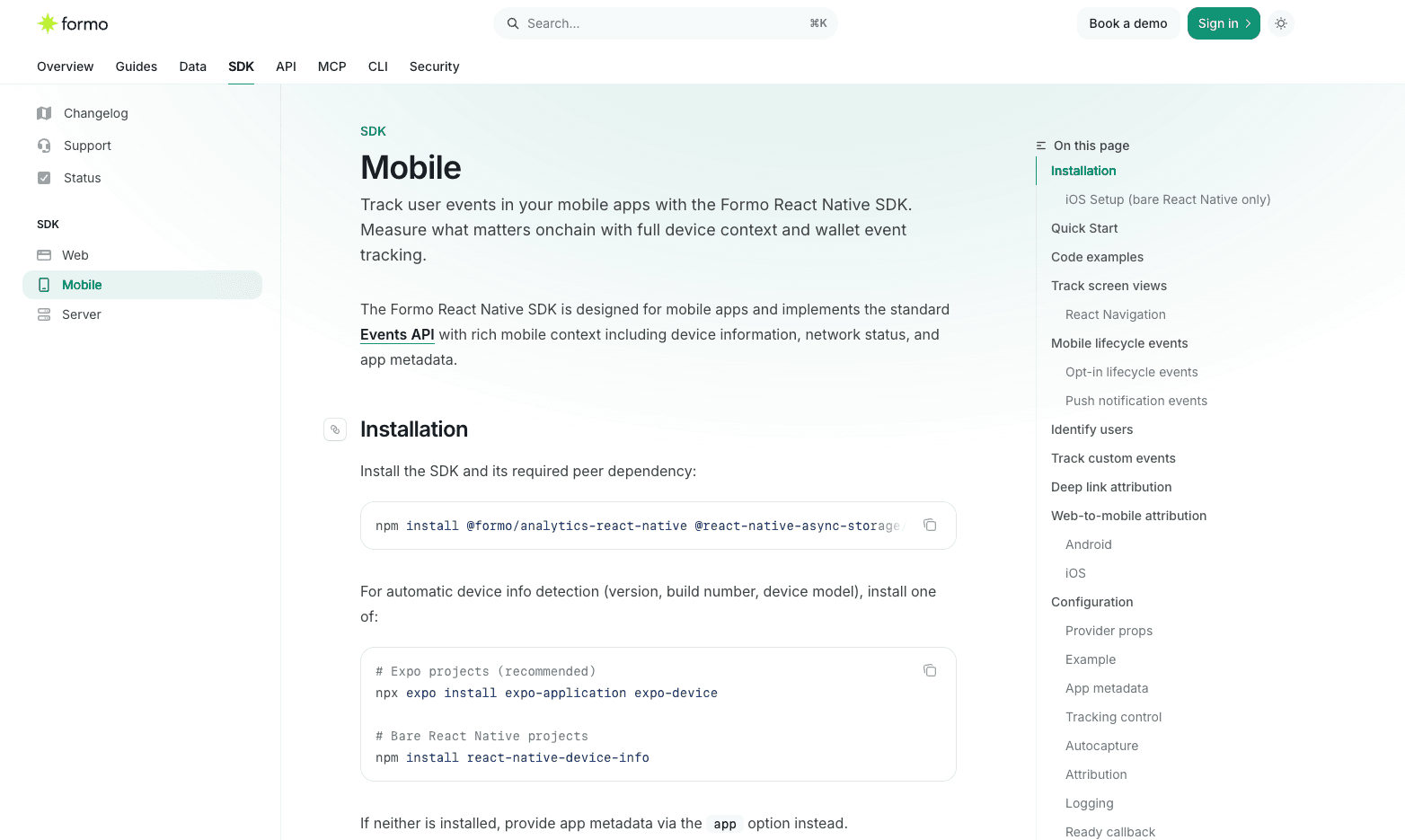
Traffic source values are sanitized before they are sent, which keeps campaign and referrer data clean and consistent across platforms.
The event queue no longer retries requests that can never succeed, re-arms its timer after a failed flush, and closes cleanly when the app tears down, so events are not lost or duplicated when a user backgrounds or kills the app.
Upgrade to the latest release to pick it up.
Forms Scale Field
Forms now support a Scale field: a linear rating row your respondents tap once to answer. Use it for NPS and satisfaction surveys.
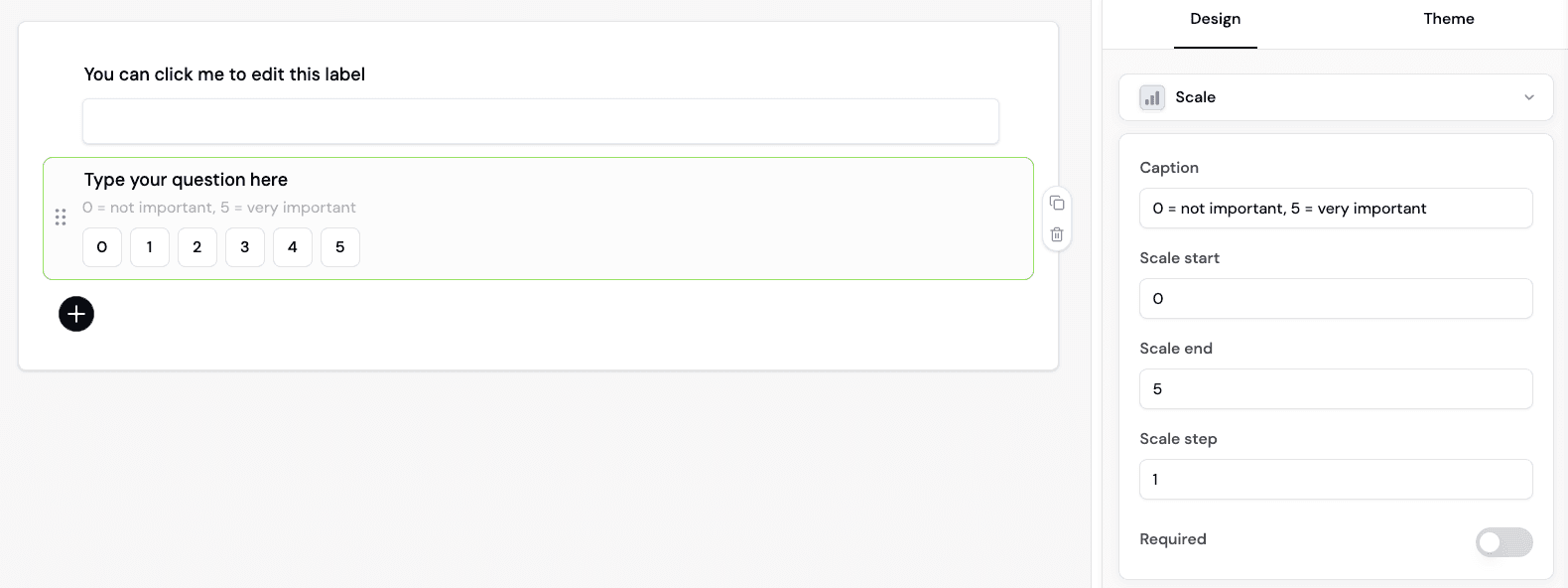
The start, end, and step are configurable per field, and it works with conditional logic. You will find it under Rating in the field picker. See adding form fields to get started.
Improvements and Fixes
Updated lifecycle stages to read in journey order everywhere they are listed: New, Returning, Power user, At Risk, Churned, Resurrected. The new order applies to the lifecycle filter on Users, alerts, and segments, the User Lifecycle card on Overview, and the user lifecycle API. How a wallet is classified has not changed. See user lifecycle for the definitions.
Updated the Data source filter order on Overview, Activity, and Users to read Web, Mobile, Server, Onchain, Import, API, putting the SDK-emitted sources first and the two ingestion sources last.
Updated onboarding with clearer workspace copy and a revised set of survey options.
Added directional arrows to the change badges in the dashboard and in email reports, so a metric’s direction reads without parsing the sign, along with tighter typography across the app.
Fixed a sign-in gap in the Connect Discord requirement on token-gated forms, where a respondent could be walked into connecting an account that was not theirs. The handshake now runs through Formo’s servers with a server-managed state parameter, and existing forms pick up the new flow automatically.
Fixed Ask AI reporting an “unreadable response” when the model provider rate-limited mid-answer. You now get the real reason, and a provider fault no longer suggests you rephrase your question.
Fixed the weekly email brief dropping its summary section when a query ran long, by raising the section budget to match the cohort sections.
Fixed cancelled Insights runs not recording why they stopped.
Fixed wallet profile enrichment stalling on wallets holding tokens across a large number of chains.
Platform security and performance improvements.
Minor UX and UI improvements.
Mobile SDK Improvements and Forms Scale Field
Here are this week’s highlights:
Mobile SDK Improvements
Forms Scale Field
Improvements and Fixes
Mobile SDK Improvements
The React Native SDK (1.1.0) picks up the traffic-source sanitization and event queue work from the Web SDK, so your mobile attribution and event delivery now behave the same as web.
Traffic source values are sanitized before they are sent, which keeps campaign and referrer data clean and consistent across platforms.
The event queue no longer retries requests that can never succeed, re-arms its timer after a failed flush, and closes cleanly when the app tears down, so events are not lost or duplicated when a user backgrounds or kills the app.
Upgrade to the latest release to pick it up.
Forms Scale Field
Forms now support a Scale field: a linear rating row your respondents tap once to answer. Use it for NPS and satisfaction surveys.
The start, end, and step are configurable per field, and it works with conditional logic. You will find it under Rating in the field picker. See adding form fields to get started.
Improvements and Fixes
Updated lifecycle stages to read in journey order everywhere they are listed: New, Returning, Power user, At Risk, Churned, Resurrected. The new order applies to the lifecycle filter on Users, alerts, and segments, the User Lifecycle card on Overview, and the user lifecycle API. How a wallet is classified has not changed. See user lifecycle for the definitions.
Updated the Data source filter order on Overview, Activity, and Users to read Web, Mobile, Server, Onchain, Import, API, putting the SDK-emitted sources first and the two ingestion sources last.
Updated onboarding with clearer workspace copy and a revised set of survey options.
Added directional arrows to the change badges in the dashboard and in email reports, so a metric’s direction reads without parsing the sign, along with tighter typography across the app.
Fixed a sign-in gap in the Connect Discord requirement on token-gated forms, where a respondent could be walked into connecting an account that was not theirs. The handshake now runs through Formo’s servers with a server-managed state parameter, and existing forms pick up the new flow automatically.
Fixed Ask AI reporting an “unreadable response” when the model provider rate-limited mid-answer. You now get the real reason, and a provider fault no longer suggests you rephrase your question.
Fixed the weekly email brief dropping its summary section when a query ran long, by raising the section budget to match the cohort sections.
Fixed cancelled Insights runs not recording why they stopped.
Fixed wallet profile enrichment stalling on wallets holding tokens across a large number of chains.
Platform security and performance improvements.
Minor UX and UI improvements.
Here are this week's highlights:
Privy Wallet Clustering
Filter by Data Source
Allowlists for Token-Gated Forms
Revenue and Volume by Ad Platform
Improved API, MCP, CLI Coverage
Historical Wallet Profiles API
Delete Profile Properties and Labels API
Improvements and Fixes
Privy Wallet Clustering
The latest Web SDK now automatically links Privy linked wallets in one call: pass the Privy user object and the SDK identifies every linked wallet and groups them into a wallet cluster.
const { user } = usePrivy();
formo.identify(user);
For apps using Privy embedded wallets, identify(user) reads every wallet linked to the Privy account and tags each one with the same DID, so they cluster into a single user. The primary wallet the user is active on is used for attribution.
Are you using Privy? Upgrade to the latest SDK or learn more about the Privy integration.
Filter by Data Source
The dashboard now supports a Data source filter, available on the Overview, Activity, and Users pages. You can now better understand cross-platform data from web to mobile on a single view.
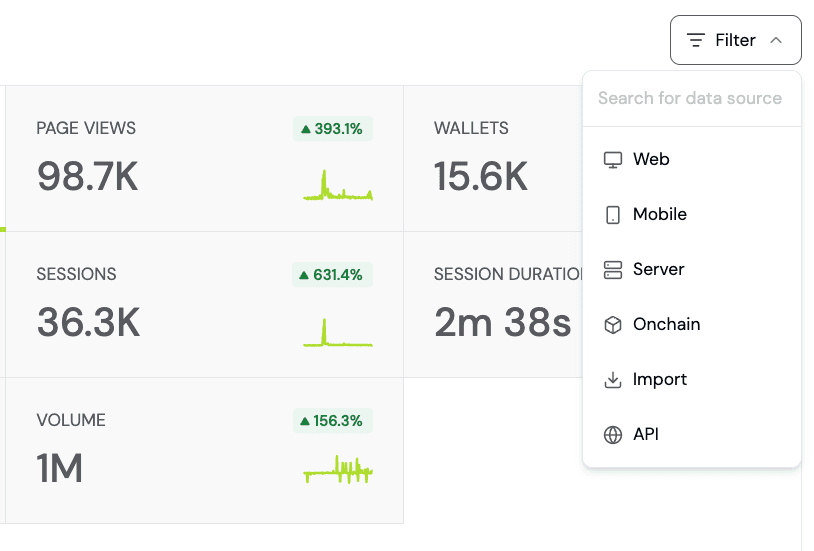
Use the data source filter to segment your key metrics and KPIS by where the data actually came in, such as web, mobile, or onchain. The filter makes it easy to compare KPIs between web and mobile platforms or separate onchain and server-side events from web traffic.
Allowlists for Token-Gated Forms
You can now restrict a form to a list of wallet addresses you upload as a CSV. Useful for private alphas or any form where the target audience is an allowlist you already hold. Available for both EVM and Solana.
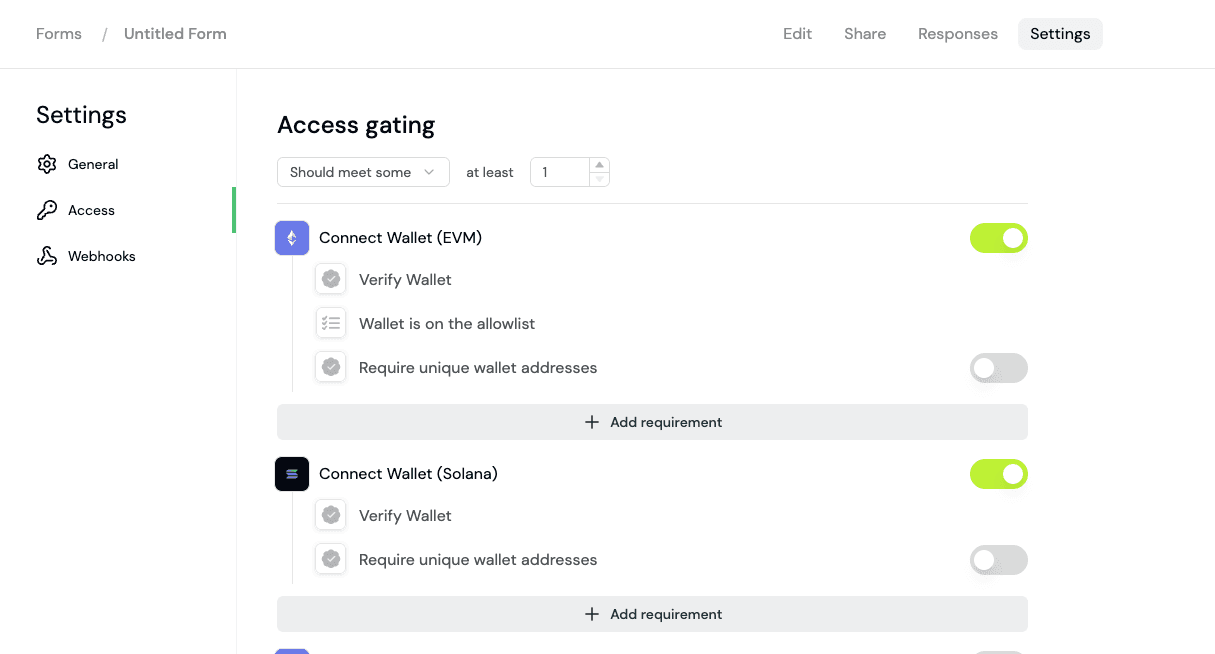
Your list never leaves your device. Your browser turns the CSV into a bloom filter, a compact bit array that answers "is this address on the list?" without containing the addresses.
Get started with allowlists.
Revenue and Volume by Ad Platform
Revenue and Volume are now available in the Ads chart, so you can see which campaigns produce revenue rather than clicks. Both Revenue and Volume are attributed per event, classified at ingest from the click ID or a paid utm_medium.
Grouping by ad platform is also live on the API: pass metric_column=paid_source to revenue by metric and volume by metric, which return paid rows only, or group_by=paid_source to revenue overview.
See ad attribution to learn more.
Improved API, MCP, CLI Coverage
Most of what you can do in the dashboard, you can now do from the API, the MCP server, and the CLI. Every dashboard action reachable by a coding agent means Formo is agent-ready: point Claude or Cursor at the MCP server and it can query your analytics, manage boards and alerts, and manage wallet profiles for you.
MCP: 8 new tools, including
execute_saved_chart,reorder_charts, and the profile write tools for updating properties, upserting and deleting labels, and importing wallets.API: 4 chart routes (reorder, move, duplicate, and saved-query execution) are now in the reference with their required permissions.
CLI:
@formo/cli1.3.0 supports the latest additions and changes
Browse the MCP tools and the API reference to learn more.
Historical Wallet Profiles API
Historical wallet data is now available on the API and the CLI, in addition to the wallet profile page.
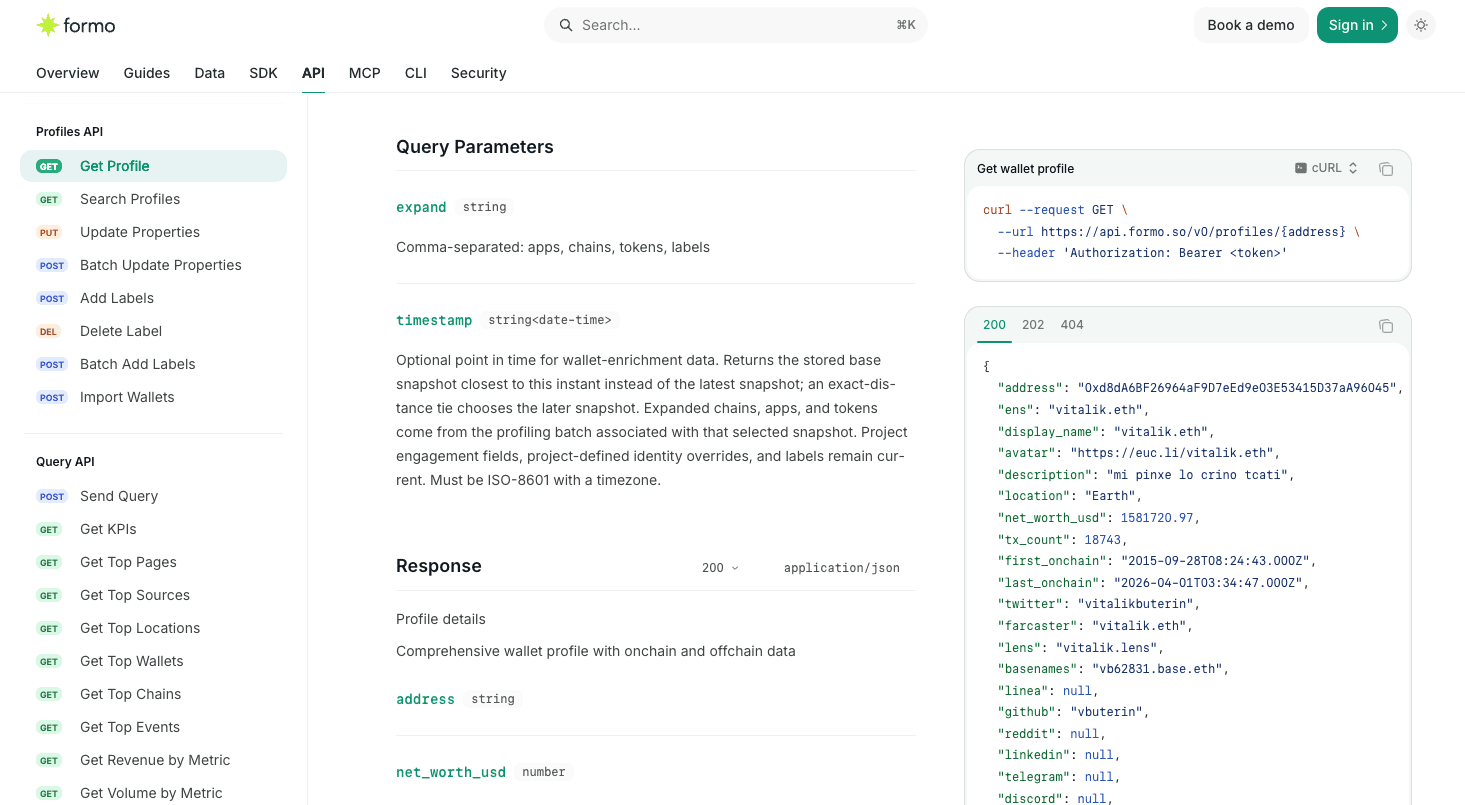
Pass a timestamp to a profile read and Formo returns the stored enrichment snapshot closest to that instant, so you can reconstruct net worth, holdings, and app positions as they stood before a campaign, an airdrop, or a churn event.
formo profiles get vitalik.eth --timestamp 2026-06-21T10See the Profiles API and CLI docs for reference.
Delete Profile Properties and Labels API
Profile properties can now be deleted through the API. Send null as a property value to unset it through the API:
curl -X PUT https://api.formo.so/v0/profiles/vitalik.eth/properties \
  -H "Authorization: Bearer <your_workspace_api_key>" \
  -d '{ "display_name": "alice.eth", "email": null }'
Labels get a new delete endpoint and MCP tool.
See update properties and delete label to learn more.
Improvements and Fixes
Added an SDK Write Key field with a copy button in the in-app install instructions, so you no longer have to hunt for it. See the install guide.
Updated the Web SDK (1.35.0) to flush the first event of a page load immediately, so short visits like ad-click landings in mobile in-app browsers are captured for more accurate ad attribution.
Fixed the reCAPTCHA delay on form submit: the button now enables as soon as the widget returns a token, and the token is verified server-side at submission instead of in the browser.
Fixed Solana token gates and identity fields accepting unverified addresses. Signatures are now checked server-side against the claimed address, bound to the form, with an expiry and a domain allowlist. See Solana gating.
Fixed the SQL Explorer crashing on a failing query, with better error messages.
Fixed charts hitting "Maximum update depth exceeded" on re-render.
Fixed the SQL Explorer tables schema showing outdated and improperly formatted descriptions.
Fixed the React Native SDK crash reporter severing the handler chain.
Fixed React Native screen names containing
?or#silently dropping part of the screen URL.Fixed
Deep Link Openedsilently not firing in the React Native SDK when deep link attribution was turned off. The event now follows its own autocapture setting.Platform security and performance improvements.
Minor UX and UI improvements.
Here are this week's highlights:
Privy Wallet Clustering
Filter by Data Source
Allowlists for Token-Gated Forms
Revenue and Volume by Ad Platform
Improved API, MCP, CLI Coverage
Historical Wallet Profiles API
Delete Profile Properties and Labels API
Improvements and Fixes
Privy Wallet Clustering
The latest Web SDK now automatically links Privy linked wallets in one call: pass the Privy user object and the SDK identifies every linked wallet and groups them into a wallet cluster.
const { user } = usePrivy();
formo.identify(user);
For apps using Privy embedded wallets, identify(user) reads every wallet linked to the Privy account and tags each one with the same DID, so they cluster into a single user. The primary wallet the user is active on is used for attribution.
Are you using Privy? Upgrade to the latest SDK or learn more about the Privy integration.
Filter by Data Source
The dashboard now supports a Data source filter, available on the Overview, Activity, and Users pages. You can now better understand cross-platform data from web to mobile on a single view.
Use the data source filter to segment your key metrics and KPIS by where the data actually came in, such as web, mobile, or onchain. The filter makes it easy to compare KPIs between web and mobile platforms or separate onchain and server-side events from web traffic.
Allowlists for Token-Gated Forms
You can now restrict a form to a list of wallet addresses you upload as a CSV. Useful for private alphas or any form where the target audience is an allowlist you already hold. Available for both EVM and Solana.
Your list never leaves your device. Your browser turns the CSV into a bloom filter, a compact bit array that answers "is this address on the list?" without containing the addresses.
Get started with allowlists.
Revenue and Volume by Ad Platform
Revenue and Volume are now available in the Ads chart, so you can see which campaigns produce revenue rather than clicks. Both Revenue and Volume are attributed per event, classified at ingest from the click ID or a paid utm_medium.
Grouping by ad platform is also live on the API: pass metric_column=paid_source to revenue by metric and volume by metric, which return paid rows only, or group_by=paid_source to revenue overview.
See ad attribution to learn more.
Improved API, MCP, CLI Coverage
Most of what you can do in the dashboard, you can now do from the API, the MCP server, and the CLI. Every dashboard action reachable by a coding agent means Formo is agent-ready: point Claude or Cursor at the MCP server and it can query your analytics, manage boards and alerts, and manage wallet profiles for you.
MCP: 8 new tools, including
execute_saved_chart,reorder_charts, and the profile write tools for updating properties, upserting and deleting labels, and importing wallets.API: 4 chart routes (reorder, move, duplicate, and saved-query execution) are now in the reference with their required permissions.
CLI:
@formo/cli1.3.0 supports the latest additions and changes
Browse the MCP tools and the API reference to learn more.
Historical Wallet Profiles API
Historical wallet data is now available on the API and the CLI, in addition to the wallet profile page.
Pass a timestamp to a profile read and Formo returns the stored enrichment snapshot closest to that instant, so you can reconstruct net worth, holdings, and app positions as they stood before a campaign, an airdrop, or a churn event.
formo profiles get vitalik.eth --timestamp 2026-06-21T10See the Profiles API and CLI docs for reference.
Delete Profile Properties and Labels API
Profile properties can now be deleted through the API. Send null as a property value to unset it through the API:
curl -X PUT https://api.formo.so/v0/profiles/vitalik.eth/properties \
  -H "Authorization: Bearer <your_workspace_api_key>" \
  -d '{ "display_name": "alice.eth", "email": null }'
Labels get a new delete endpoint and MCP tool.
See update properties and delete label to learn more.
Improvements and Fixes
Added an SDK Write Key field with a copy button in the in-app install instructions, so you no longer have to hunt for it. See the install guide.
Updated the Web SDK (1.35.0) to flush the first event of a page load immediately, so short visits like ad-click landings in mobile in-app browsers are captured for more accurate ad attribution.
Fixed the reCAPTCHA delay on form submit: the button now enables as soon as the widget returns a token, and the token is verified server-side at submission instead of in the browser.
Fixed Solana token gates and identity fields accepting unverified addresses. Signatures are now checked server-side against the claimed address, bound to the form, with an expiry and a domain allowlist. See Solana gating.
Fixed the SQL Explorer crashing on a failing query, with better error messages.
Fixed charts hitting "Maximum update depth exceeded" on re-render.
Fixed the SQL Explorer tables schema showing outdated and improperly formatted descriptions.
Fixed the React Native SDK crash reporter severing the handler chain.
Fixed React Native screen names containing
?or#silently dropping part of the screen URL.Fixed
Deep Link Openedsilently not firing in the React Native SDK when deep link attribution was turned off. The event now follows its own autocapture setting.Platform security and performance improvements.
Minor UX and UI improvements.
Here are this week's highlights:
Mobile Analytics: React Native SDK and Dashboard Support
Retention: Rolling and Recurring Toggle
Unified Filters for API
Flow Chart Fixes
Improvements and Fixes
Mobile Analytics: React Native SDK and Dashboard Support
Mobile Analytics brings the full Formo analytics and attribution experience to iOS and Android crypto apps.
Drop in the React Native SDK to identify wallets, track in-app activity, and see the same funnels, charts, and wallet profiles you are already familiar with.
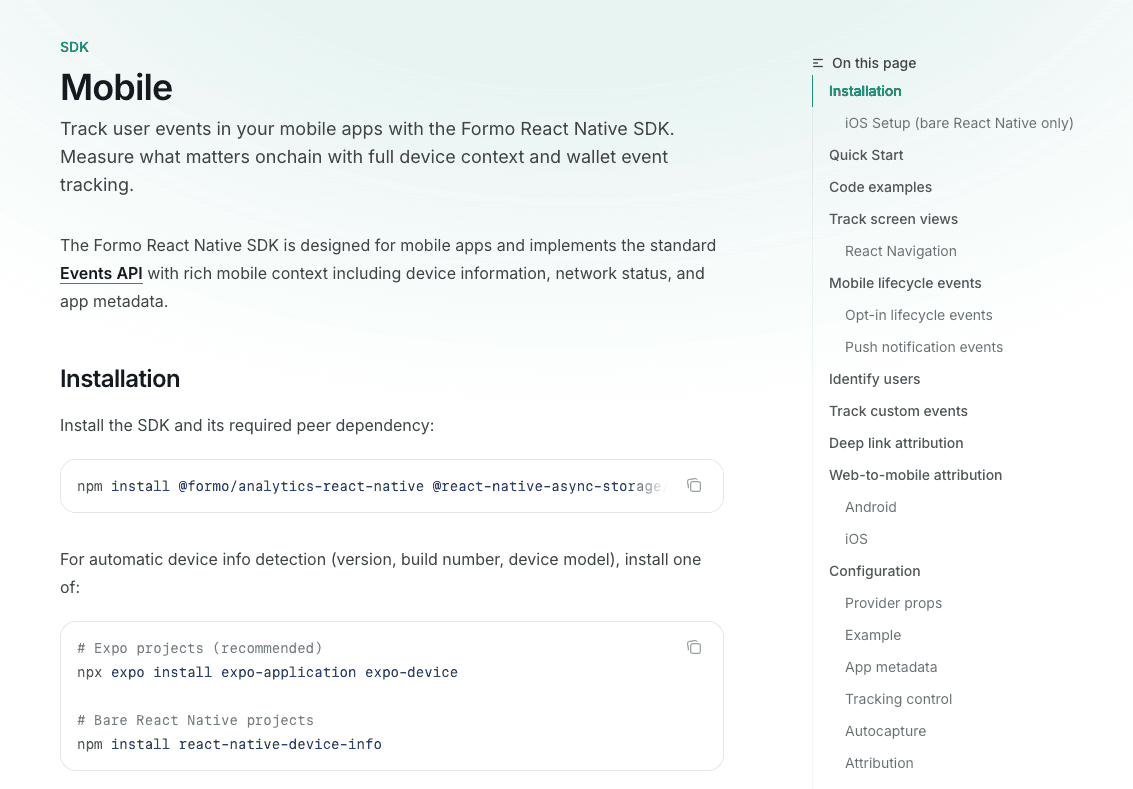
In addition to standard wallet events, this release adds a complete set of mobile lifecycle events ready to use in any chart:
Application InstalledApplication UpdatedApplication OpenedApplication BackgroundedApplication Crashed
Get started with analytics for your mobile app with the Mobile SDK guide.
Retention: Rolling and Recurring Toggle
Retention charts now expose a Rolling vs Recurring toggle:
Rolling: a user counts toward week N if they are active in week N or any later week. A smooth survival curve that can only go down.
Recurring: a user counts toward week N only if they are active in that specific week. Classic retention, so the curve can dip and recover.
Rolling is always the higher of the two, because it counts everyone Recurring counts plus anyone who returned later. Learn more about retention.
Unified Filters for API
We've unified separate filter parameters so every filter now has the same shape. Build mixed queries in a single request without juggling different envelopes for chains, apps, tokens, labels, or socials.
For example:
{
  "filters": [
    { "field": "users.net_worth_usd", "op": "gte", "value": 10000 },
    { "field": "chains.balance",      "op": "gte", "value": 1000, "chain_id": "1" },
    { "field": "apps.balance",        "op": "gte", "value": 500,  "app_id": "aave-v3" },
    { "field": "tokens.balance",      "op": "gte", "value": 100,  "token_address": "0x...", "scope": "any" },
    { "field": "labels.value",        "op": "eq",  "value": "enterprise", "tag_id": "plan" },
    { "field": "users.twitter",       "op": "notEmpty" }
  ],
  "logic": "and"
}
{
  "filters": [
    { "field": "users.net_worth_usd", "op": "gte", "value": 10000 },
    { "field": "chains.balance",      "op": "gte", "value": 1000, "chain_id": "1" },
    { "field": "apps.balance",        "op": "gte", "value": 500,  "app_id": "aave-v3" },
    { "field": "tokens.balance",      "op": "gte", "value": 100,  "token_address": "0x...", "scope": "any" },
    { "field": "labels.value",        "op": "eq",  "value": "enterprise", "tag_id": "plan" },
    { "field": "users.twitter",       "op": "notEmpty" }
  ],
  "logic": "and"
}
Supported operators:
eq,neq(equals, not equals)gt,gte,lt,lte(numeric comparisons)contains,startsWith,endsWith(string matching)in,nin(in list, not in list)isEmpty,notEmpty(existence)
Unifiied filters are live on the following APIs:
Profile search:
/v0/profiles/searchQuery API: funnel, flow, retention, KPIs, event timeseries, top wallets, top events, top sources, top chains, top locations, top pages, user frequency, user lifecycle, revenue and volume endpoints
Alerts triggers
See the profile search API and the Query API overview for a full reference.
Flow Chart Fixes
Six fixes across the Flow chart, resolving customer-reported correctness and performance issues:
Fixed two-anchor charts that could report completion above 100%.
Fixed transition counts that could vary between identical runs when events in a session shared the same second.
Fixed anchoring on a built-in event types returning empty results when an Include events allowlist was set.
Fixed multi-anchor charts failing to save due to improper validation.
Fixed multi-anchor overlays where a segment returning zero rows could shift every later anchor's label, reach count, and drill-down onto the wrong node.
Fixed timeouts and drill-down speed on flow anchors.
Improvements and Fixes
Added sorting on the Users table by First Seen and Last Seen.
Fixed the Users table sort indicator so it reflects the active sort.
Enabled AI reasoning mode in weekly email insights for higher-quality analysis.
Fixed Ask AI conversations dying mid-session when the auth token expired.
Fixed self-referrals (
formo.so → app.formo.so) appearing in referrer filters and referrer breakdowns. They're now stripped at ingest in the sessions and revenue materializations, so every referrer-backed filter and chart treats them as Direct.Fixed retention timeouts on large projects through performance improvements.
Fixed non-deterministic wallet cluster and volume ordering.
Fixed several filter gaps: substring anchors,
gte/lteontop_*metrics, and!=rendering in the UI.Fixed AI insights error messages so they distinguish provider outages, rate limits, and query failures instead of a generic error.
Added instructions for Solana apps to the install page.
Added a proxy section to the installation guide.
UX and UI improvements for funnels and charts.
Platform security and performance improvements.
Here are this week's highlights:
Mobile Analytics: React Native SDK and Dashboard Support
Retention: Rolling and Recurring Toggle
Unified Filters for API
Flow Chart Fixes
Improvements and Fixes
Mobile Analytics: React Native SDK and Dashboard Support
Mobile Analytics brings the full Formo analytics and attribution experience to iOS and Android crypto apps.
Drop in the React Native SDK to identify wallets, track in-app activity, and see the same funnels, charts, and wallet profiles you are already familiar with.
In addition to standard wallet events, this release adds a complete set of mobile lifecycle events ready to use in any chart:
Application InstalledApplication UpdatedApplication OpenedApplication BackgroundedApplication Crashed
Get started with analytics for your mobile app with the Mobile SDK guide.
Retention: Rolling and Recurring Toggle
Retention charts now expose a Rolling vs Recurring toggle:
Rolling: a user counts toward week N if they are active in week N or any later week. A smooth survival curve that can only go down.
Recurring: a user counts toward week N only if they are active in that specific week. Classic retention, so the curve can dip and recover.
Rolling is always the higher of the two, because it counts everyone Recurring counts plus anyone who returned later. Learn more about retention.
Unified Filters for API
We've unified separate filter parameters so every filter now has the same shape. Build mixed queries in a single request without juggling different envelopes for chains, apps, tokens, labels, or socials.
For example:
{
  "filters": [
    { "field": "users.net_worth_usd", "op": "gte", "value": 10000 },
    { "field": "chains.balance",      "op": "gte", "value": 1000, "chain_id": "1" },
    { "field": "apps.balance",        "op": "gte", "value": 500,  "app_id": "aave-v3" },
    { "field": "tokens.balance",      "op": "gte", "value": 100,  "token_address": "0x...", "scope": "any" },
    { "field": "labels.value",        "op": "eq",  "value": "enterprise", "tag_id": "plan" },
    { "field": "users.twitter",       "op": "notEmpty" }
  ],
  "logic": "and"
}
Supported operators:
eq,neq(equals, not equals)gt,gte,lt,lte(numeric comparisons)contains,startsWith,endsWith(string matching)in,nin(in list, not in list)isEmpty,notEmpty(existence)
Unifiied filters are live on the following APIs:
Profile search:
/v0/profiles/searchQuery API: funnel, flow, retention, KPIs, event timeseries, top wallets, top events, top sources, top chains, top locations, top pages, user frequency, user lifecycle, revenue and volume endpoints
Alerts triggers
See the profile search API and the Query API overview for a full reference.
Flow Chart Fixes
Six fixes across the Flow chart, resolving customer-reported correctness and performance issues:
Fixed two-anchor charts that could report completion above 100%.
Fixed transition counts that could vary between identical runs when events in a session shared the same second.
Fixed anchoring on a built-in event types returning empty results when an Include events allowlist was set.
Fixed multi-anchor charts failing to save due to improper validation.
Fixed multi-anchor overlays where a segment returning zero rows could shift every later anchor's label, reach count, and drill-down onto the wrong node.
Fixed timeouts and drill-down speed on flow anchors.
Improvements and Fixes
Added sorting on the Users table by First Seen and Last Seen.
Fixed the Users table sort indicator so it reflects the active sort.
Enabled AI reasoning mode in weekly email insights for higher-quality analysis.
Fixed Ask AI conversations dying mid-session when the auth token expired.
Fixed self-referrals (
formo.so → app.formo.so) appearing in referrer filters and referrer breakdowns. They're now stripped at ingest in the sessions and revenue materializations, so every referrer-backed filter and chart treats them as Direct.Fixed retention timeouts on large projects through performance improvements.
Fixed non-deterministic wallet cluster and volume ordering.
Fixed several filter gaps: substring anchors,
gte/lteontop_*metrics, and!=rendering in the UI.Fixed AI insights error messages so they distinguish provider outages, rate limits, and query failures instead of a generic error.
Added instructions for Solana apps to the install page.
Added a proxy section to the installation guide.
UX and UI improvements for funnels and charts.
Platform security and performance improvements.
Here are this week's highlights:
Ad Attribution
Sybil Wallet Labels
New Dashboard Templates
Web-to-Mobile Attribution
Form Webhooks
Improvements and Fixes
Ad Attribution (X, Google, Reddit, and more)
Formo now supports attribution for paid ads. You can see the ad platform that first brought a user in, alongside the existing UTM, referrer, and referral attribution.
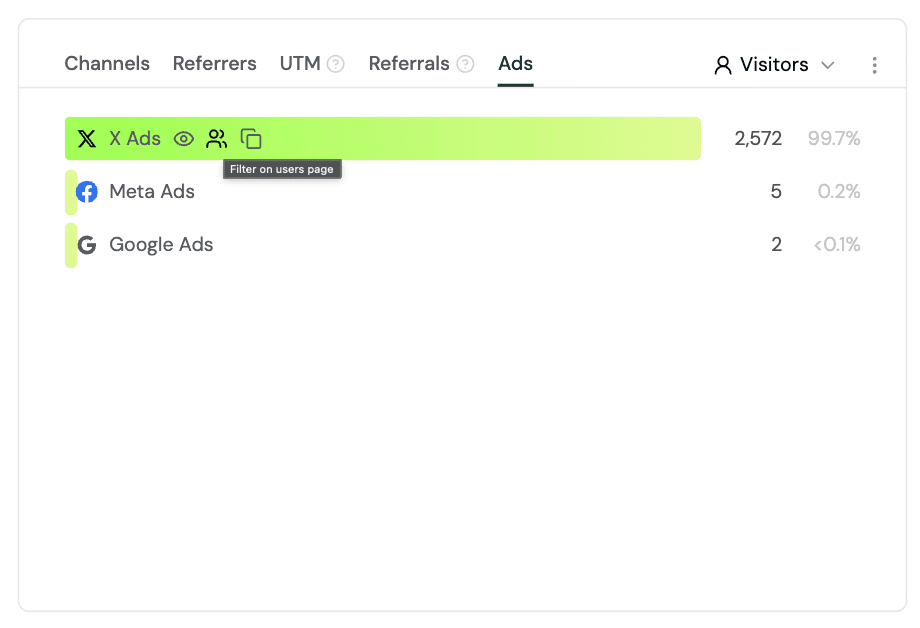
Formo automatically detects the ad platform from click IDs in the URL. No action is required. Supported ad platforms include:
Google Ads:
gclid,gad_sourceMeta Ads:
fbclidMicrosoft Ads:
msclkidTikTok Ads:
ttclidX Ads:
twclidLinkedIn Ads:
li_fat_idReddit Ads:
rdt_cid
You can view, filter, group, and export data by ad platform to attribute revenue, conversions, and retention back to the campaigns that produced them.
See ad attribution to learn more.
Sybil Wallet Labels
Wallet profiles now show sybil wallet labels, sourced from the public LayerZero, Hop, and Optimism sybil lists.
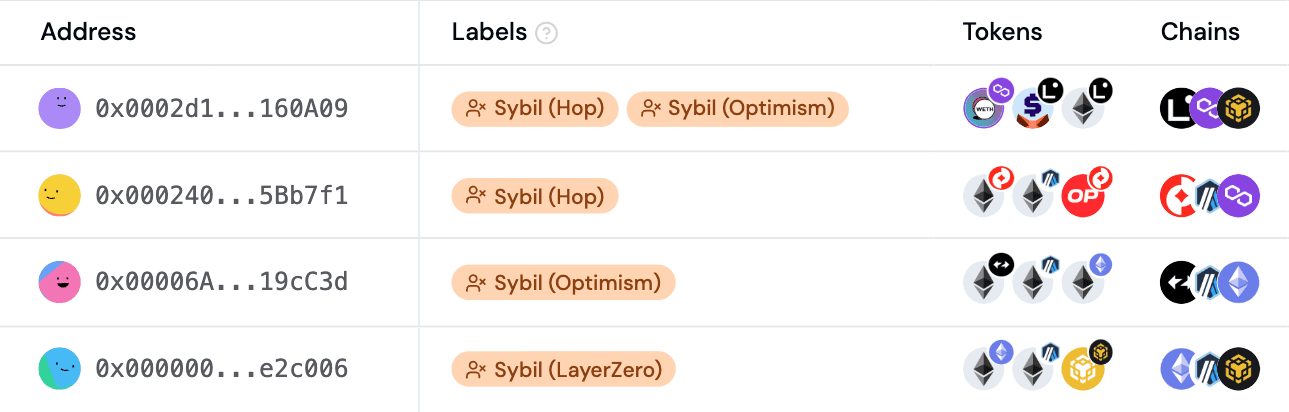
You can use sybil labels to filter known airdrop farmers out of your charts, funnels, and cohorts, or segment them for their own analysis.
New Dashboard Templates
Added five new starter dashboard templates, alongside the existing ones, so new workspaces have production-ready analytics out of the box. Templates can be dropped into any existing project.
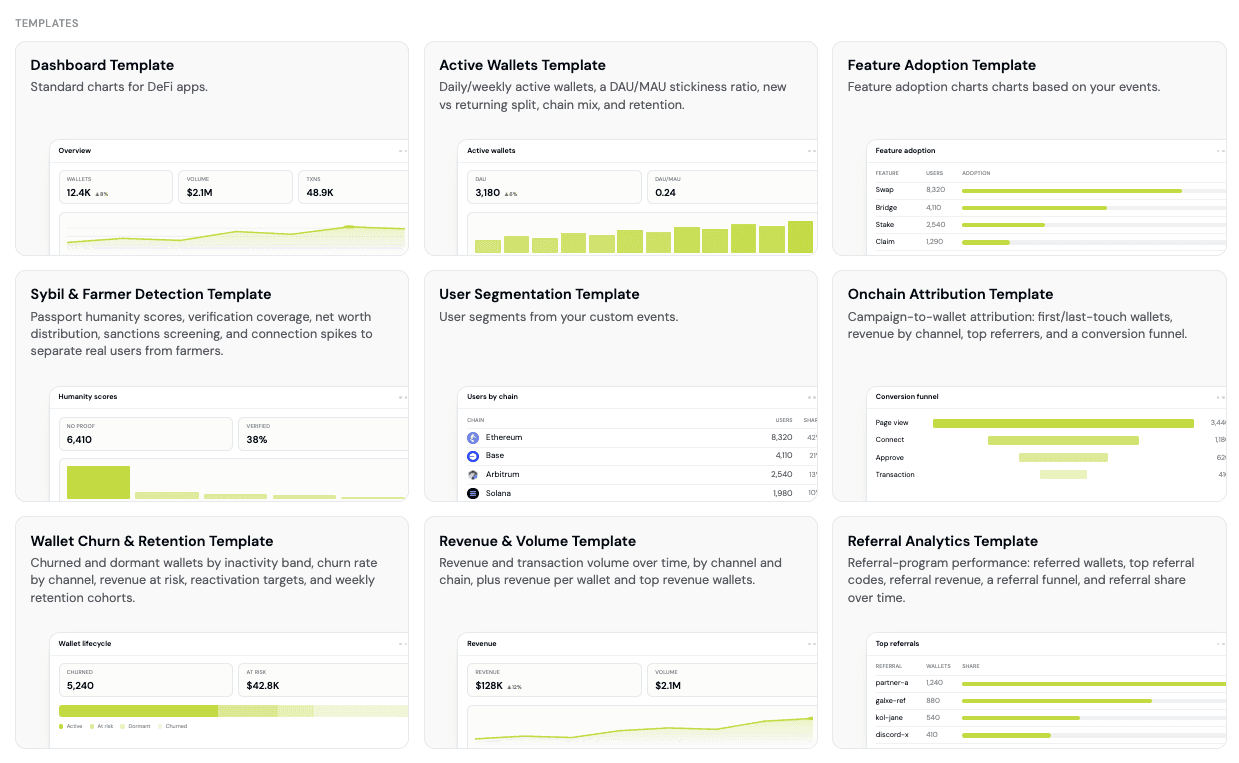
The full list is available on formo.so/dashboards. The new templates are:
Active Wallets: daily/weekly active wallets, a DAU/MAU stickiness ratio, new vs returning split, chain mix, and retention.
Sybil & Farmer Detection: Passport humanity scores, verification coverage, net worth distribution, sanctions screening, and connection spikes to separate real users from farmers.
Onchain Attribution: campaign-to-wallet attribution: first/last-touch wallets, revenue by channel, top referrers, and a conversion funnel.
Liquidity Provider: LP wallets by protocol balance, net worth tier, token holdings, plus a deposit funnel and LP retention.
Wallet Churn & Retention: churned and dormant wallets by inactivity band, churn rate by channel, revenue at risk, reactivation targets, and weekly retention cohorts.
Web-to-Mobile Attribution (Android)
The React Native SDK can now answer which site or campaign led someone to install your app.
For Android apps, point your marketing links at your Play Store listing with a referrer parameter. On first launch the mobile SDK reads it via the Google Play Install Referrer API and connects it to the Application Installed event, active session, and the user.
Learn how to set up web-to-mobile attribution on the mobile SDK.
Form Webhooks
Form submissions now support webhooks. With webhooks, you can instantly send information to another app or URL after a trigger, like a form submission. This lets you build automated workflows to take action on new responses. Connect submissions directly into your workflow or drop them into a Slack channel.
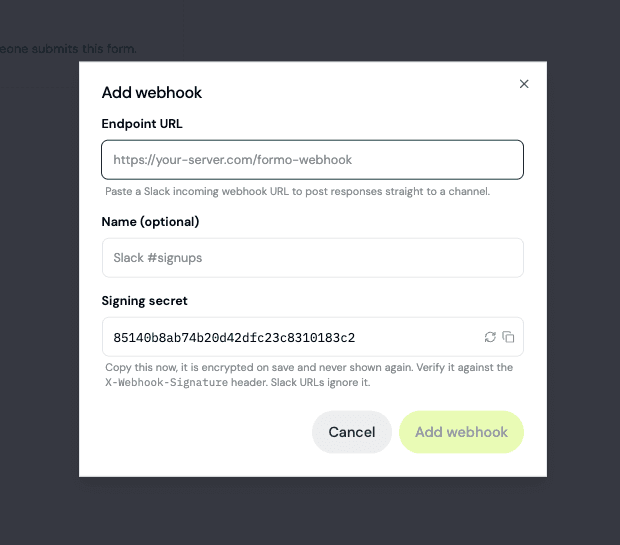
Get started by adding a webhook on the form settings page. Learn more about form webhooks.
Improvements and Fixes
Added an agent memory link in the Ask AI message input bar.
Fixed User Paths returning transition counts that could vary due to it being sorted non-deterministically.
Fixed referrer filters (including "is not empty") counting same-domain navigation as an external referrer, which had inflated cohort counts and shown a Direct bucket under non-empty-referrer filters in Channels.
Fixed Ask AI failing mid-session on an expired auth token: it now refreshes and retries once.
Fixed Ask AI turn crashes and the chart validation retry loop.
Wallet profiles now store gross asset and debt USD values for each DeFi position, not just the net value, so leveraged and debt-carrying wallets can be distinguished from simple suppliers.
Fixed dashboard preview SQL validation for chart templates.
Deduplicated mobile device and OS icons in Live View.
Raised the per-project board limit from 10 to 20.
Updated the public demo project with richer sample data.
Sanitized Web SDK traffic-source values against scanner-injected payloads.
Fixed compare-overlay alignment and a handful of UX issues.
Fixed the sticky header on the Users page table.
Platform security and performance improvements.
Here are this week's highlights:
Ad Attribution
Sybil Wallet Labels
New Dashboard Templates
Web-to-Mobile Attribution
Form Webhooks
Improvements and Fixes
Ad Attribution (X, Google, Reddit, and more)
Formo now supports attribution for paid ads. You can see the ad platform that first brought a user in, alongside the existing UTM, referrer, and referral attribution.
Formo automatically detects the ad platform from click IDs in the URL. No action is required. Supported ad platforms include:
Google Ads:
gclid,gad_sourceMeta Ads:
fbclidMicrosoft Ads:
msclkidTikTok Ads:
ttclidX Ads:
twclidLinkedIn Ads:
li_fat_idReddit Ads:
rdt_cid
You can view, filter, group, and export data by ad platform to attribute revenue, conversions, and retention back to the campaigns that produced them.
See ad attribution to learn more.
Sybil Wallet Labels
Wallet profiles now show sybil wallet labels, sourced from the public LayerZero, Hop, and Optimism sybil lists.
You can use sybil labels to filter known airdrop farmers out of your charts, funnels, and cohorts, or segment them for their own analysis.
New Dashboard Templates
Added five new starter dashboard templates, alongside the existing ones, so new workspaces have production-ready analytics out of the box. Templates can be dropped into any existing project.
The full list is available on formo.so/dashboards. The new templates are:
Active Wallets: daily/weekly active wallets, a DAU/MAU stickiness ratio, new vs returning split, chain mix, and retention.
Sybil & Farmer Detection: Passport humanity scores, verification coverage, net worth distribution, sanctions screening, and connection spikes to separate real users from farmers.
Onchain Attribution: campaign-to-wallet attribution: first/last-touch wallets, revenue by channel, top referrers, and a conversion funnel.
Liquidity Provider: LP wallets by protocol balance, net worth tier, token holdings, plus a deposit funnel and LP retention.
Wallet Churn & Retention: churned and dormant wallets by inactivity band, churn rate by channel, revenue at risk, reactivation targets, and weekly retention cohorts.
Web-to-Mobile Attribution (Android)
The React Native SDK can now answer which site or campaign led someone to install your app.
For Android apps, point your marketing links at your Play Store listing with a referrer parameter. On first launch the mobile SDK reads it via the Google Play Install Referrer API and connects it to the Application Installed event, active session, and the user.
Learn how to set up web-to-mobile attribution on the mobile SDK.
Form Webhooks
Form submissions now support webhooks. With webhooks, you can instantly send information to another app or URL after a trigger, like a form submission. This lets you build automated workflows to take action on new responses. Connect submissions directly into your workflow or drop them into a Slack channel.
Get started by adding a webhook on the form settings page. Learn more about form webhooks.
Improvements and Fixes
Added an agent memory link in the Ask AI message input bar.
Fixed User Paths returning transition counts that could vary due to it being sorted non-deterministically.
Fixed referrer filters (including "is not empty") counting same-domain navigation as an external referrer, which had inflated cohort counts and shown a Direct bucket under non-empty-referrer filters in Channels.
Fixed Ask AI failing mid-session on an expired auth token: it now refreshes and retries once.
Fixed Ask AI turn crashes and the chart validation retry loop.
Wallet profiles now store gross asset and debt USD values for each DeFi position, not just the net value, so leveraged and debt-carrying wallets can be distinguished from simple suppliers.
Fixed dashboard preview SQL validation for chart templates.
Deduplicated mobile device and OS icons in Live View.
Raised the per-project board limit from 10 to 20.
Updated the public demo project with richer sample data.
Sanitized Web SDK traffic-source values against scanner-injected payloads.
Fixed compare-overlay alignment and a handful of UX issues.
Fixed the sticky header on the Users page table.
Platform security and performance improvements.
Here are this week's highlights:
Formo MCP: Write Access and Granular Permissions
Ask AI Credits & Usage Limits
Expanded Wallet Intelligence Coverage
Public Demo Dashboard
Improvements and Fixes
"Is not empty" Filter
Formo MCP: Write Access and Granular Permissions
Your AI agent can now create and edit alerts, charts, segments, and contracts on Formo, not just read them, using 28 new tools that run through the same code paths as the dashboard. Whatever you can do on the dashboard, your agent can do for you.
Learn more about these capabilities in Formo MCP.
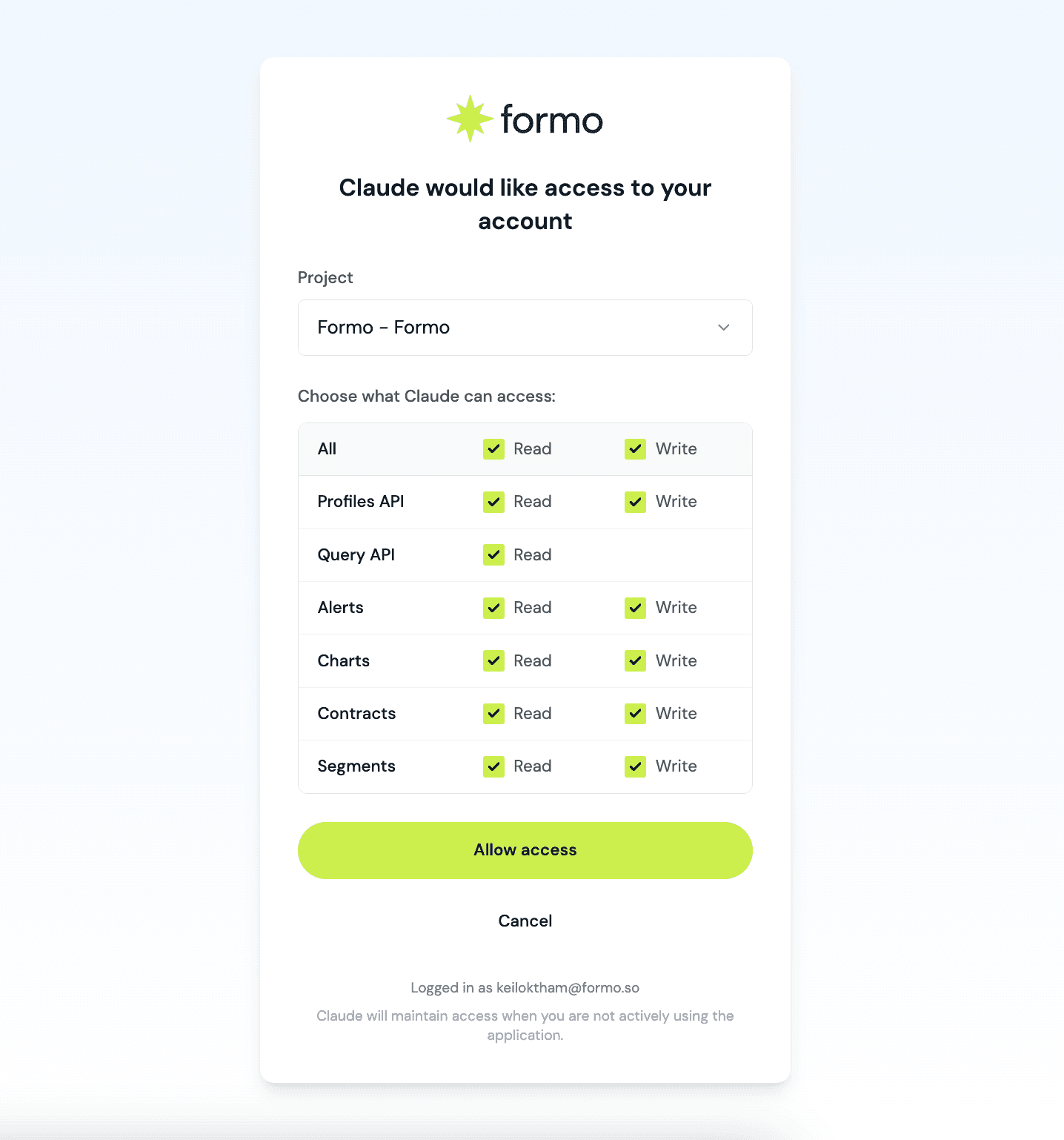
The OAuth flow now shows the full permission matrix, and a new Connected Apps page in Settings lists every app you've authorized. Learn more in the MCP docs.
Access is scoped per resource (e.g. alerts:write, contracts:read), mirroring the same permission model as API keys, so you decide exactly what each connected agent can see and touch.
Ask AI Credits & Usage Limits
Ask AI usage is now metered per workspace against a monthly credit budget.
Growth plans get 1,000 credits/month,
Scale plans start from 2,000 credits/month at Scale 10K, and
Enterprise stays uncapped.
Track usage live from the Usage page. If a workspace runs out mid-cycle, you can wait for credits to refresh at the start of the next billing cycle. Alternatively, use the Formo MCP for unlimited access with your own AI model.
Expanded Wallet Intelligence Coverage
Gross Asset and Debt Values for DeFi Positions
Wallet profiles now captures gross asset value and debt, in addition to net balance. Based on this you can tell a $10k lender apart from a wallet supplying $110k against $100k of debt, the basis for borrower/supplier and leverage segmentation.
The full data is available for queries in the wallet_profiles table.
Improved Bridge and Aggregator Apps Detection
Wallet profiles also has expanded coverage for bridges and aggregators (e.g. LI.FI, Rango, deBridge, Across, Wormhole) detected based on each wallet's transaction history.
Some bridges and aggregators never custody funds onchain, so they were previously only partially visible to wallet profiling.
Public Demo Dashboard
There's now a public demo of the real Formo dashboard running on sample data on the homepage. It's the actual product, not a mockup, so it's always in sync with what you use every day.
Handy for sharing Formo with teammates who want to see Formo before signing up.
"Is not empty" Filter
You can now filter Users, Overview, Activity, Funnels, Retention, and Alerts down to everyone who has any value for an attribution field: Referrer, Referral, UTM Source/Medium/Campaign/Term/Content, or Builder Codes, instead of picking a specific value. The most common use case is "show me every user who came in through a referral or builder code."
See metrics for a full list of available attribution fields.
Improvements and Fixes
Fixed Ask AI chat crashes on resumed conversations, a chart-preview validation retry loop, and bugs where accepting an AI-proposed dashboard update could duplicate or misplace charts under concurrent edits.
Fixed the "Sessions per Wallet" and "Transactions per Wallet" cards showing noisy zero-count buckets.
Fixed dashboard template previews not rendering live data.
Fixed the chart editor keeping a stale example description and losing your axis/group-by selections when switching chart types.
Fixed the Users, Wallets, and Visitors tables so the header stays visible and the horizontal scrollbar/pagination no longer scroll off-screen on wide tables; added drag-to-pan on the header row.
Fixed several inaccuracies in the API reference: event ID requirements, idempotency headers, behavior-filter field names, and chart breakdown/user-path limits.
Fixed the User Lifecycle chart forcing Churned and At Risk users toward zero near the end of a date range; added a "Lifetime User Lifecycle Over Time" example chart and clarified its description so it isn't confused with the Users-page lifecycle card.
Include linked wallet addresses as sensitive data for Viewer-role users.
Updated workspace settings to include "Leave workspace" for all roles.
Added API reference links beside the Properties and Labels help icons on wallet profile pages.
Added a methodology footer to Wins/Issues/Opportunities cards on the Insights page, matching the existing Acquisition/Revenue/Churn cards.
Added chain metadata for Robinhood, MegaETH, and Fantom.
Updated Builder Codes to appear before UTM parameters in filters and tables.
Platform security and performance improvements.
Here are this week's highlights:
Formo MCP: Write Access and Granular Permissions
Ask AI Credits & Usage Limits
Expanded Wallet Intelligence Coverage
Public Demo Dashboard
Improvements and Fixes
"Is not empty" Filter
Formo MCP: Write Access and Granular Permissions
Your AI agent can now create and edit alerts, charts, segments, and contracts on Formo, not just read them, using 28 new tools that run through the same code paths as the dashboard. Whatever you can do on the dashboard, your agent can do for you.
Learn more about these capabilities in Formo MCP.
The OAuth flow now shows the full permission matrix, and a new Connected Apps page in Settings lists every app you've authorized. Learn more in the MCP docs.
Access is scoped per resource (e.g. alerts:write, contracts:read), mirroring the same permission model as API keys, so you decide exactly what each connected agent can see and touch.
Ask AI Credits & Usage Limits
Ask AI usage is now metered per workspace against a monthly credit budget.
Growth plans get 1,000 credits/month,
Scale plans start from 2,000 credits/month at Scale 10K, and
Enterprise stays uncapped.
Track usage live from the Usage page. If a workspace runs out mid-cycle, you can wait for credits to refresh at the start of the next billing cycle. Alternatively, use the Formo MCP for unlimited access with your own AI model.
Expanded Wallet Intelligence Coverage
Gross Asset and Debt Values for DeFi Positions
Wallet profiles now captures gross asset value and debt, in addition to net balance. Based on this you can tell a $10k lender apart from a wallet supplying $110k against $100k of debt, the basis for borrower/supplier and leverage segmentation.
The full data is available for queries in the wallet_profiles table.
Improved Bridge and Aggregator Apps Detection
Wallet profiles also has expanded coverage for bridges and aggregators (e.g. LI.FI, Rango, deBridge, Across, Wormhole) detected based on each wallet's transaction history.
Some bridges and aggregators never custody funds onchain, so they were previously only partially visible to wallet profiling.
Public Demo Dashboard
There's now a public demo of the real Formo dashboard running on sample data on the homepage. It's the actual product, not a mockup, so it's always in sync with what you use every day.
Handy for sharing Formo with teammates who want to see Formo before signing up.
"Is not empty" Filter
You can now filter Users, Overview, Activity, Funnels, Retention, and Alerts down to everyone who has any value for an attribution field: Referrer, Referral, UTM Source/Medium/Campaign/Term/Content, or Builder Codes, instead of picking a specific value. The most common use case is "show me every user who came in through a referral or builder code."
See metrics for a full list of available attribution fields.
Improvements and Fixes
Fixed Ask AI chat crashes on resumed conversations, a chart-preview validation retry loop, and bugs where accepting an AI-proposed dashboard update could duplicate or misplace charts under concurrent edits.
Fixed the "Sessions per Wallet" and "Transactions per Wallet" cards showing noisy zero-count buckets.
Fixed dashboard template previews not rendering live data.
Fixed the chart editor keeping a stale example description and losing your axis/group-by selections when switching chart types.
Fixed the Users, Wallets, and Visitors tables so the header stays visible and the horizontal scrollbar/pagination no longer scroll off-screen on wide tables; added drag-to-pan on the header row.
Fixed several inaccuracies in the API reference: event ID requirements, idempotency headers, behavior-filter field names, and chart breakdown/user-path limits.
Fixed the User Lifecycle chart forcing Churned and At Risk users toward zero near the end of a date range; added a "Lifetime User Lifecycle Over Time" example chart and clarified its description so it isn't confused with the Users-page lifecycle card.
Include linked wallet addresses as sensitive data for Viewer-role users.
Updated workspace settings to include "Leave workspace" for all roles.
Added API reference links beside the Properties and Labels help icons on wallet profile pages.
Added a methodology footer to Wins/Issues/Opportunities cards on the Insights page, matching the existing Acquisition/Revenue/Churn cards.
Added chain metadata for Robinhood, MegaETH, and Fantom.
Updated Builder Codes to appear before UTM parameters in filters and tables.
Platform security and performance improvements.
Here are this week’s highlights:
Improved Charts and Dashboards
Add Charts to Existing Boards from Templates
Improved Role-Based Access Control
Agent Memory for Ask AI
Page URL Normalization
Improvements and Fixes
Improved Charts and Dashboards
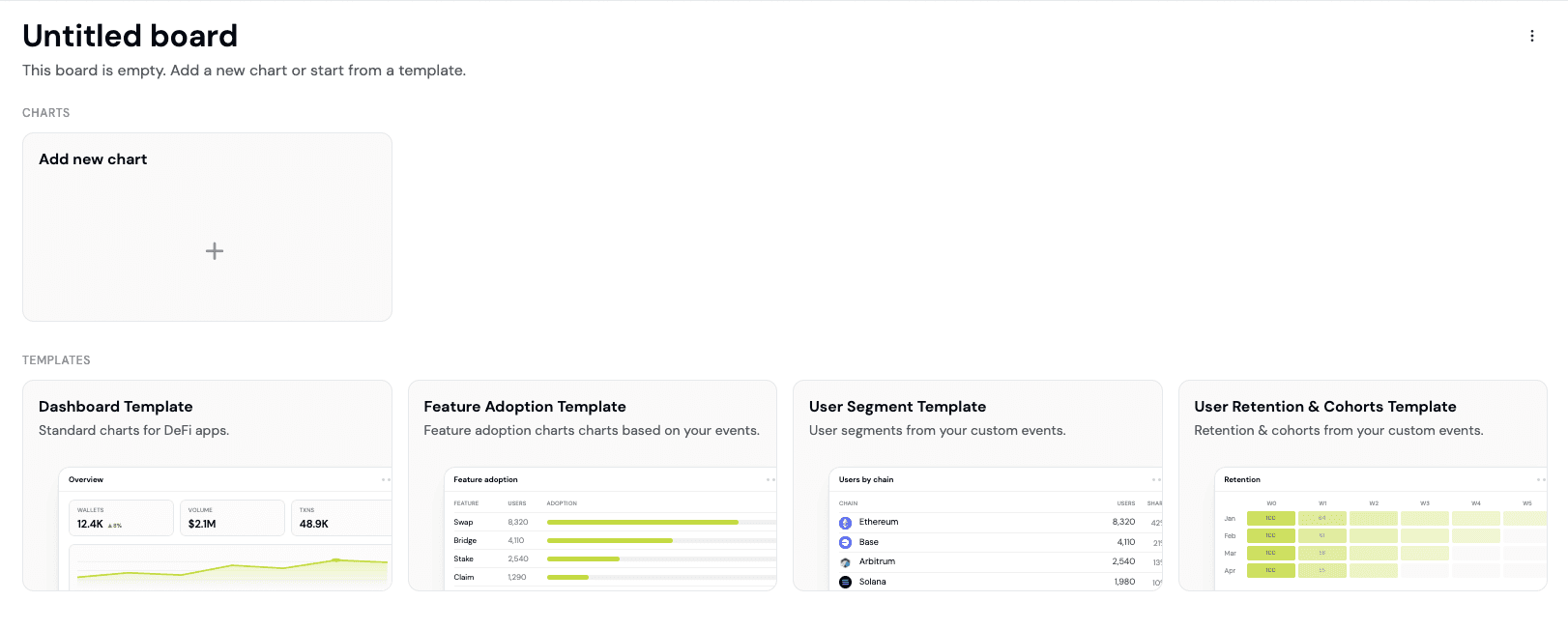
Charts across the dashboard received a batch of improvements this week:
New event totals on the activity page. View totals events per event type and other breakdowns for a date range.
New pie chart legend controls. Hover over a legend entry to highlight its slice, click one or more to highlight slices. This works everywhere pie charts appear in the Overview and custom dashboards.
New dashboard templates UI. The templates browser is easier to scan, with clearer previews and descriptions for each template. Learn How to Build a Custom Dashboard.
Add Charts to Existing Boards from Templates
You can now add charts from a library of chart templates into an existing custom board instead of creating a new one from scratch.
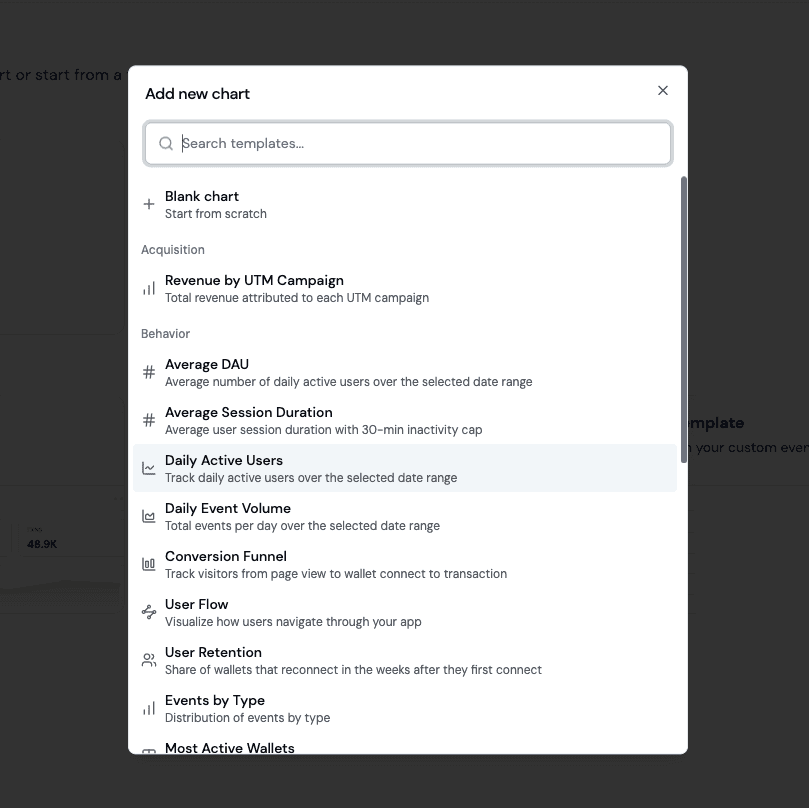
This makes it faster to iterate: Open a board, pick the charts you want, and add them. A few templates worth trying:
Conversion Funnel (Behavior): Example funnel chart for your key touchpoints.
User Retention (Behavior): Weekly cohort retention off any event.
Daily Active Users (Behavior): DAU trend over time as a line chart.
Revenue by UTM Source (Acquisition): Revenue attribution grouped by campaign source.
Top DeFi App Positions (Onchain): Apps where your users hold positions across all of DeFi.
Improved Role-Based Access Control
Formo uses role-based access control to control what each teammate can view or change:
Owner: Full access to the workspace. Owners can invite admins, transfer ownership, delete the workspace, and delete projects. Each workspace has one owner.
Admin: Full access to the workspace. Can manage members, roles, and settings but cannot invite admins or delete the workspace and projects.
Editor: Can manage projects, forms, contracts, charts, dashboards, and alerts. Editors cannot manage members, workspace settings, and key project settings.
Viewer: Read-only access to projects and forms.
Workspace members can now better see the surfaces their role can actually act on:
Your current role now shows in the account dropdown, so you always know what you can and cannot do in the current workspace.
Billing, usage, workspace, and project settings are now hidden entirely from roles that can’t act on them.
Sensitive user data (social handles, profile properties) can now be optionally hidden from Viewer roles for teams needing more control on visibility.
Learn more about roles.
Agent Memory for Ask AI
Ask AI now has Agent Memory: durable workspace facts that persist across conversations, so you no longer have to re-teach it key metric definitions, core funnels, or team knowledge each time.

The agent captures workspace-level facts as you work (for example, the key steps of your core conversion funnel: page → connect_wallet → swap), stores them per workspace, and uses them to ground its answers. Admins can review or remove entries at any time.
Page URL Normalization
Page URLs and paths are now normalized at ingest so /pricing and /pricing/roll up correctly instead of appearing as separate rows.
This update is live for top pages, pathname filters, and every page-scoped chart across the Overview and custom dashboards. Existing workspaces and projects do not need to do anything.
The web SDK now applies the same normalization at capture time. Upgrade to @formo/analytics 1.33.1 to get consistent path handling end-to-end, including trailing-slash stripping on page events.
Improvements and Fixes
Added dynamic date variables to chart examples.
Fixed the audit log auth feed so routine session refresh no longer surfaces as signed out events.
Added event totals popover on the Activity chart header for at-a-glance breakdown counts.
Improved onboarding checklist: cleaner step ordering and more accurate completion detection.
Improved demo project so referrers, UTM sources, and entry/exit paths look like real traffic.
Fixed closed funnels to exclude users whose step-1 event fires in the conversion-window slack past the end date.
Fixed Ask AI: queued messages no longer disappear on stream errors, tool-call output stays behind the tool boundary, and streaming code blocks render at a readable size.
Fixed Ask AI: redundant tool invocations within a single turn are now deduplicated.
Fixed Ask AI: JSON-only insight responses no longer append the “how I calculated” footer.
Added Passport label fallback so humanity and aggregate scores are more reliably set in wallet profiles.
Updated the invite screen to show a simpler CTA when the invite has already been responded to.
Platform security and performance improvements.
Here are this week’s highlights:
Improved Charts and Dashboards
Add Charts to Existing Boards from Templates
Improved Role-Based Access Control
Agent Memory for Ask AI
Page URL Normalization
Improvements and Fixes
Improved Charts and Dashboards
Charts across the dashboard received a batch of improvements this week:
New event totals on the activity page. View totals events per event type and other breakdowns for a date range.
New pie chart legend controls. Hover over a legend entry to highlight its slice, click one or more to highlight slices. This works everywhere pie charts appear in the Overview and custom dashboards.
New dashboard templates UI. The templates browser is easier to scan, with clearer previews and descriptions for each template. Learn How to Build a Custom Dashboard.
Add Charts to Existing Boards from Templates
You can now add charts from a library of chart templates into an existing custom board instead of creating a new one from scratch.
This makes it faster to iterate: Open a board, pick the charts you want, and add them. A few templates worth trying:
Conversion Funnel (Behavior): Example funnel chart for your key touchpoints.
User Retention (Behavior): Weekly cohort retention off any event.
Daily Active Users (Behavior): DAU trend over time as a line chart.
Revenue by UTM Source (Acquisition): Revenue attribution grouped by campaign source.
Top DeFi App Positions (Onchain): Apps where your users hold positions across all of DeFi.
Improved Role-Based Access Control
Formo uses role-based access control to control what each teammate can view or change:
Owner: Full access to the workspace. Owners can invite admins, transfer ownership, delete the workspace, and delete projects. Each workspace has one owner.
Admin: Full access to the workspace. Can manage members, roles, and settings but cannot invite admins or delete the workspace and projects.
Editor: Can manage projects, forms, contracts, charts, dashboards, and alerts. Editors cannot manage members, workspace settings, and key project settings.
Viewer: Read-only access to projects and forms.
Workspace members can now better see the surfaces their role can actually act on:
Your current role now shows in the account dropdown, so you always know what you can and cannot do in the current workspace.
Billing, usage, workspace, and project settings are now hidden entirely from roles that can’t act on them.
Sensitive user data (social handles, profile properties) can now be optionally hidden from Viewer roles for teams needing more control on visibility.
Learn more about roles.
Agent Memory for Ask AI
Ask AI now has Agent Memory: durable workspace facts that persist across conversations, so you no longer have to re-teach it key metric definitions, core funnels, or team knowledge each time.
The agent captures workspace-level facts as you work (for example, the key steps of your core conversion funnel: page → connect_wallet → swap), stores them per workspace, and uses them to ground its answers. Admins can review or remove entries at any time.
Page URL Normalization
Page URLs and paths are now normalized at ingest so /pricing and /pricing/roll up correctly instead of appearing as separate rows.
This update is live for top pages, pathname filters, and every page-scoped chart across the Overview and custom dashboards. Existing workspaces and projects do not need to do anything.
The web SDK now applies the same normalization at capture time. Upgrade to @formo/analytics 1.33.1 to get consistent path handling end-to-end, including trailing-slash stripping on page events.
Improvements and Fixes
Added dynamic date variables to chart examples.
Fixed the audit log auth feed so routine session refresh no longer surfaces as signed out events.
Added event totals popover on the Activity chart header for at-a-glance breakdown counts.
Improved onboarding checklist: cleaner step ordering and more accurate completion detection.
Improved demo project so referrers, UTM sources, and entry/exit paths look like real traffic.
Fixed closed funnels to exclude users whose step-1 event fires in the conversion-window slack past the end date.
Fixed Ask AI: queued messages no longer disappear on stream errors, tool-call output stays behind the tool boundary, and streaming code blocks render at a readable size.
Fixed Ask AI: redundant tool invocations within a single turn are now deduplicated.
Fixed Ask AI: JSON-only insight responses no longer append the “how I calculated” footer.
Added Passport label fallback so humanity and aggregate scores are more reliably set in wallet profiles.
Updated the invite screen to show a simpler CTA when the invite has already been responded to.
Platform security and performance improvements.
Here are this week's highlights:
Dune Integration
Multi-Select Page Filters
Improvements and Fixes
Dune Integration
You can now query data from Dune directly inside your Formo dashboards, so your existing Dune queries can live next to your product analytics on the same board.
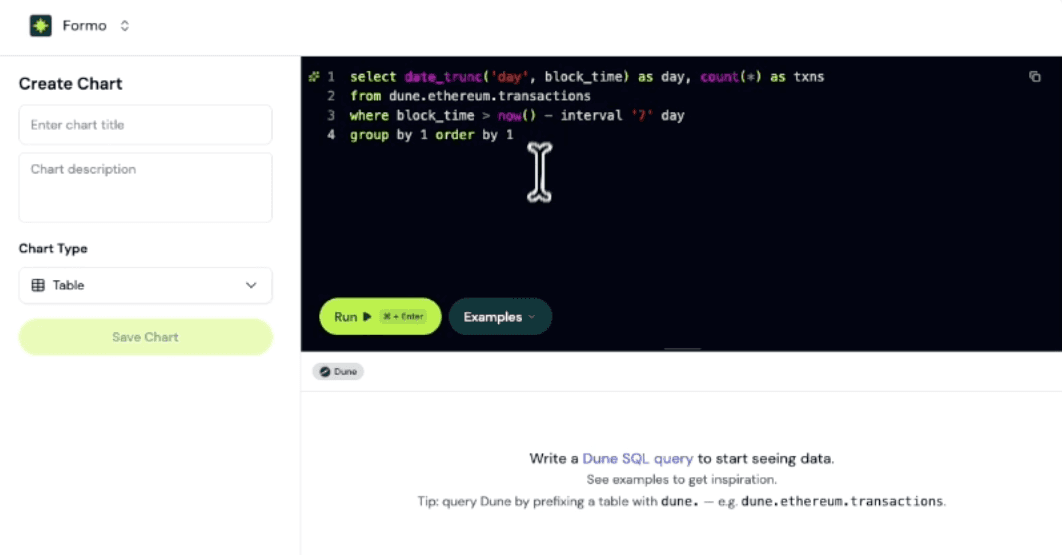
Write a Dune query, pick a chart type, and view the result alongside your Formo insights without leaving the Formo dashboard. Perfect for teams who already maintain protocol dashboards on Dune and want them consolidated in one place.
A Dune API Key is required for this feature.
Multi-Select Page Filters
The page filter on the overview page now supports multiple selections.
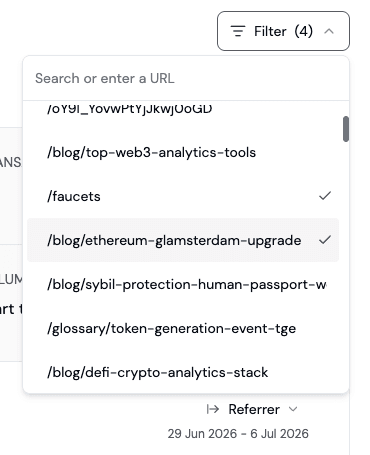
Add or remove pages and analyze multiple pages all at once. You can view traffic and other metrics for one or more pages easily.
Improvements and Fixes
Added support for Robinhood mainnet (chain ID 4663) alongside the existing Robinhood testnet support.
Added URL trailing slash normalization to the Web SDK (1.33.1), so
/pricingand/pricing/no longer split into two rows in your analytics.Added AAL2 step-up authentication to MFA management endpoints so enrolling and rotating factors requires a fresh MFA challenge.
Improved chart tooltips with a multi-column layout that shows the current value, the previous period's value, and the percentage delta on hover, so you can read period-over-period movement without eyeballing two lines.
Improved event filters to order built-in SDK properties first, so common properties such as urls in page events are easier to find across every event type.
Improved project deletion to run transactionally so a partial failure no longer leaves orphaned data behind.
Fixed the funnel step picker truncating events on high-cardinality projects, so every event is now available when building a funnel.
Fixed NaN values showing up in the weekly insights email Top Referrers and Top Countries sections.
Performance improvements and security fixes.
Here are this week's highlights:
Dune Integration
Multi-Select Page Filters
Improvements and Fixes
Dune Integration
You can now query data from Dune directly inside your Formo dashboards, so your existing Dune queries can live next to your product analytics on the same board.
Write a Dune query, pick a chart type, and view the result alongside your Formo insights without leaving the Formo dashboard. Perfect for teams who already maintain protocol dashboards on Dune and want them consolidated in one place.
A Dune API Key is required for this feature.
Multi-Select Page Filters
The page filter on the overview page now supports multiple selections.
Add or remove pages and analyze multiple pages all at once. You can view traffic and other metrics for one or more pages easily.
Improvements and Fixes
Added support for Robinhood mainnet (chain ID 4663) alongside the existing Robinhood testnet support.
Added URL trailing slash normalization to the Web SDK (1.33.1), so
/pricingand/pricing/no longer split into two rows in your analytics.Added AAL2 step-up authentication to MFA management endpoints so enrolling and rotating factors requires a fresh MFA challenge.
Improved chart tooltips with a multi-column layout that shows the current value, the previous period's value, and the percentage delta on hover, so you can read period-over-period movement without eyeballing two lines.
Improved event filters to order built-in SDK properties first, so common properties such as urls in page events are easier to find across every event type.
Improved project deletion to run transactionally so a partial failure no longer leaves orphaned data behind.
Fixed the funnel step picker truncating events on high-cardinality projects, so every event is now available when building a funnel.
Fixed NaN values showing up in the weekly insights email Top Referrers and Top Countries sections.
Performance improvements and security fixes.
Here are this week’s highlights:
New Contract Events Pipeline
Improved Ask AI
Expanded Filter Operators and Breakdowns
Demo Project for New Workspaces
Improvements and Fixes
This release builds on the previous product update around first-seen behavior filters and transaction frequency.
New Contract Events Pipeline
The contract events pipeline received a major upgrade this week. Setup is faster, you have more granular control over which contracts feed your analytics, and onchain activity is now attributable to the builder behind each transaction.
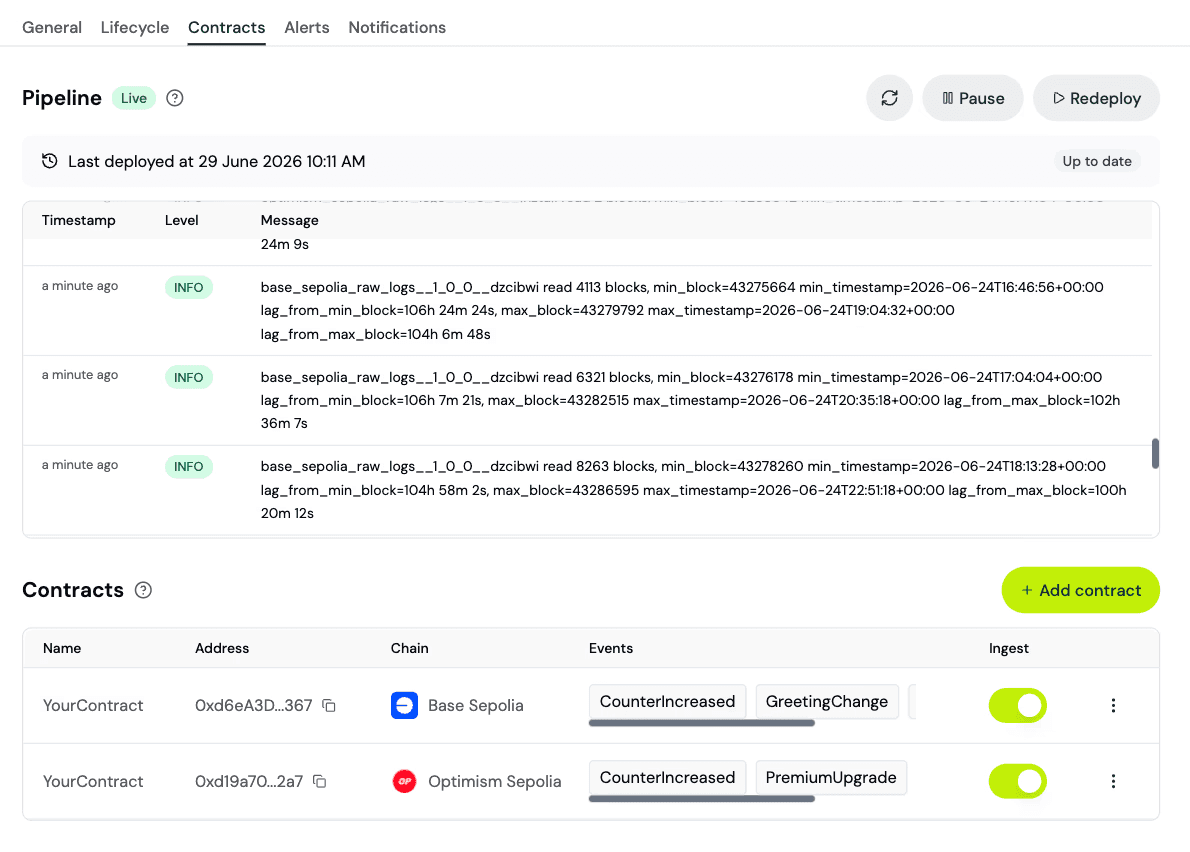
Recommended contracts. The Contracts page now surfaces contracts your project already interacts with based on transaction events but hasn’t tracked yet. Add recommended contracts to get automatic transaction decoding and contract events.
Contract ingestion toggle. Each contract gets more granular ingestion controls. Each contract defaults as disabled to keep the contract’s ABI available for transaction decoding while excluding it from event ingestion. Enable it for your core contracts to ingest its contract events.
Builder code attribution. Contract events now automatically extract the builder code from the source transaction, so you can attribute activity to the builder that made it.
Performance and reliability improvements. Pipelines spin up instantly. Automatic retries, dead-letter queues, and at-least-once delivery guarantees at any scale.
Available everywhere. The new contract events pipeline support every major EVM chain.
Improved Ask AI
Ask AI is now smarter, faster, and more reliable. The chat is easier to read, you can keep typing while it’s still answering, and answers come back more quickly with greater accuracy.
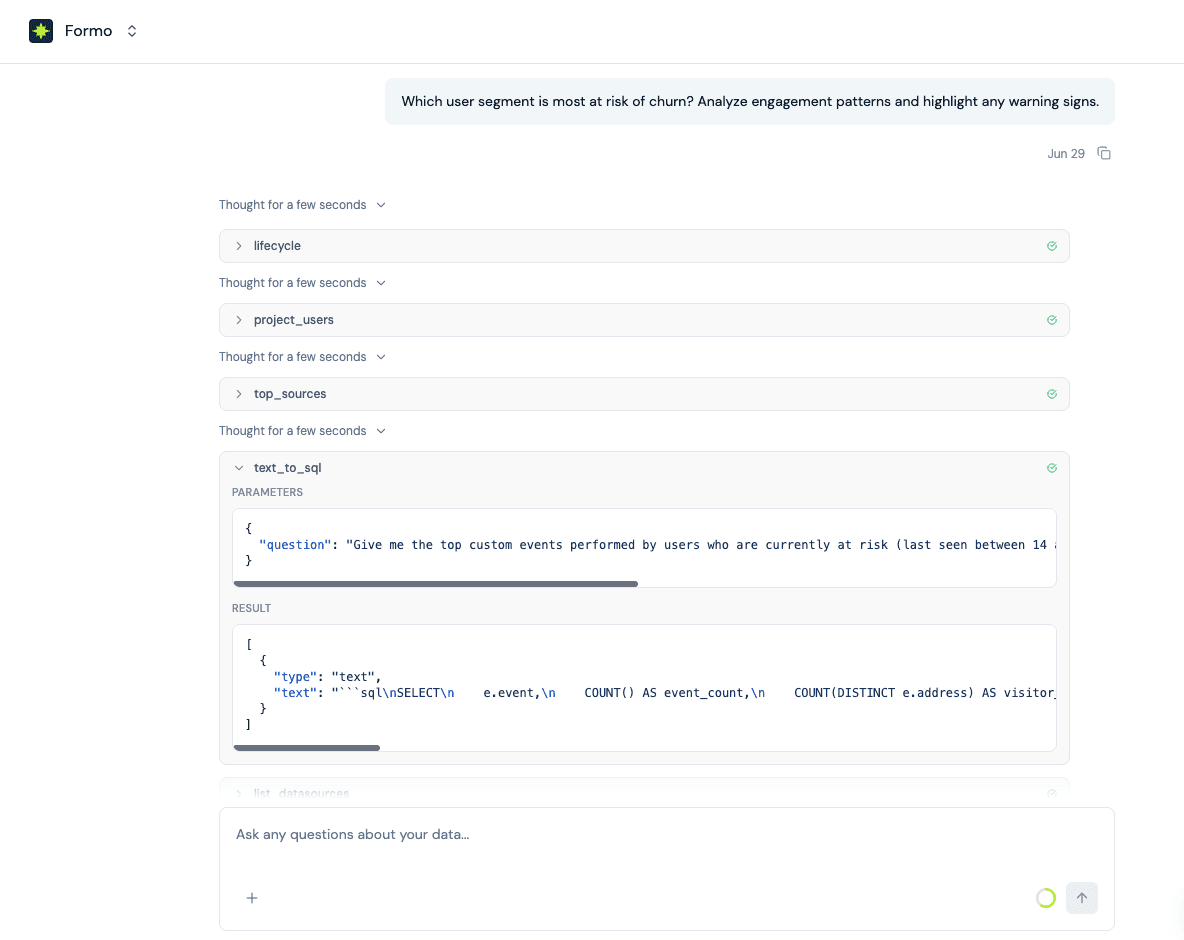
Behind the scenes, the Formo Agent is now powered by the latest frontier model. The result is a deeper understanding of your data, sharper handling of complex questions, and cleaner charts.
Expanded Filter Operators and Breakdowns
Filters across Formo now support a richer set of operators.
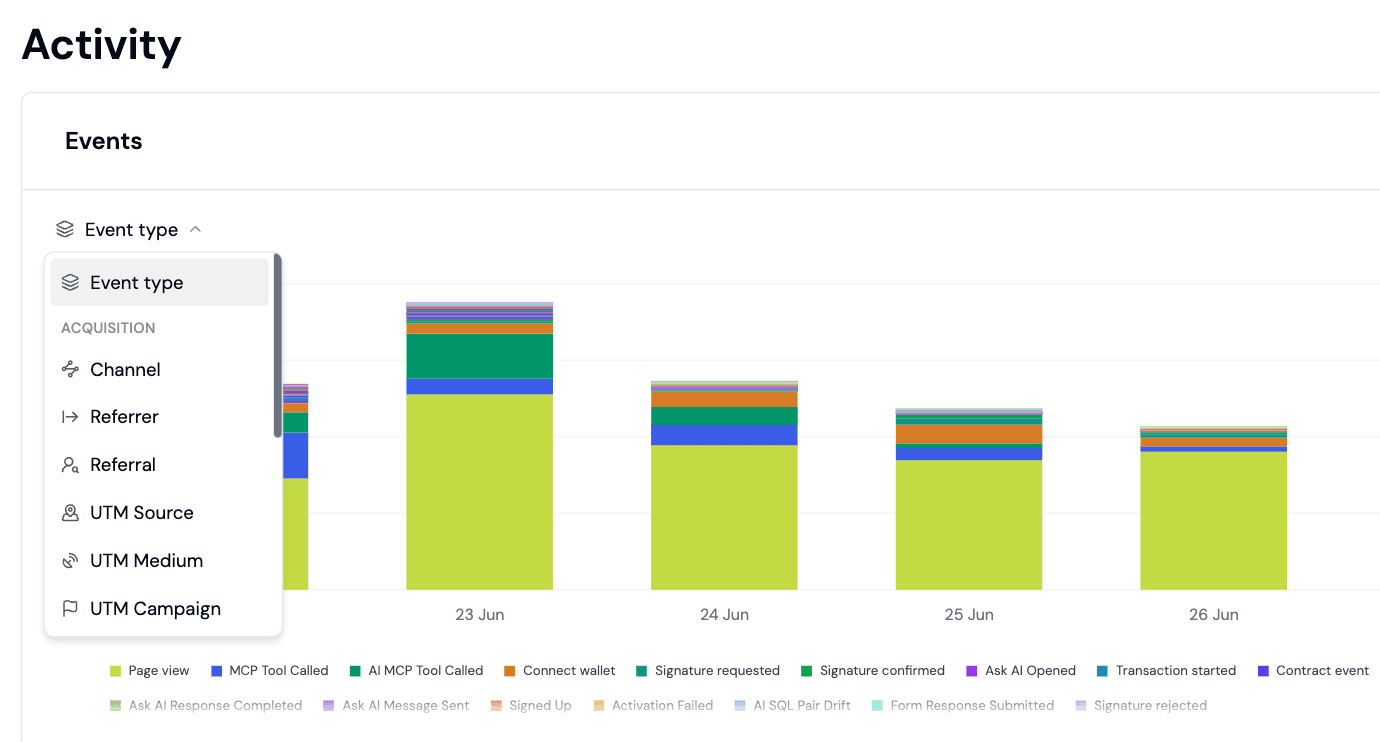
String filters on Overview, Activity, Funnels (including segment filters on Boards), breakdown tabs (Sources, Pages, Events, Locations, Wallets, Chains) now accept
contains,starts with, andends withalongside the existing equals operators.Numeric filters on retention gain
notEqualsand>=/<=aliases, and Overview metric filters pick up>=and<=on the generic dimension chain.The Activity chart also gains a breakdown dropdown, so you can split the events time-series by channel, device, location, referrer, UTM, builder code, and more, using the same breakdown taxonomy as Overview.
The same operators and breakdowns are also available via the Formo API.
Demo Project for New Workspaces
New workspaces without an active project now see a fully populated demo project with realistic mock data across all of the analytics surfaces.
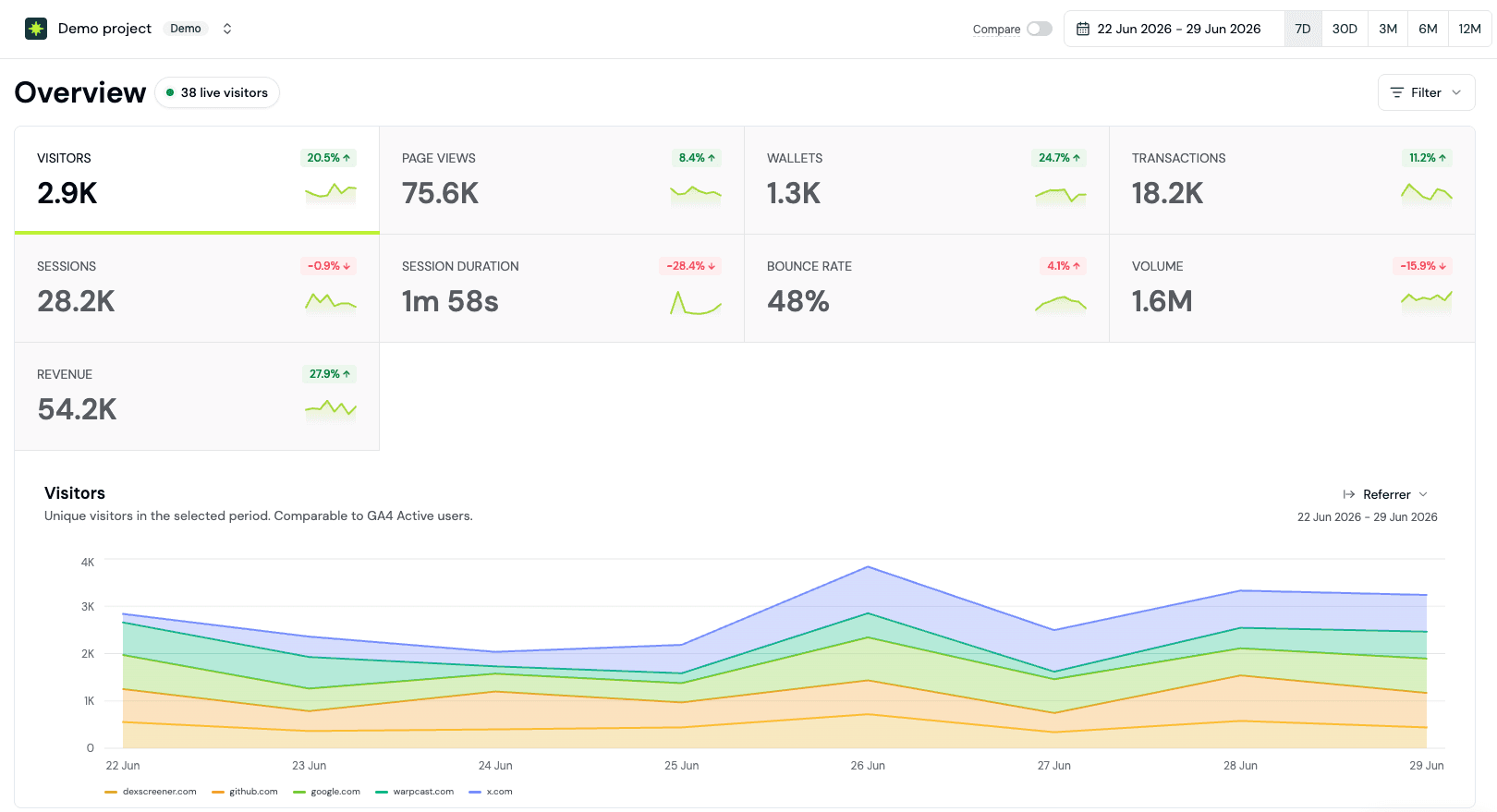
Explore the product end-to-end before you install Formo, including Overview, Activity, Funnels, Retention, Insights, Wallet Intelligence, Ask Formo, boards, and segments.
Improvements and Fixes
Expanded channel classification to detect ads, webmail, and mobile app referrers, so more sessions land in a meaningful attribution bucket instead of “Direct”.
Added an optional
_is_deletedtombstone to the label upsert API, so backfilled imports can express “label removed at past time T” and point-in-time retention drops the wallet in the correct historical week.Added DefiLlama as a price oracle for token USD conversion, broadening coverage for long-tail tokens.
Added a user-configurable default timezone in account settings, so reports, exports, and charts render in your local timezone instead of UTC by default.
Released
@formo/cli1.0.2 with expanded coverage of alerts, boards, charts, contracts, events, profiles, and segments, so you can drive the full Formo API from your terminal or AI agents.Improved the Users page by hiding enrichment columns that have no data, so the table fits more useful columns on screen.
Improved Tinybird MCP reliability with reconnect and retry on closed connections, so long-running Ask Formo sessions no longer fail mid-answer.
Improved identity-graph clustering by splitting edge materialization into 8 hash shards, so clustering jobs finish reliably for the largest projects instead of timing out.
Improved
project_userslatency with a single-scan rewrite oflinked_addresses, speeding up the Users page for projects with many linked wallets.Fixed the activity feed in the profile drawer inheriting the Users table’s page number, so opening a profile now always shows the latest event instead of an older page.
Fixed step reordering in the Form Builder silently dropping the welcome step.
Fixed a number-formatting bug where integers ending in zero (100, 2500) were corrupted to (1, 25).
Fixed event deduplication dropping events that arrived without a
message_idby stamping a UUID at ingest.Fixed the Insights weekly email occasionally failing to send, so digests now land reliably in your inbox.
Hidden the Transactions per Wallet card when no wallets have transacted, so empty states no longer clutter the Overview.
Added a master “All” row to the Create API Key dialog that toggles Read or Write across every scope at once, preserving the Read/Write invariants.
Added support for Robinhood Chain Testnet (chainId 46630).
Platform security and performance improvements.
Here are this week’s highlights:
New Contract Events Pipeline
Improved Ask AI
Expanded Filter Operators and Breakdowns
Demo Project for New Workspaces
Improvements and Fixes
This release builds on the previous product update around first-seen behavior filters and transaction frequency.
New Contract Events Pipeline
The contract events pipeline received a major upgrade this week. Setup is faster, you have more granular control over which contracts feed your analytics, and onchain activity is now attributable to the builder behind each transaction.
Recommended contracts. The Contracts page now surfaces contracts your project already interacts with based on transaction events but hasn’t tracked yet. Add recommended contracts to get automatic transaction decoding and contract events.
Contract ingestion toggle. Each contract gets more granular ingestion controls. Each contract defaults as disabled to keep the contract’s ABI available for transaction decoding while excluding it from event ingestion. Enable it for your core contracts to ingest its contract events.
Builder code attribution. Contract events now automatically extract the builder code from the source transaction, so you can attribute activity to the builder that made it.
Performance and reliability improvements. Pipelines spin up instantly. Automatic retries, dead-letter queues, and at-least-once delivery guarantees at any scale.
Available everywhere. The new contract events pipeline support every major EVM chain.
Improved Ask AI
Ask AI is now smarter, faster, and more reliable. The chat is easier to read, you can keep typing while it’s still answering, and answers come back more quickly with greater accuracy.
Behind the scenes, the Formo Agent is now powered by the latest frontier model. The result is a deeper understanding of your data, sharper handling of complex questions, and cleaner charts.
Expanded Filter Operators and Breakdowns
Filters across Formo now support a richer set of operators.
String filters on Overview, Activity, Funnels (including segment filters on Boards), breakdown tabs (Sources, Pages, Events, Locations, Wallets, Chains) now accept
contains,starts with, andends withalongside the existing equals operators.Numeric filters on retention gain
notEqualsand>=/<=aliases, and Overview metric filters pick up>=and<=on the generic dimension chain.The Activity chart also gains a breakdown dropdown, so you can split the events time-series by channel, device, location, referrer, UTM, builder code, and more, using the same breakdown taxonomy as Overview.
The same operators and breakdowns are also available via the Formo API.
Demo Project for New Workspaces
New workspaces without an active project now see a fully populated demo project with realistic mock data across all of the analytics surfaces.
Explore the product end-to-end before you install Formo, including Overview, Activity, Funnels, Retention, Insights, Wallet Intelligence, Ask Formo, boards, and segments.
Improvements and Fixes
Expanded channel classification to detect ads, webmail, and mobile app referrers, so more sessions land in a meaningful attribution bucket instead of “Direct”.
Added an optional
_is_deletedtombstone to the label upsert API, so backfilled imports can express “label removed at past time T” and point-in-time retention drops the wallet in the correct historical week.Added DefiLlama as a price oracle for token USD conversion, broadening coverage for long-tail tokens.
Added a user-configurable default timezone in account settings, so reports, exports, and charts render in your local timezone instead of UTC by default.
Released
@formo/cli1.0.2 with expanded coverage of alerts, boards, charts, contracts, events, profiles, and segments, so you can drive the full Formo API from your terminal or AI agents.Improved the Users page by hiding enrichment columns that have no data, so the table fits more useful columns on screen.
Improved Tinybird MCP reliability with reconnect and retry on closed connections, so long-running Ask Formo sessions no longer fail mid-answer.
Improved identity-graph clustering by splitting edge materialization into 8 hash shards, so clustering jobs finish reliably for the largest projects instead of timing out.
Improved
project_userslatency with a single-scan rewrite oflinked_addresses, speeding up the Users page for projects with many linked wallets.Fixed the activity feed in the profile drawer inheriting the Users table’s page number, so opening a profile now always shows the latest event instead of an older page.
Fixed step reordering in the Form Builder silently dropping the welcome step.
Fixed a number-formatting bug where integers ending in zero (100, 2500) were corrupted to (1, 25).
Fixed event deduplication dropping events that arrived without a
message_idby stamping a UUID at ingest.Fixed the Insights weekly email occasionally failing to send, so digests now land reliably in your inbox.
Hidden the Transactions per Wallet card when no wallets have transacted, so empty states no longer clutter the Overview.
Added a master “All” row to the Create API Key dialog that toggles Read or Write across every scope at once, preserving the Read/Write invariants.
Added support for Robinhood Chain Testnet (chainId 46630).
Platform security and performance improvements.
Here are this week’s highlights:
User Attribution Filters
Retention Cohorts by Label
Historical Label Backfills
Profiles Batch API
Improvements and Fixes
User Attribution Filters
The Users page now has an attribution mode toggle on the Wallets, Clusters, and Visitors tables, so you can switch between Any, First touch, and Last touch to see how a wallet looks under each attribution model without leaving the page.
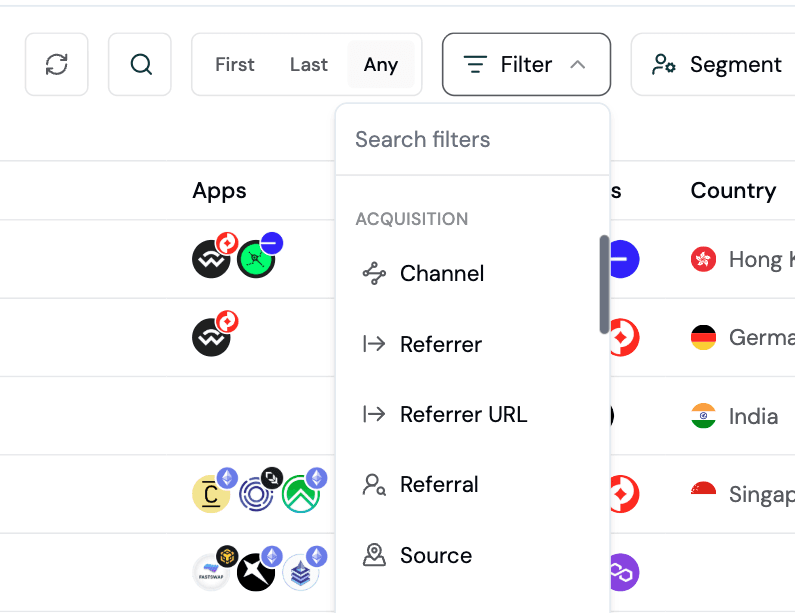
This makes it easy to compare a campaign’s first-touch reach against the wallets that actually converted under last-touch, and to spot the difference between users your channels introduced versus the ones they closed.
Retention Cohorts by Label
Retention cohorts now support filtering by user labels, so you can measure retention for the segments that actually matter to you.
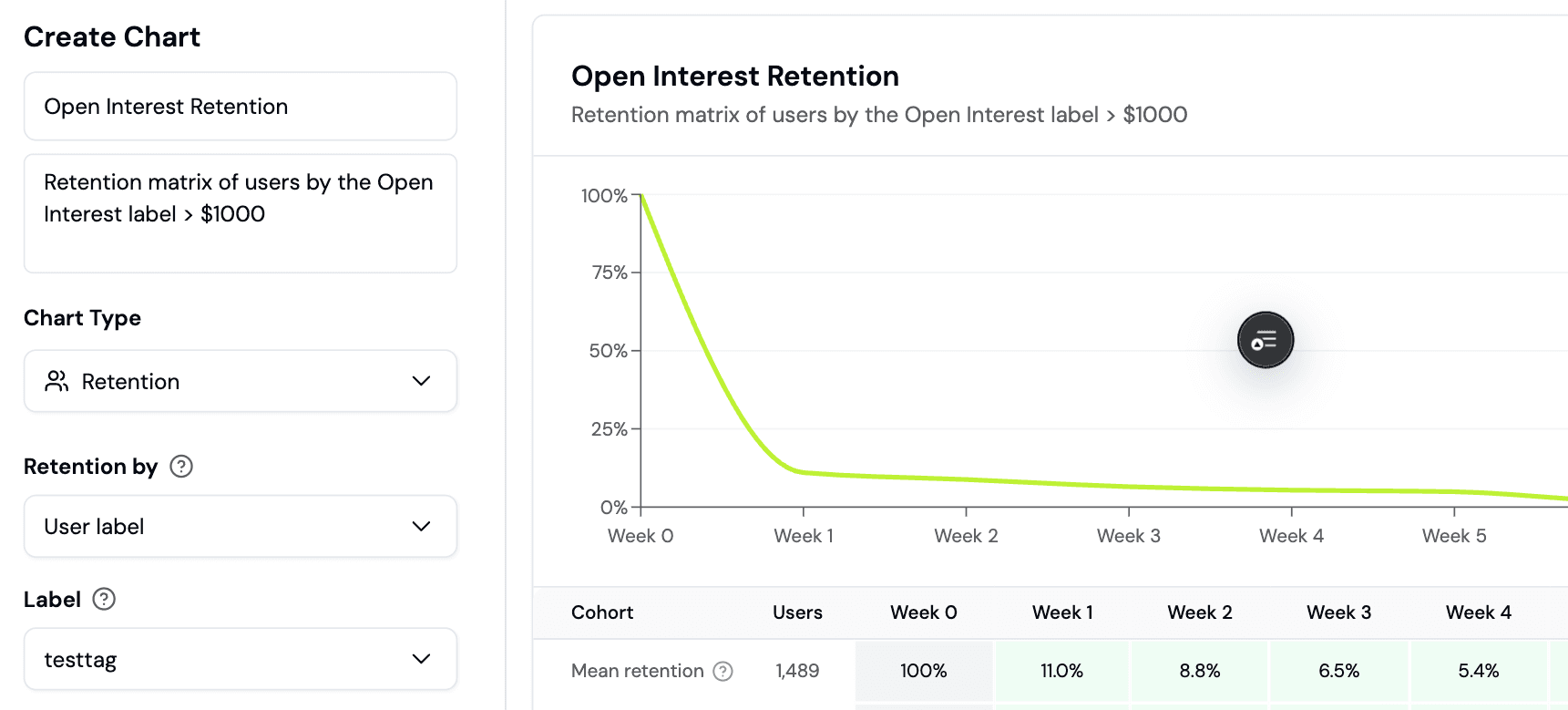
You can send a custom label like open_interest, define a cohort to wallets that carry that label (e.g. open_interest > 1000), and watch how they retain over time, instead of being limited to event-based cohorts.
Carry-forward is built into the retention logic, so a label written once (or sporadically) is correctly applied to every subsequent week until the next event for that key.
Historical Label Backfills
The Create Label API now accepts an optional timestamp on each label write, so you can record labels at a point in the past instead of always at server time:
Current time: omit
timestampand the label is recorded at the moment you send it. This is the right default for live signals you’re sending as users earn them.Historical data: pass an ISO-8601
timestampto record the label at a specific point in the past. This lets you backfill historical readings (for example, last quarter’sopen_interestsnapshot) so retention cohorts can evaluate each label value at the correct point in time.
This pairs especially well with cohorts based on numeric thresholds, where the value you cared about on a user’s signup day may not be the value they carry today.
Profiles Batch API
The Profiles API now has batch endpoints for user labels and properties, so you can upsert up to 100 wallets in a single request instead of one wallet per call. Perfect for a nightly data syncs and cron jobs.
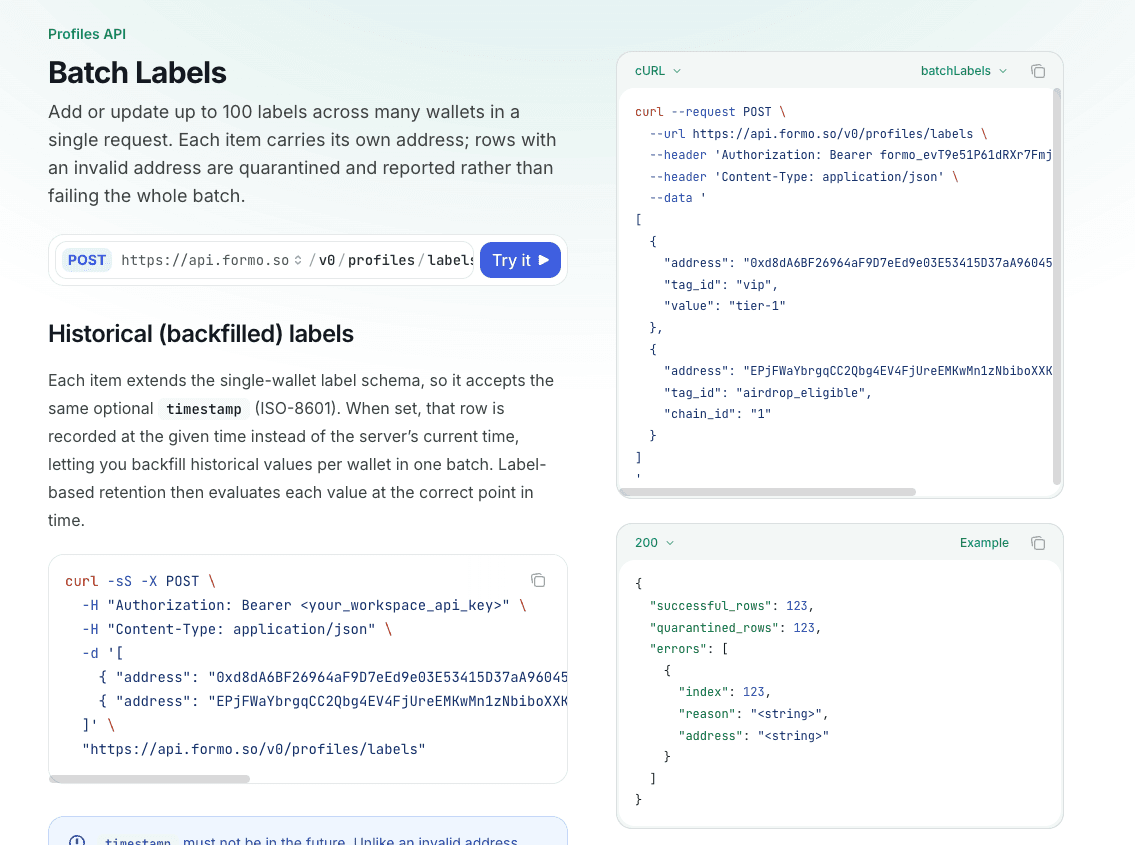
Both endpoints return partial-success results, so a single bad row doesn’t fail the whole batch.
Improvements and Fixes
Added CSV export for analytics overview charts on Countries, Pages, Sources, Devices, Wallets, and Chains.
Added links from overview page charts to the users page so you can click any row to drill into the underlying wallets matching selected filters.
Added page size selector to the Activity and Users tables.
Improved accuracy for visitor and session counts on overview charts so they match the headline KPIs, using shared first-touch attribution model.
The Channel filter on the Users page now segments wallets by the channel that brought them in on their very first session, matching first-touch attribution on the Overview Channel chart.
Show full country names in the legend and tooltip of the Countries chart, in place of two-letter ISO codes.
Added
afandreferrerto the Web SDK‘s default tracked referral parameters so common affiliate and referrer query strings are captured out of the box.Added a workspace ID field to workspace settings, so support can debug your issues faster.
Improved Ask AI error diagnostics so transient failures are actually debuggable, with richer error context captured for our team.
Improved Ask AI response quality with reorganized system prompts and tighter SQL and chart guardrails.
Improved Ask AI tool-call resilience so mid-stream errors fall back gracefully instead of breaking the response.
Improved user clusters query performance.
Fixed Boards chart pagination scrolling to the wrong chart.
Fixed the date-picker disappearing on Boards.
Fixed the missing template title and description on the Dashboard template.
Fixed user count inflation in overview charts caused by anonymous ID churn from automated bots.
Platform security and performance improvements.
Here are this week’s highlights:
User Attribution Filters
Retention Cohorts by Label
Historical Label Backfills
Profiles Batch API
Improvements and Fixes
User Attribution Filters
The Users page now has an attribution mode toggle on the Wallets, Clusters, and Visitors tables, so you can switch between Any, First touch, and Last touch to see how a wallet looks under each attribution model without leaving the page.
This makes it easy to compare a campaign’s first-touch reach against the wallets that actually converted under last-touch, and to spot the difference between users your channels introduced versus the ones they closed.
Retention Cohorts by Label
Retention cohorts now support filtering by user labels, so you can measure retention for the segments that actually matter to you.
You can send a custom label like open_interest, define a cohort to wallets that carry that label (e.g. open_interest > 1000), and watch how they retain over time, instead of being limited to event-based cohorts.
Carry-forward is built into the retention logic, so a label written once (or sporadically) is correctly applied to every subsequent week until the next event for that key.
Historical Label Backfills
The Create Label API now accepts an optional timestamp on each label write, so you can record labels at a point in the past instead of always at server time:
Current time: omit
timestampand the label is recorded at the moment you send it. This is the right default for live signals you’re sending as users earn them.Historical data: pass an ISO-8601
timestampto record the label at a specific point in the past. This lets you backfill historical readings (for example, last quarter’sopen_interestsnapshot) so retention cohorts can evaluate each label value at the correct point in time.
This pairs especially well with cohorts based on numeric thresholds, where the value you cared about on a user’s signup day may not be the value they carry today.
Profiles Batch API
The Profiles API now has batch endpoints for user labels and properties, so you can upsert up to 100 wallets in a single request instead of one wallet per call. Perfect for a nightly data syncs and cron jobs.
Both endpoints return partial-success results, so a single bad row doesn’t fail the whole batch.
Improvements and Fixes
Added CSV export for analytics overview charts on Countries, Pages, Sources, Devices, Wallets, and Chains.
Added links from overview page charts to the users page so you can click any row to drill into the underlying wallets matching selected filters.
Added page size selector to the Activity and Users tables.
Improved accuracy for visitor and session counts on overview charts so they match the headline KPIs, using shared first-touch attribution model.
The Channel filter on the Users page now segments wallets by the channel that brought them in on their very first session, matching first-touch attribution on the Overview Channel chart.
Show full country names in the legend and tooltip of the Countries chart, in place of two-letter ISO codes.
Added
afandreferrerto the Web SDK‘s default tracked referral parameters so common affiliate and referrer query strings are captured out of the box.Added a workspace ID field to workspace settings, so support can debug your issues faster.
Improved Ask AI error diagnostics so transient failures are actually debuggable, with richer error context captured for our team.
Improved Ask AI response quality with reorganized system prompts and tighter SQL and chart guardrails.
Improved Ask AI tool-call resilience so mid-stream errors fall back gracefully instead of breaking the response.
Improved user clusters query performance.
Fixed Boards chart pagination scrolling to the wrong chart.
Fixed the date-picker disappearing on Boards.
Fixed the missing template title and description on the Dashboard template.
Fixed user count inflation in overview charts caused by anonymous ID churn from automated bots.
Platform security and performance improvements.
Here are this week's highlights:
Wallet Clusters
Filter by Channel
New Dashboard Templates
Improved Geolocation
Improvements and Fixes
Wallet Clusters
Introducing a new wallet Clusters tab on the Users page. Clusters are groups of wallets associated with a single user.
Using identity resolution, multiple wallet addresses are grouped into identity-stitched user clusters: one row per wallet cluster.
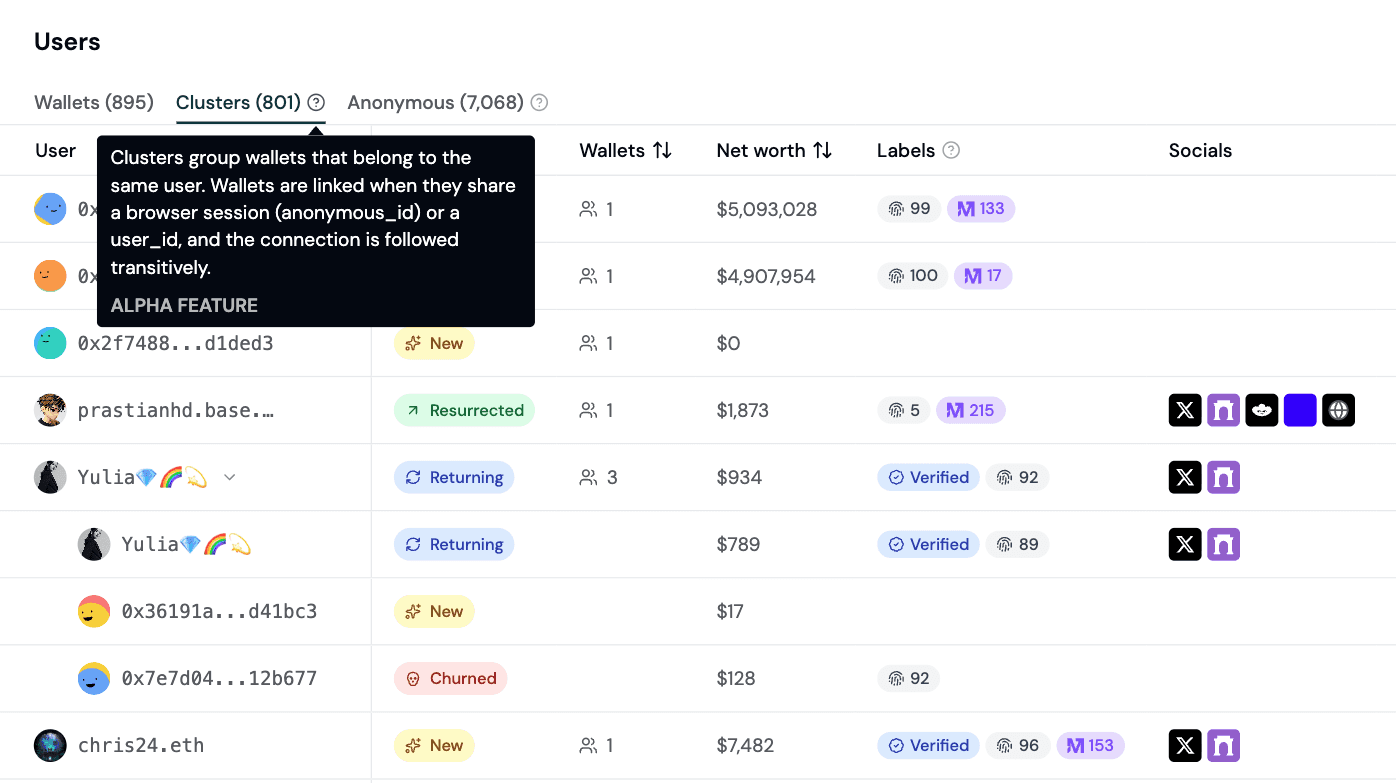
Clustering happens automatically behind the scenes with minimal setup required. Here's how clustering works:
First, an explicit
user_idfrom the SDK identify event (for example, a Privy user ID or an in-app custom user id) merges every wallet identified under it into one cluster.Then, wallets without an explicit user ID are still grouped by
anonymous_id, using the earliest-seen canonical address as the cluster key.Otherwise, the wallet stands as its own single-address cluster.
Each cluster row shows the sum of individual wallet data including net worth, socials, labels, first and last seen, volume, revenue, and demographics.
Filter by Channel
You can now filter data by channel based on a 12-channel taxonomy such as Organic Social, Paid Search, Referrals, and more.
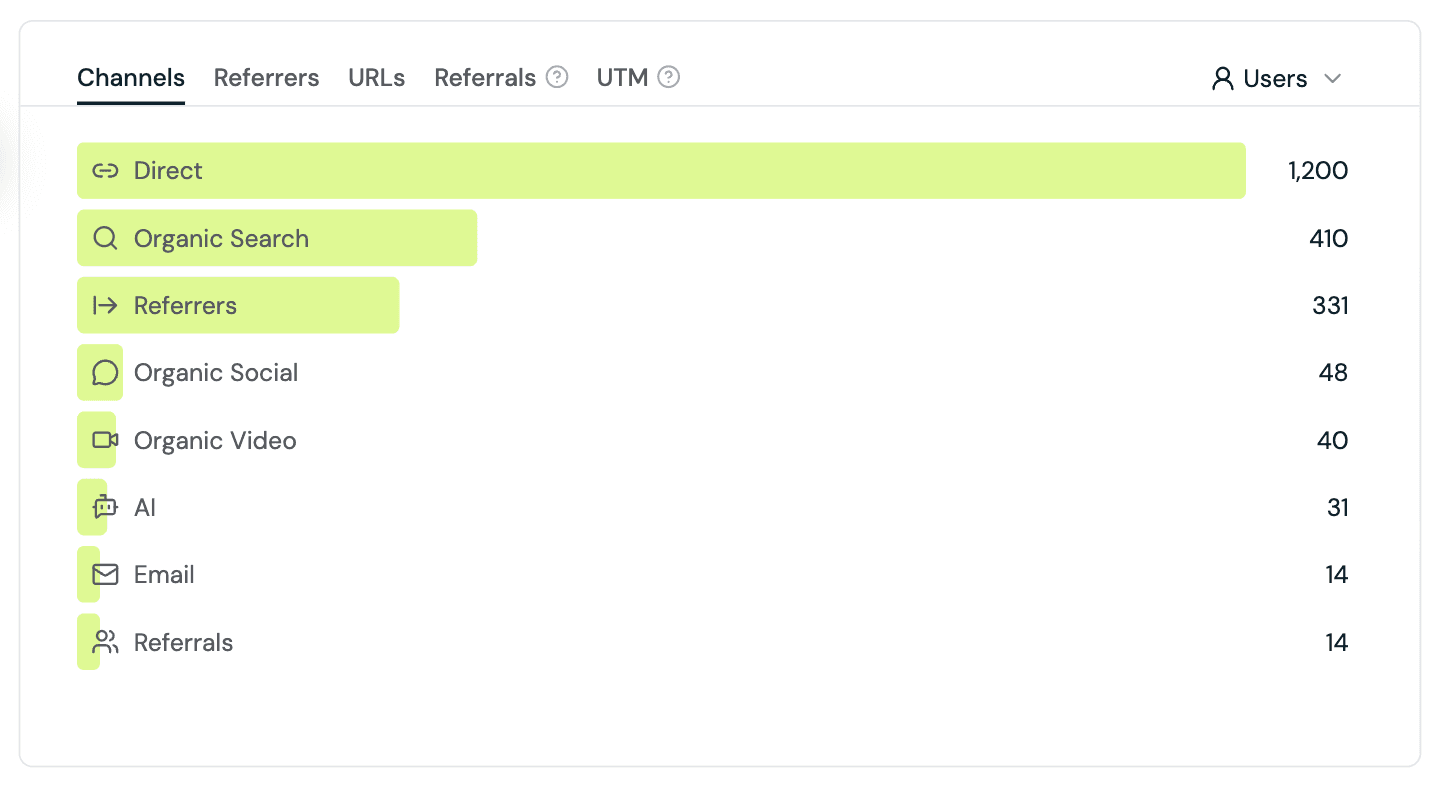
The twelve channels are:
Channel | How it's classified |
|---|---|
Paid Search | Paid signal + search-engine referrer ( |
Paid Video | Paid signal + video-platform referrer ( |
Paid Social | Paid signal + social-platform referrer ( |
| |
Referrals |
|
Display |
|
AI | Referrer is an AI assistant (ChatGPT, Claude, Perplexity, Gemini, DeepSeek, Copilot, etc.) |
Organic Search |
|
Organic Social |
|
Organic Video | Video-platform referrer with no paid signal |
Referrers | Any other non-empty referrer not matched above |
Direct | No referrer, no UTM, no click IDs (typed URL, bookmark, stripped referrer) |
Filter by Channel works across every chart and metric on the overview page (top sources, top pages, top locations, top chains, top events, top wallets, KPIs, revenue, volume, wallets, transactions).
Learn more about Channels.
New Dashboard Templates
Three new dashboard templates are now available. Choose from the following templates when you create a custom board, to help you get started:
User Retention & Cohorts Dashboard
User Segments Dashboard
Feature Adoption Dashboard
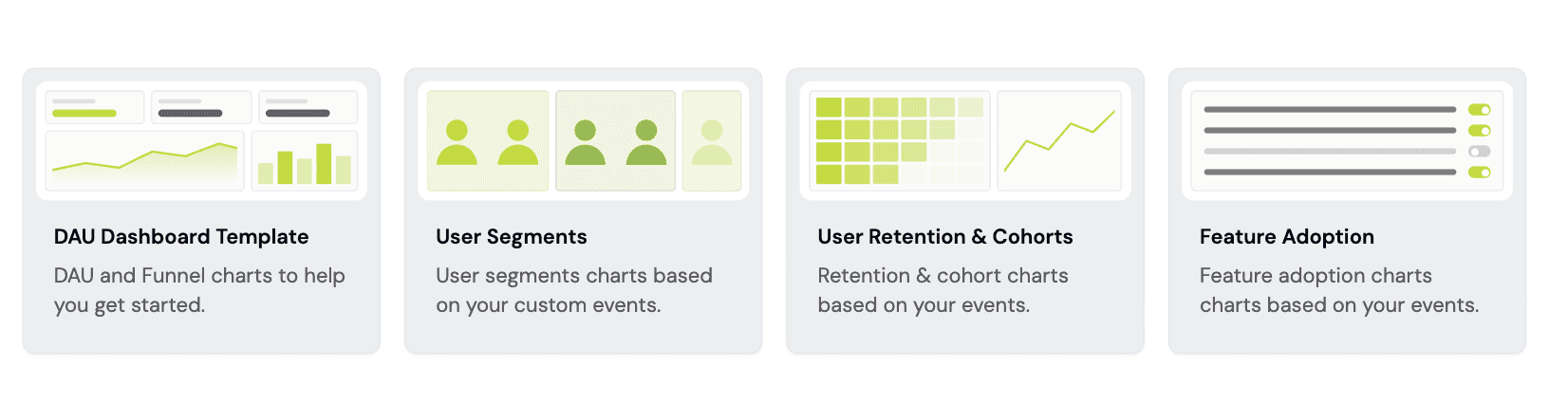
Each template ships with prebuilt charts and SQL queries against your project's custom events so you can set up a working board more quickly. Pick a template and create your first custom board in a few clicks.
Need more help? Check out How to Build a Custom Dashboard.
Improved Geolocation
Improved country detection for sesions and users is now live with server-side geolocation. This works together with a browser-timezone fallback to improve data accuracy for users with non-default timezones and VPNs.
Audience insights, top countries, and country breakdowns across the dashboard report countries is now more accurate than before.
Analytics remains privacy-friendly: no IP addresses are logged or stored anywhere in Formo. Read more about what we collect.
This improvement is live today. No SDK upgrade is required.
Improvements and Fixes
Added dashboard template previews so you can see the charts inside a template before creating it.
Added a new Tracking Plan Generator free tool that outputs a recommended event taxonomy, property schemas, and SDK code snippets for web and mobile to help users get started more quickly.
Added page and session scopes to the Filter by Page filter, so you can fllter for both sessions that viewed page X and data for a specific page X.
Added a refresh button to the Users table so you can pull fresh data without reloading the whole page.
Improved Format SQL performance in the SQL editor, with faster formatting on large queries.
Improved the churn analysis section on the Insights page.
Fixed an edge case with Solana wallet profiling.
Minor UI and UX fixes.
Performance improvements and security fixes.
Here are this week's highlights:
Wallet Clusters
Filter by Channel
New Dashboard Templates
Improved Geolocation
Improvements and Fixes
Wallet Clusters
Introducing a new wallet Clusters tab on the Users page. Clusters are groups of wallets associated with a single user.
Using identity resolution, multiple wallet addresses are grouped into identity-stitched user clusters: one row per wallet cluster.
Clustering happens automatically behind the scenes with minimal setup required. Here's how clustering works:
First, an explicit
user_idfrom the SDK identify event (for example, a Privy user ID or an in-app custom user id) merges every wallet identified under it into one cluster.Then, wallets without an explicit user ID are still grouped by
anonymous_id, using the earliest-seen canonical address as the cluster key.Otherwise, the wallet stands as its own single-address cluster.
Each cluster row shows the sum of individual wallet data including net worth, socials, labels, first and last seen, volume, revenue, and demographics.
Filter by Channel
You can now filter data by channel based on a 12-channel taxonomy such as Organic Social, Paid Search, Referrals, and more.
The twelve channels are:
Channel | How it's classified |
|---|---|
Paid Search | Paid signal + search-engine referrer ( |
Paid Video | Paid signal + video-platform referrer ( |
Paid Social | Paid signal + social-platform referrer ( |
| |
Referrals |
|
Display |
|
AI | Referrer is an AI assistant (ChatGPT, Claude, Perplexity, Gemini, DeepSeek, Copilot, etc.) |
Organic Search |
|
Organic Social |
|
Organic Video | Video-platform referrer with no paid signal |
Referrers | Any other non-empty referrer not matched above |
Direct | No referrer, no UTM, no click IDs (typed URL, bookmark, stripped referrer) |
Filter by Channel works across every chart and metric on the overview page (top sources, top pages, top locations, top chains, top events, top wallets, KPIs, revenue, volume, wallets, transactions).
Learn more about Channels.
New Dashboard Templates
Three new dashboard templates are now available. Choose from the following templates when you create a custom board, to help you get started:
User Retention & Cohorts Dashboard
User Segments Dashboard
Feature Adoption Dashboard
Each template ships with prebuilt charts and SQL queries against your project's custom events so you can set up a working board more quickly. Pick a template and create your first custom board in a few clicks.
Need more help? Check out How to Build a Custom Dashboard.
Improved Geolocation
Improved country detection for sesions and users is now live with server-side geolocation. This works together with a browser-timezone fallback to improve data accuracy for users with non-default timezones and VPNs.
Audience insights, top countries, and country breakdowns across the dashboard report countries is now more accurate than before.
Analytics remains privacy-friendly: no IP addresses are logged or stored anywhere in Formo. Read more about what we collect.
This improvement is live today. No SDK upgrade is required.
Improvements and Fixes
Added dashboard template previews so you can see the charts inside a template before creating it.
Added a new Tracking Plan Generator free tool that outputs a recommended event taxonomy, property schemas, and SDK code snippets for web and mobile to help users get started more quickly.
Added page and session scopes to the Filter by Page filter, so you can fllter for both sessions that viewed page X and data for a specific page X.
Added a refresh button to the Users table so you can pull fresh data without reloading the whole page.
Improved Format SQL performance in the SQL editor, with faster formatting on large queries.
Improved the churn analysis section on the Insights page.
Fixed an edge case with Solana wallet profiling.
Minor UI and UX fixes.
Performance improvements and security fixes.
Here are this week's highlights:
Lifecycle Settings
At-Risk Lifecycle Stage
x402 and MPP Support
Unique Visitors
Improvements and Fixes
Lifecycle Settings
Lifecycle thresholds are now configurable per project from your project settings page.
Learn more about retention analysis and lifecycle reporting.
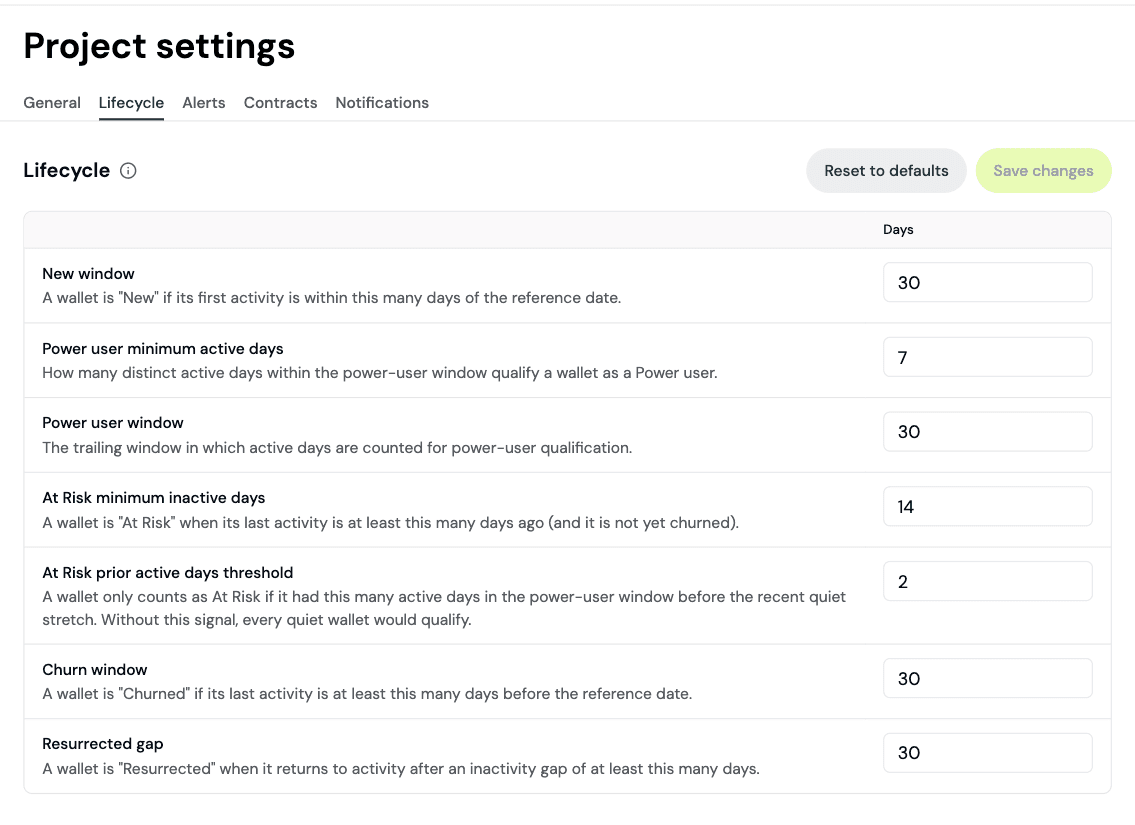
Defaults like "Power user = 5 active days in last 30 days" don't fit every product, so you can now tune the windows for New, Returning, Power user, At Risk, Churned, and Resurrected lifecycles to match how your team defines engagement.
New At Risk Lifecycle Stage
You can now see a new At Risk lifecycle stage that flags previously engaged users whose activity has slowed but who haven't fully churned yet.
At Risk is the right lifecycle to retain them with an intervention campaign before they're gone for good, and it surfaces consistently across the Users page, Lifecycle reports, and wallet profile labels.
x402 and MPP Support for Profiles API
The Profiles API is now available to AI Agents via x402 (Base) and MPP (Tempo.) Agents can pay 0.05 USDC per request to get enriched wallet profile data with no API key required.
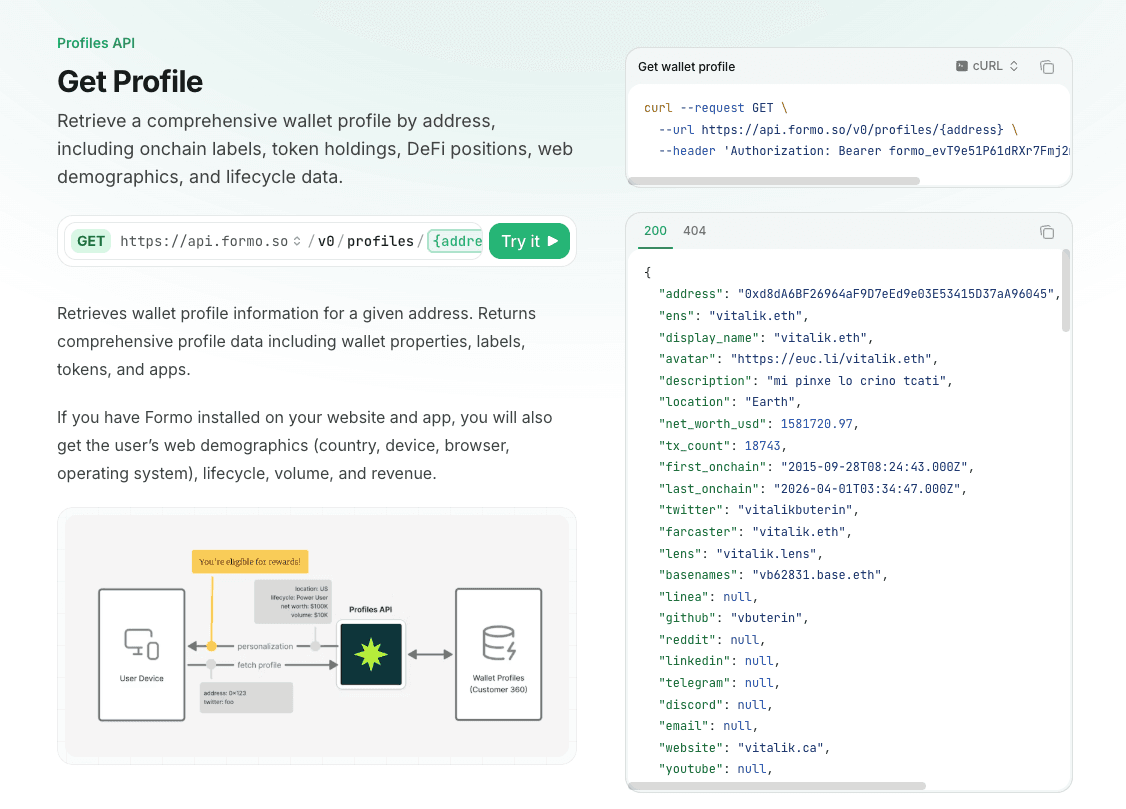
This unlocks pay-per-call agent access to wallet enrichment and personalization use cases based on onchain data.
Unique Visitors
Formo now tracks Unique Visitors, equivalent to GA's Active Users. Unique Visitors counts distinct anonymous_ids over the selected period, deduplicating across sessions and days.
This gives you a clean top-of-funnel KPIs alongside wallets, transactions, and revenue, and a like-for-like comparison with the visitor metric most teams already report from web analytics.
Improvements and Fixes
Added Binance verification labels, automatically tagging wallets that hold a Binance Account Bound Token so you can segment KYC-verified users.
Added a billing period selector on the Usage page so you can page through previous billing periods to inspect historical event and MAU consumption.
Added a hover dropdown for Dashboards when the sidebar is collapsed, so you can switch boards without expanding the nav.
Fixed duplicating a board so chart settings and positions are copied alongside the layout.
Improved form digest cron resilience, retrying through transient 522s from upstream origins instead of failing the run.
Performance improvements and security fixes.
Here are this week's highlights:
Lifecycle Settings
At-Risk Lifecycle Stage
x402 and MPP Support
Unique Visitors
Improvements and Fixes
Lifecycle Settings
Lifecycle thresholds are now configurable per project from your project settings page.
Learn more about retention analysis and lifecycle reporting.
Defaults like "Power user = 5 active days in last 30 days" don't fit every product, so you can now tune the windows for New, Returning, Power user, At Risk, Churned, and Resurrected lifecycles to match how your team defines engagement.
New At Risk Lifecycle Stage
You can now see a new At Risk lifecycle stage that flags previously engaged users whose activity has slowed but who haven't fully churned yet.
At Risk is the right lifecycle to retain them with an intervention campaign before they're gone for good, and it surfaces consistently across the Users page, Lifecycle reports, and wallet profile labels.
x402 and MPP Support for Profiles API
The Profiles API is now available to AI Agents via x402 (Base) and MPP (Tempo.) Agents can pay 0.05 USDC per request to get enriched wallet profile data with no API key required.
This unlocks pay-per-call agent access to wallet enrichment and personalization use cases based on onchain data.
Unique Visitors
Formo now tracks Unique Visitors, equivalent to GA's Active Users. Unique Visitors counts distinct anonymous_ids over the selected period, deduplicating across sessions and days.
This gives you a clean top-of-funnel KPIs alongside wallets, transactions, and revenue, and a like-for-like comparison with the visitor metric most teams already report from web analytics.
Improvements and Fixes
Added Binance verification labels, automatically tagging wallets that hold a Binance Account Bound Token so you can segment KYC-verified users.
Added a billing period selector on the Usage page so you can page through previous billing periods to inspect historical event and MAU consumption.
Added a hover dropdown for Dashboards when the sidebar is collapsed, so you can switch boards without expanding the nav.
Fixed duplicating a board so chart settings and positions are copied alongside the layout.
Improved form digest cron resilience, retrying through transient 522s from upstream origins instead of failing the run.
Performance improvements and security fixes.
Here are this week's highlights:
Behavior Filters Based on First-Seen
Transaction Frequency Chart
Query Parameter Redaction
Sticky Referrer Tracking
Improvements and Fixes
Behavior Filters Based on First-Seen
Behavior filters now support First-seen relative time windows to make targeting much more precise.
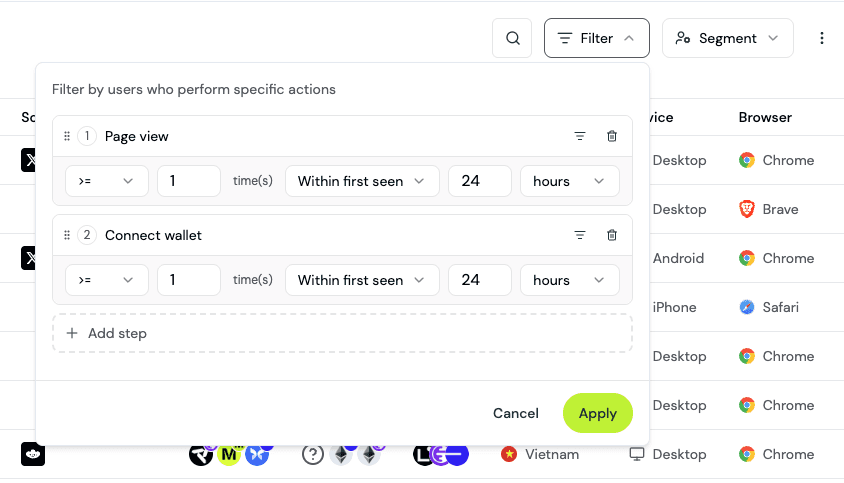
Until now, behavior filters were limited to rolling windows ("did X in the last N days"). You can now anchor windows to each user's first-seen timestamp, so you can ask questions like:
Users who visited the Trading Competition page within 2 hours of their first session (attribute engagement directly to the campaign that brought them in).
Users who connected a wallet, deposited, and clicked "Enroll" within their first 24 hours (first-day activation funnel).
Users who came back to transact more than 7 days after first-seen (true returning users vs. same-session conversions).
Together these mean better attribution to specific campaigns, sharper onboarding activation analysis, and more targeted segments.
Learn more in the Wallet Segmentation guide.
Transaction Frequency Chart
A new transaction frequency chart on the Users page show you how often your users transact.
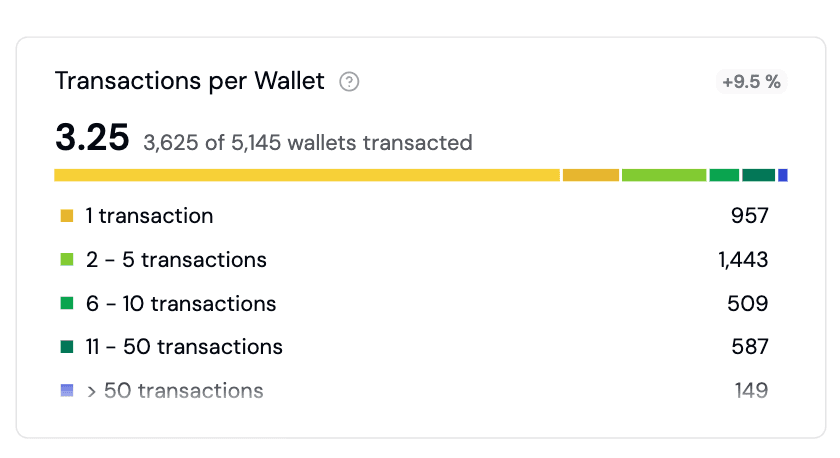
View the distribution of transaction counts per wallet to distinguish one-time users from power users, spot drop-off between first and second transactions, and target wallets by activity tier.
Query Parameter Redaction
You can now strip sensitive query parameters before events are stored or sent. Pass a list of query parameter names and the SDK redacts matching keys (case-insensitive) from event properties.
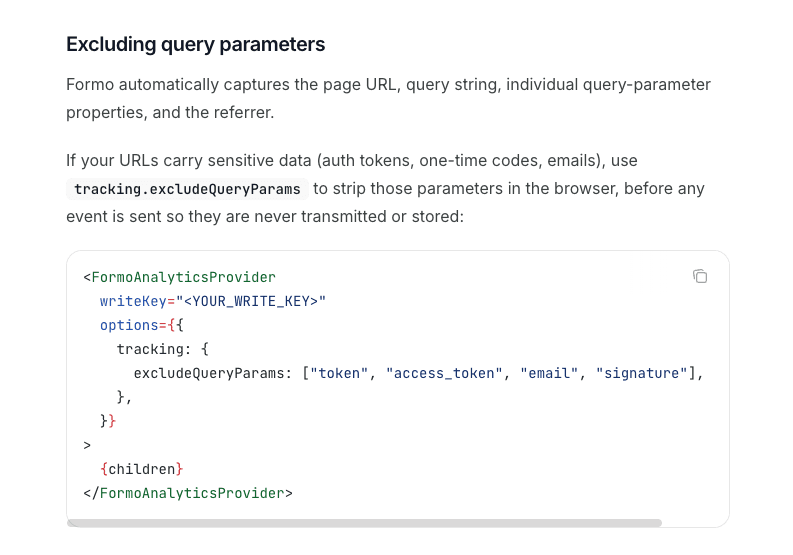
Learn more in the Web SDK docs.
Sticky Referrer Tracking
The Web SDK now keeps first-touch referrer sticky across an entire session, so internal navigation no longer overwrites the source that brought a user in.
This means cleaner channel reports, more accurate first-touch attribution, and no more "self-referral" noise from internal page-to-page navigation.
Improvements and Fixes
Hardened AI Insights generation so Acquisition, Activation, and Behavioral cards reliably render on the page and in the weekly email.
Improved Ask AI response quality with an eval-and-review harness, tighter prompt rules, and better date and tool-selection handling.
Extracted
volume,revenue, andpointsto typed columns on events for faster, more reliable revenue and volume queries across dashboards and the SQL Explorer.Fixed a bug with filtering by Referrer URLs.
Steered invited users to join their team's existing workspace during onboarding instead of accidentally creating a new one.
Added wallet icons (via RDNS) to the Top Wallets chart for quicker visual identification of which wallets your users are connecting with.
Standardized all destructive-action confirmation modals to a single "type the resource name to confirm" pattern across projects, workspaces, dashboards, charts, and API keys.
Added an upgrade button to the Usage page, mirroring the Billing page placement.
Upgraded
@formo/analyticsto v1.32.0 across all 17 example apps.Improved infrastructure monitoring for faster incident detection.
Performance and security improvements.
Here are this week's highlights:
Behavior Filters Based on First-Seen
Transaction Frequency Chart
Query Parameter Redaction
Sticky Referrer Tracking
Improvements and Fixes
Behavior Filters Based on First-Seen
Behavior filters now support First-seen relative time windows to make targeting much more precise.
Until now, behavior filters were limited to rolling windows ("did X in the last N days"). You can now anchor windows to each user's first-seen timestamp, so you can ask questions like:
Users who visited the Trading Competition page within 2 hours of their first session (attribute engagement directly to the campaign that brought them in).
Users who connected a wallet, deposited, and clicked "Enroll" within their first 24 hours (first-day activation funnel).
Users who came back to transact more than 7 days after first-seen (true returning users vs. same-session conversions).
Together these mean better attribution to specific campaigns, sharper onboarding activation analysis, and more targeted segments.
Learn more in the Wallet Segmentation guide.
Transaction Frequency Chart
A new transaction frequency chart on the Users page show you how often your users transact.
View the distribution of transaction counts per wallet to distinguish one-time users from power users, spot drop-off between first and second transactions, and target wallets by activity tier.
Query Parameter Redaction
You can now strip sensitive query parameters before events are stored or sent. Pass a list of query parameter names and the SDK redacts matching keys (case-insensitive) from event properties.
Learn more in the Web SDK docs.
Sticky Referrer Tracking
The Web SDK now keeps first-touch referrer sticky across an entire session, so internal navigation no longer overwrites the source that brought a user in.
This means cleaner channel reports, more accurate first-touch attribution, and no more "self-referral" noise from internal page-to-page navigation.
Improvements and Fixes
Hardened AI Insights generation so Acquisition, Activation, and Behavioral cards reliably render on the page and in the weekly email.
Improved Ask AI response quality with an eval-and-review harness, tighter prompt rules, and better date and tool-selection handling.
Extracted
volume,revenue, andpointsto typed columns on events for faster, more reliable revenue and volume queries across dashboards and the SQL Explorer.Fixed a bug with filtering by Referrer URLs.
Steered invited users to join their team's existing workspace during onboarding instead of accidentally creating a new one.
Added wallet icons (via RDNS) to the Top Wallets chart for quicker visual identification of which wallets your users are connecting with.
Standardized all destructive-action confirmation modals to a single "type the resource name to confirm" pattern across projects, workspaces, dashboards, charts, and API keys.
Added an upgrade button to the Usage page, mirroring the Billing page placement.
Upgraded
@formo/analyticsto v1.32.0 across all 17 example apps.Improved infrastructure monitoring for faster incident detection.
Performance and security improvements.
Load more
Measure what matters
Turn data into action and make impactful decisions with Formo.
Measure what matters
Turn data into action and make impactful decisions with Formo.
Measure what matters
Turn data into action and make impactful decisions with Formo.
Stay up to date with weekly product updates and the latest industry insights.
Platform
Stay up to date with weekly product updates and the latest industry insights.
Platform
Request AI summary