
Which is right for you?
Choose Formo if…
• You run a crypto or DeFi app and need wallet connects, signatures, and transactions per visitor.
• You want funnels, flows, and retention tied to wallet profiles, not only to cookies and sessions.
• You need onchain attribution: which campaigns and referrals bring wallets that transact.
• You want wallet profiles with net worth, tokens, and DeFi positions on all major EVM chains and Solana.
Use both if…
• You buy Google Ads and import GA4 key events as conversions for bidding.
• You keep GA4 for SEO and traffic reports, and use Formo for wallet and revenue tracking.
• You use the GA4 BigQuery export and want Formo data next to it through SQL Explorer or the API.
Choose Google Analytics if…
• You run Google Ads and want GA4 audiences shared with Google Ads for remarketing.
• You run a site with no wallet connects or onchain actions, so traffic and content reports are enough.
• You already build reports in Looker Studio and Search Console linked to GA4.


Last verified October 2, 2026. Formo publishes this comparison and checks Google Analytics details against public pricing pages and docs. Sources: Google Analytics, GA4 BigQuery export, GA4 data retention, Formo pricing, Formo docs.


Formo vs Google Analytics, in depth
Google Analytics measures traffic; Formo measures wallets
Google Analytics 4 (GA4) is the default web analytics tool for most sites, and Google Analytics does several jobs well. A standard property has no license fee. Google Analytics reports traffic by channel, source, and landing page, shares key events and audiences with a linked Google Ads account, and exports raw events to BigQuery. Looker Studio and Search Console connect to Google Analytics without extra setup.
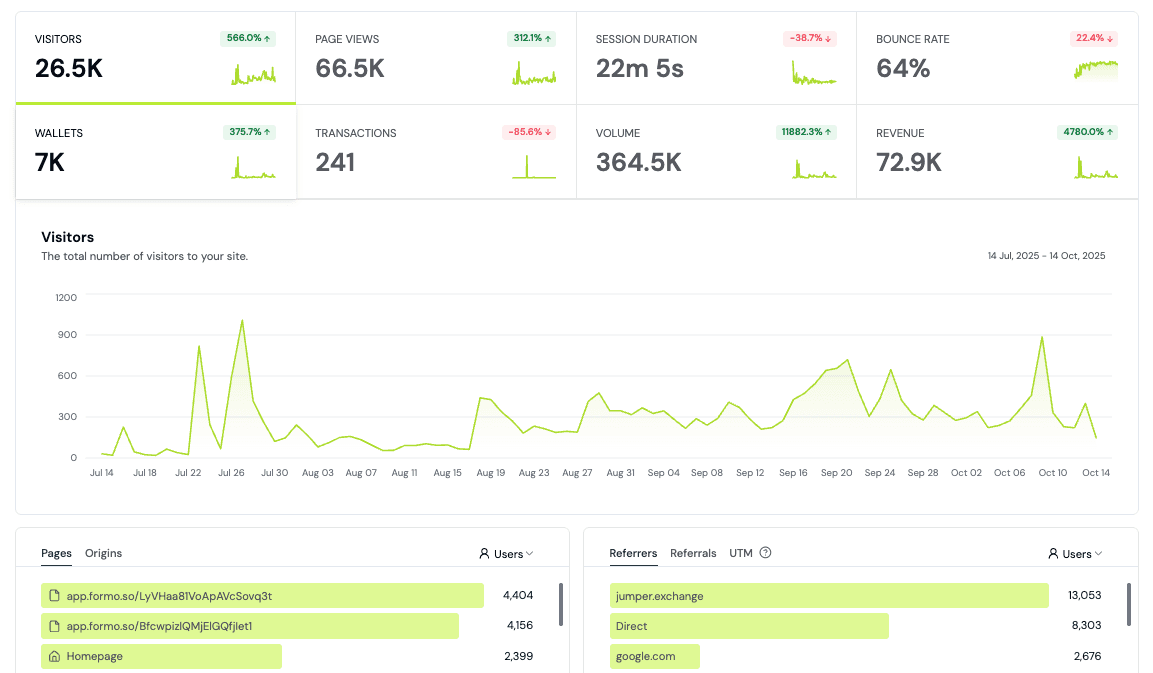
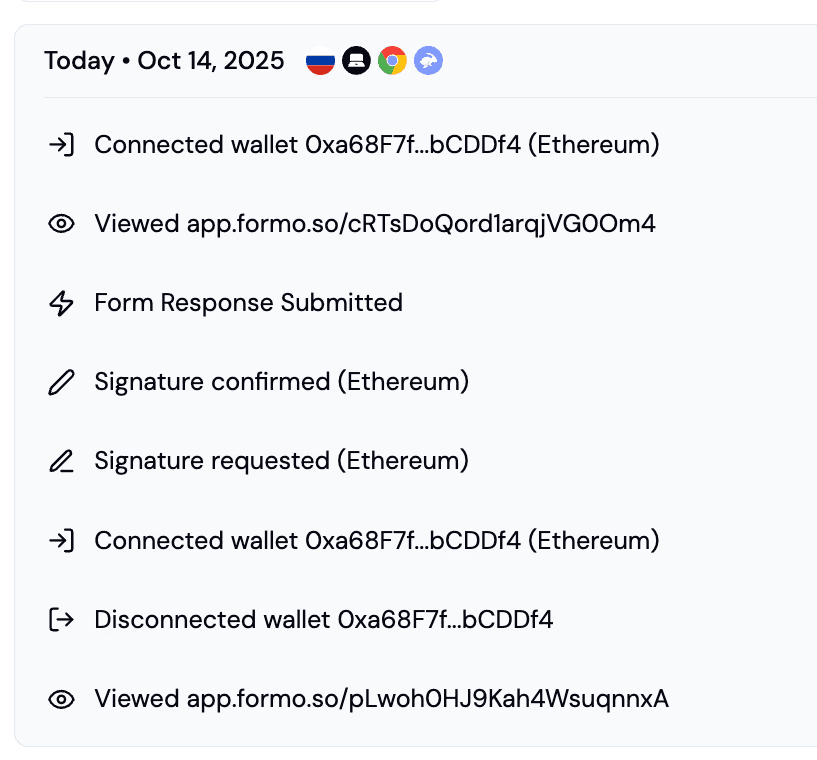
Formo makes a different bet: in a crypto app, the user is a wallet. Formo autocaptures pageviews, sessions, referrers, and UTMs, and also wallet connects, chain switches, signatures, and transactions, with no custom event code. Each wallet gets a wallet profile, and revenue tracking ties volume and revenue back to the visit that brought the wallet in.
Google Analytics can record a wallet connect only as a custom event that your team defines and maintains. Formo treats wallet activity across all major EVM chains and Solana as the core data model, next to product analytics, dashboards and BI, and a SQL Explorer.
Client IDs and cookies vs wallet profiles
Google Analytics identifies a browser with a client ID stored in the first-party _ga cookie. Teams can send an optional User-ID to join sessions across devices when a user logs in. Google Analytics has no concept of a wallet address, so connecting a wallet to a GA4 user needs custom dimensions, and user-level data in explorations is kept for 2 or 14 months on a standard property.
Formo starts with an anonymous visitor ID in a first-party cookie and stitches that visitor to each wallet address the visitor connects. One journey then covers the first pageview, the wallet connect, and every later transaction. Formo does not set third-party cookies, store IP addresses, or fingerprint devices.
Formo wallet profiles add context that Google Analytics cannot collect: net worth, token holdings, DeFi positions, labels, onchain history, and a lifecycle stage (New, Returning, Power user, At Risk, Churned, or Resurrected). Teams can segment Formo funnels and retention by any of these properties.
Pricing model: free license vs MAUs
Google Analytics Standard has no license fee, and Google Analytics 360 is sold by contract. Google describes Analytics 360 billing as a fixed base fee that includes the first 25 million monthly events, plus variable per-event fees above that, and does not publish the rates.
Google Analytics Standard stays free as events grow, but standard properties cap the daily BigQuery export at 1 million events and keep exploration data for 14 months at most. A move to Google Analytics 360 for longer retention or higher BigQuery limits needs a quote from Google or a reseller.
Formo bills by MAUs, which are unique wallet addresses with an active session. Growth is $199/month billed yearly ($249/month billed monthly) for up to 5,000 MAUs, and Scale is $399/month billed yearly ($499/month billed monthly) for up to 10,000 MAUs. Every Formo plan includes unlimited events and visitors, so wallet connects, signatures, and transactions add nothing to the bill.
Formo cost does not change with events; the price changes only as monthly active wallets grow.
Attribution: sessions and Google Ads vs wallets and revenue
Google Analytics attributes key events to channels, sources, campaigns, and UTMs. Google Analytics offers data-driven attribution, paid and organic last click, and Google paid channels last click, and imports Google Ads cost and click data through the Google Ads link. For paid search on Google, that integration is hard to match.
Google Analytics attribution stops at events your site sends. A swap, deposit, or mint that settles onchain is not visible to Google Analytics unless your frontend reports a custom event with a value. Google Analytics cannot report volume per wallet, revenue per wallet, or retention by wallet across sessions and devices.
Formo marketing attribution and onchain attribution use first-touch and last-touch models. Formo ties UTMs, referrers, referral codes, ad click IDs, and campaigns to the wallets they brought in, then to the volume, revenue, and retention of those wallets. A growth team can rank campaigns by onchain revenue, not only by sessions or wallet connects.
When Google Analytics is the better choice
Google Analytics is the better choice when your site has no wallet connects or onchain actions, such as a blog, docs site, or marketing site where traffic and content reports are enough. Google Analytics also fits teams that buy Google Ads and need GA4 key events and audiences for bidding and remarketing.
Pick Google Analytics when budget is zero and you want free website analytics at any event volume. Google Analytics is also a good fit when your data team already models raw GA4 events in BigQuery, or when your reporting lives in Looker Studio and Search Console and you do not want to move it.
Google Analytics also suits organizations that run many websites under one Google account structure and want one standard tool for every property. Agencies and marketing teams that already know GA4 reports, and that report on visits and form fills rather than wallets and transactions, lose little by staying with Google Analytics.
Running Google Analytics and Formo together
Keep Google Analytics for Google Ads workflows, BigQuery export, or reporting your organization already depends on. Use Formo for crypto product analytics, marketing attribution, wallet intelligence, and revenue tracking. You can run both during the transition: Formo begins collecting new events after you install the SDK, while historical Google Analytics data stays in Google Analytics because the tools use different data models.
For a longer look at GA4 limits for crypto apps and how teams run Google Analytics and Formo side by side, read the full analysis. Read the detailed Formo vs. Google Analytics analysis.

Add Formo next to your GA4 tag
Install the Formo SDK or script on the same pages as your gtag.js or Google Tag Manager tag. The two do not conflict, so both collect data in parallel.

Rebuild only custom events
Formo autocaptures pageviews, UTMs, referrals, wallet connects, chain switches, signatures, and transactions. Recreate only your GA4 custom events and key events, such as signups.