Dynamic Embedded Wallet Analytics for Crypto and DeFi Apps

Key Takeaways
Use Formo with Dynamic embedded wallets to get enhanced analytics and dashboards, with unified web, product, and onchain analytics on one platform.
Dynamic.xyz analytics integration unifies embedded wallet identity with onchain events, enabling teams to track full user journeys from signup to transaction with accurate attribution.
Dynamic wallet analytics uses identity resolution that links email or social logins to wallet addresses, turning fragmented Web3 behavior into measurable funnels, retention cohorts, and ROI insights.
An analytics stack for apps with Dynamic embedded wallets improves DeFi growth decisions by combining offchain acquisition data with onchain activity, enabling real-time alerts, segmentation, and retention tracking.
Building a data-driven crypto application requires integrating wallet infrastructure with an analytics provider that understands smart contract events and onchain data.
Crypto and DeFi app builders grapple with fragmented onchain and offchain data, making it difficult to track user journeys, retention, and acquisition ROI. Most teams rely on incomplete tools that leave wallet addresses anonymous and insights buried.
This step-by-step guide details how to implement analytics with Dynamic embedded wallets.
What is Dynamic?
Dynamic provides wallet infrastructure that helps crypto and DeFi apps turn demand into revenue through embedded wallets and authentication tools. Recently acquired by Fireblocks, the platform now secures institutional-grade transactions while offering developer-friendly SDKs for rapid integration. It simplifies the user experience by removing the complexity of seed phrases and chain switching, allowing users to sign up with email or social accounts while maintaining non-custodial security.
The platform supports over 600 external wallets and delivers sub-second signing speeds, making it a robust choice for high-performance applications. As of 2026, Dynamic has onboarded more than 50M users and is trusted by industry leaders like Kraken, Stripe, and Magic Eden. (Dynamic)
Use Formo with Dynamic embedded wallets to get enhanced analytics and dashboards, with unified web, product, and onchain analytics on one platform.
Why Analytics Are Essential for Crypto and DeFi Apps Using Embedded Wallets
Embedded wallets like those from Dynamic lower the barrier to entry, but they also create a new challenge: understanding user behavior across the onchain and offchain divide. Traditional analytics tools track clicks and page views but fail to capture the critical financial actions that happen on the blockchain, such as swaps, stakes, or mints. Without unified analytics, teams cannot see if a user who signed up via email actually completed a transaction or funded their wallet.
For platforms like Nansen, integrating wallet intelligence allowed them to expand into staking products and simplify interactions. Analytics bridge the gap by linking a user’s web session to their wallet address. This connection reveals the full funnel, enabling teams to identify where users drop off during the funding process and which acquisition channels drive high-value users rather than just traffic.
Key Benefits of Analytics for Crypto and DeFi Apps
Implementing a dedicated analytics stack for onchain apps provides clarity that generalist tools cannot match. It transforms raw blockchain data into actionable product insights.
Identity Resolution: Analytics tools unify scattered wallet addresses and social logins into single user profiles, helping teams understand total user value across multiple chains and wallets.
Precise ROI Measurement: By attributing onchain revenue back to specific marketing campaigns, teams can calculate the exact cost of acquiring a funded wallet rather than just a site visitor.
Fraud Prevention: Monitoring transaction patterns helps detect Sybil attackers and bot activity before they drain reward pools or distort growth metrics.
Improved Retention: detailed event tracking reveals exactly where users encounter friction, allowing product teams to optimize flows for higher conversion rates.
Step-by-Step Guide to Implementing Analytics for your Crypto App
Building a data-driven crypto application requires integrating wallet infrastructure with an analytics provider that understands smart contract events and onchain data.
The following guide outlines the process of connecting Dynamic’s embedded wallets with Formo’s crypto-native analytics. This setup enables end-to-end tracking of the full user journey from the initial website visit to onchain transactions with full attribution on where your users come from and what they do on your app.
Step 1: Integrate Dynamic Embedded Wallets into Your App
The first step is establishing the wallet infrastructure. Developers must create an account on the Dynamic dashboard to obtain an environment ID. The integration involves installing the Dynamic SDK via NPM and configuring the DynamicContextProvider in the application’s root.
For a React application, this setup includes wrapping the app with the provider and configuring wallet connectors. This foundation allows users to connect existing wallets or generate new embedded wallets using social login credentials. Once initialized, the DynamicWidget handles the UI for user authentication and wallet management.
Step 2: Set Up Formo Account and SDK
After the wallet layer is active, the next requirement is installing the analytics SDK. Teams should install the Formo Web SDK using npm install @formo/analytics. The application is then wrapped with the FormoAnalyticsProvider, which requires a write key from the Formo dashboard.
For apps using Wagmi, the provider should be configured with the Wagmi config and QueryClient. This integration allows the SDK to hook directly into the state management system, enabling native event tracking for connections and transactions without manual tagging. (Formo)
Step 3: Track In-App Events and Wallet Addresses
Once the SDKs are running, the application must identify users to link their sessions to their wallet addresses. This is done by calling the identify() function whenever a wallet connects or a user logs in. For Dynamic users, this links their embedded wallet address to their user profile.
Beyond identity, teams should track specific actions using the track function. Critical events include “Wallet Connected”, “Swap Completed”, and “Liquidity Added”. Including properties like revenue, token amounts, and currency codes in these events allows for precise financial analysis later with funnels and custom dashboards.
Step 4: Get Rich Onchain Profiles and Insights
With data flowing, the focus shifts to enrichment. Raw wallet addresses provide limited context, but analytics platforms can cluster these addresses to form comprehensive user profiles. This process involves aggregating data from ENS domains, social profiles on network like Farcaster, and historical transaction behavior across chains.
By understanding a user’s history such as whether they are a high-volume trader or a long-term holder product teams can tailor the in-app experience. This might involve offering advanced trading tools to “whales” while simplifying the interface for new users.
Step 5: Analyse Journeys, Retention, and ROI
The final step is interpreting the data to drive decisions. Teams should map the user journey from the initial wallet connection to the first transaction and subsequent repeat engagement. Timestamps help identify friction points where users abandon the process.
Measure Retention: Calculate Day-1, Day-7, and Day-30 return rates specifically for users who have connected a wallet.
Calculate ROI: Compare the cost of acquisition channels against the lifetime transaction volume of the users they bring in.
Segment Users: Group users by wallet type (embedded vs. external), chain preference, and transaction frequency to identify high-value cohorts.
How Analytics Works with Dynamic Embedded Wallets
The integration between Dynamic and analytics platforms relies on capturing events at the wallet provider level. When a user interacts with Dynamic to create an embedded wallet or sign a transaction, the analytics SDK detects these state changes.
In practice, this means that when a user signs a message or approves a token spend, the event is logged automatically if autocapture is enabled. Formo’s analytics engine then stitches this onchain event (the transaction hash) with the offchain session data (the marketing source). This creates a unified timeline that shows not just what happened on the blockchain, but who did it and where they came from. This visibility is critical for apps using embedded wallets, as this links campaign efforts on more traditional Web2 channels before transitioning to conversions onchain.
Best Practices for Onchain Analytics Success
Success in Web3 analytics requires more than just data collection; it requires a strategic approach to measurement. Teams should focus on quality over quantity, tracking metrics that directly correlate with business health rather than vanity numbers like total registered accounts.
Define Targeted KPIs and Benchmarks
Clear objectives are the foundation of effective analytics. Teams should define Web3-specific KPIs that reflect actual value creation.
Active Wallets: Track Daily or Monthly Active Wallets (DAW/MAW) rather than just site visitors.
Activation Rate: Measure the percentage of connected wallets that perform a transaction within 7 days.
Net New TVL: Monitor the actual capital inflow generated by new users.
CAC vs. LTV: Compare the cost of acquiring a wallet against the onchain revenue it generates over time.
Implement User Segmentation and Privacy Measures
Not all users behave the same way. Segmentation allows teams to treat high-value traders differently from casual browsers. Common segments include “Whales” (high volume), “Airdrop Hunters” (high activity, low retention), and “New Entrants” (embedded wallet users).
Privacy remains paramount. Analytics should rely on wallet addresses as the primary identifier rather than collecting personally identifiable information (PII). Using aggregate data and wallet clustering allows for rich insights without compromising user anonymity.
Harness Real-Time Insights for Growth
The speed of crypto markets demands real-time data. Waiting for monthly reports can mean missing critical trends or security issues.
Set Alerts: Configure notifications for sudden drops in transaction volume or spikes in error rates.
Monitor Live Feeds: Use dashboards to watch user onboarding flows as they happen, allowing for immediate hotfixes if a wallet connector fails.
Trigger Automations: Use real-time alerts to trigger marketing actions, such as sending an email or push notification immediately after a user completes their first swap.
Common Mistakes to Avoid and Fixes
Many teams struggle with analytics because they apply Web2 logic to Web3 products. Avoiding these pitfalls ensures data remains accurate and actionable.
Ignoring Offchain Data: Relying solely on onchain data misses the acquisition context. Fix: Always tag marketing links with UTM parameters and persist them through the wallet connection.
Over-Tracking: Tracking every single mouse click creates noise. Fix: Focus on key conversion events like “Wallet Connected” and “Transaction Signed.”
Fragmented Identities: Treating every wallet address as a new user inflates metrics. Fix: Use wallet clustering and identity resolution to group addresses belonging to the same entity.
Neglecting Failed Transactions: Only tracking successes hides UX problems. Fix: Track error events to identify broken contracts or confusing UI elements.
About Formo Analytics
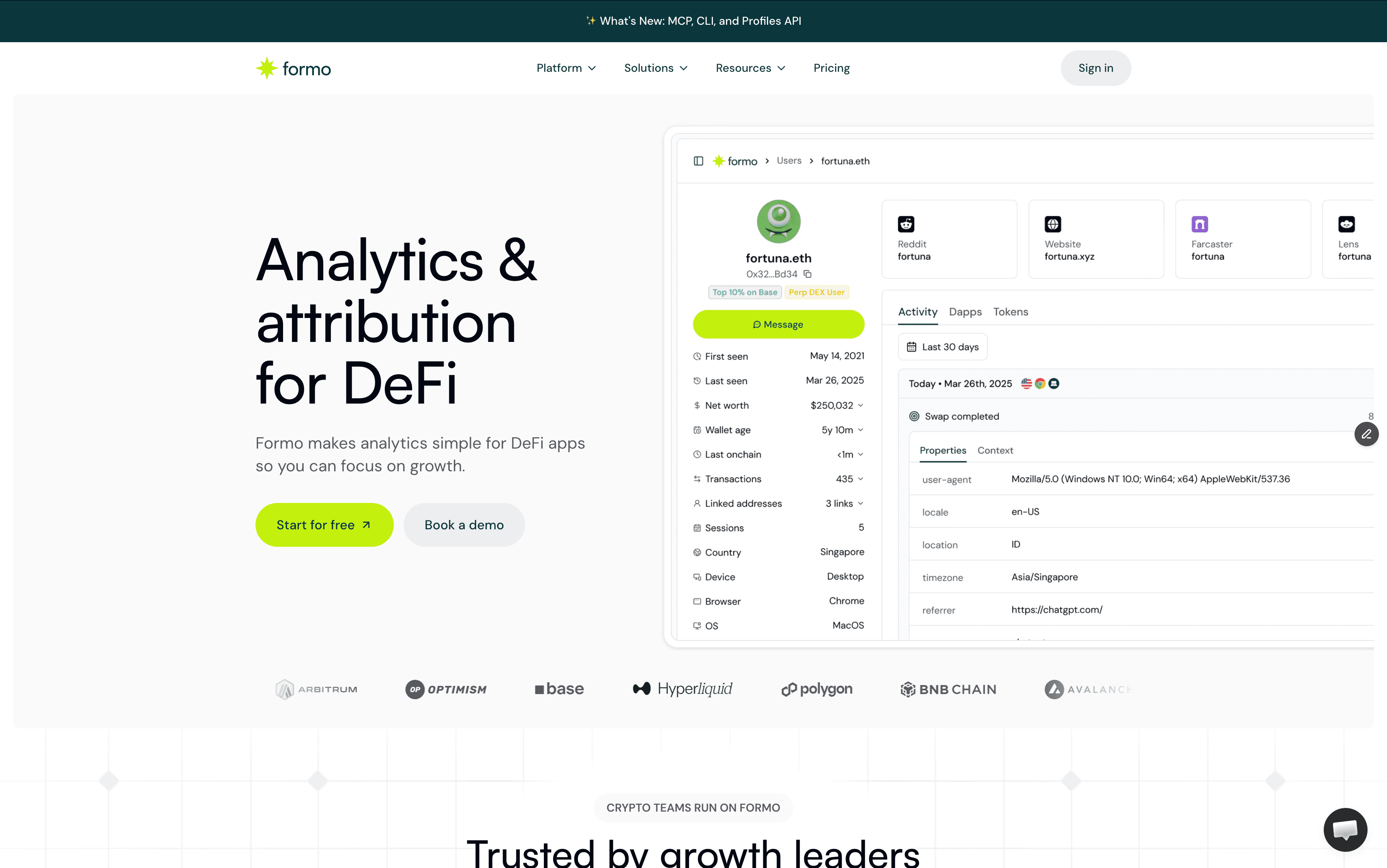
Formo is a crypto-native analytics platform to give scrappy founders, product, and marketing teams in DeFi the clarity they need to grow. It helps you:
See the full user journey from offchain to onchain, to spot exactly where users are dropping off, helping you fix bottlenecks and improve your app.
Identify your most valuable users—the whales and power users—so you can more effectively engage and retain them.
Segment wallets into cohorts based on their behavior to see which users stick around and to help refine your ICP.
When you ship a new feature or launch a marketing campaign, you can measure its impact immediately on metrics that matter, not vanity metrics.
Next Steps
Implementing analytics for Dynamic embedded wallets is a strategic move that transforms raw data into a competitive advantage. By unifying onchain and offchain data, teams gain the visibility needed to optimize onboarding, improve retention, and prove marketing ROI.
Start by integrating the Dynamic and Formo SDKs to establish a baseline of data. From there, focus on refining user segments and setting up real-time alerts. The goal is to move from guessing about user behavior to making decisions based on verifiable onchain evidence.
Frequently Asked Questions
What is the difference between Formo and Google Analytics?
Google Analytics relies on cookies and sessions to track page views. Formo tracks the full user journey from offchain to onchain using the best features from web, product, and onchain analytics. By capturing wallet interactions, smart contract events, and onchain transactions you get rich user profiles linked to user behavior that is valuable for crypto and DeFi teams.
Does tracking users compromise privacy?
It depends on what analytics tool you use. Formo is privacy-friendly by design. It uses wallet addresses as identifiers rather than names or emails. Privacy-friendly analytics tools like Formo allow for analytics and profiling without requiring invasive personal data collection. Formo does not collect IP addresses, does not use third-party cookies, and does not use device fingerprinting. See how Formo compares with other tools on privacy.
Can I track users across different chains?
Yes. Modern analytics platforms support multi-chain tracking. They can aggregate activity from Ethereum, Solana, and other chains into a single wallet profile, providing a holistic view of a user’s holdings and behavior.
How do I handle users with multiple wallets?
Analytics tools like Formo use identity resolution that works automatically to link multiple addresses to a single user profile. This is often done by analyzing transaction patterns or linking wallets during a shared session or through a unified login layer like Dynamic.
How long does it take to integrate Dynamic with Formo analytics?
Integration typically takes less than 30 minutes. Formo has built-in prompts for AI to help you set up in less time. Steps include installing SDKs via NPM, configuring providers, and instrumenting key events.
What specific costs are involved in using Dynamic and Formo?
Dynamic offers a free tier for up to Up to 1,000 MAUs. Formo offers a free trial. Both Dynamic and Formo charges based on active wallets and transaction volume, at $0.05 per monthly active wallet.
Which blockchains does Dynamic’s embedded wallet support?
Dynamic supports over 20 chains including Ethereum, Solana, Polygon, Base, and Arbitrum. Analytics integration via Formo supports all chains dynamic supports across EVM and Solana. Once installed, Formo autocaptures events across chains for unified multi-chain wallet profiles.
How does Formo calculate ROI for onchain apps?
Formo attributes volume and revenue like swap fees or TVL to acquisition channels / campaigns using industry-standard UTM tags, referrers, and custom events. Given the data, you can computes CAC by dividing campaign spend by funded wallet lifetime value.
What security features does Formo provide with analytics tracking?
Security is Formo’s biggest priorities. Learn how Formo keep your data secure with our security practices such as CSP, SRI, industry-standard encryption and more on our dedicated security page: https://formo.so/security


