Privy Wallet Analytics for Crypto and DeFi Apps (2026 Guide)

Key Takeaways
Use Formo with Privy embedded wallets to get enhanced analytics and dashboards, with unified web, product, and onchain analytics on one platform.
The Privy and Formo integration works by calling Formo’s
identify()method inside Privy’s success callback, linking the authenticated wallet address to the visitor’s prior session. This single call makes the full journey from website visit to onchain transaction attributable.Once identity is linked, the integration tracks wallet connects, successful signatures, and confirmed transactions as named events in Formo, enabling funnel analysis, cohort retention, and acquisition channel attribution without a custom data pipeline.
The result includes dashboards showing connect-to-first-transaction conversion rate, retention cohorts by wallet type, and ROI by acquisition channel, all tied to confirmed onchain activity rather than session-level proxies.
Crypto and DeFi app builders struggle to track user behaviour effectively, as anonymous visitors and wallet addresses don’t present the full picture.
Crypto and DeFi app builders struggle to track user behaviour effectively, as anonymous visitors and wallet addresses don’t present the full picture. Siloed onchain, offchain data across multiple fragmented tools (web, product, onchain analytics) obscure retention and acquisition insights. Data is overflowing and engineering capacity is already reserved for the product. Without access to realtime data and visibility on the user journey, building consumer-facing products is an uphill battle.
This step-by-step guide details how crypto and DeFi teams can build successful apps with Privy for authentication and Formo for unified analytics, delivering clear, actionable insights to drive growth in less time.
If you’re evaluating different embedded wallet providers, see our step-by-step guides to analytics for Turnkey wallets and analytics for Dynamic wallets for alternative implementations.
What is Privy?
Privy is a comprehensive wallet infrastructure platform designed to onboard users to onchain products. It provides tools for embedded wallets, progressive authentication, and user management, allowing developers to create secure and seamless experiences. Recently acquired by Stripe, Privy powers 75M+ accounts for over 1,000 teams, processing significant transaction volumes across the ecosystem.
The platform offers a complete stack that handles everything from key management to user onboarding. It supports email, SMS, social, and passkey logins, making it easier for both crypto experts and newcomers to access onchain apps. By using hardware-isolated TEEs and key sharding, Privy ensures enterprise-grade security while maintaining non-custodial standards (Privy).
What Is Analytics for Crypto and DeFi Apps Important?
Analytics in the crypto space often suffer from a disconnect between offchain user behavior and onchain activity. Traditional tools track website clicks, while block explorers track transactions, but few solutions bridge the gap. This fragmentation makes it difficult to understand the full user journey, from the initial landing page visit to the final smart contract interaction.
Privy helps with its built-in analytics feature:
“This includes analysing how users show up, how wallets get funded, and how value moves through the system over time.” - Privy Blog on Enhanced User Analytics (privy.io)
However, it’s missing key data from web analyics (acquisition, top-of-funnel metrics) and product analytics (in-app behaviour, revenue, retention.) It’s also missing wallet intelligence features that help you understand your customer profiles. Without stitching together data from web, product, and onchain sources teams building in crypto and DeFi have limited visibility on who their users are, where they come from, and what they do on their app.
Unified analytics solutions like Formo provide visibility into how your onchain users move through the funnel from first visit to transactions and beyond. By linking a website session to a wallet address, teams can attribute onchain conversions back to specific marketing channels or product features. This clarity is essential for optimizing conversion rates and understanding true user value.
Key Benefits of Analytics
Implementing a robust analytics strategy allows builders to move beyond vanity metrics and focus on actionable growth signals. By unifying data sources, teams gain a holistic view of their product’s performance.
Key advantages include:
Full Funnel Visibility: Track users from their first website visit through wallet connection to transaction completion.
Precise Attribution: Identify which makreting channels (Twitter, organic search, referrals) drive high-value onchain users.
Churn Prevention: Detect when users stop interacting with the protocol and trigger re-engagement campaigns.
Wallet Profiling: Understand the net worth and cross-chain activity of connected users to segment audiences effectively.
ROI Measurement: Calculate the actual return on investment for incentives and paid acquisition campaigns.
Step-by-Step Guide to Setting Up Analytics with Privy
Integrating analytics into a Privy-enabled app requires connecting the identity management of Privy with the event tracking capabilities of Formo. This process ensures that every user interaction is captured and attributed correctly.
Step 1: Create Your Privy Developer Account and App
Navigate to the Privy Dashboard and sign up for a developer account. Once logged in, create a new app to generate the necessary API keys and App ID.
Configure the login methods relevant to the project, such as email, SMS, or external wallets. This configuration defines how users will authenticate and creates the foundation for tracking user sessions. Ensure the branding settings match the application’s design to maintain a consistent user experience during onboarding.
Step 2: Integrate the Privy SDK into Your App
Install the Privy SDK to handle wallet connections and authentication within the application. For React or Next.js applications, this involves wrapping the app with the PrivyProvider.
Install the package: Run
npm install @privy-io/react-authin the terminal.Configure the Provider: Wrap the application root with
PrivyProvider, passing in the App ID created in the previous step.Implement Login: Use the
usePrivyhook to trigger the login modal and manage authentication state.
For apps using Wagmi for blockchain interactions, Privy offers a connector that integrates seamlessly, allowing the app to leverage Wagmi’s hooks alongside Privy’s authentication.
Step 3: Create Your Formo Workspace
To begin collecting data, create a workspace on Formo.
Visit app.formo.so and sign up for an account.
Upon creating a workspace, you will be guided to add your project.
Your project gets a unique Write Key.
This key serves as the identifier for the project and is required to send event data from the application to the Formo backend. Keep this key secure, as it will be used in the next step to initialize the analytics SDK. The dashboard will initially show no data until the integration is complete and events begin flowing.
Step 4: Integrate the Formo SDK Into Your App
Install the Formo SDK and configure it to listen for Privy events. The goal is to link the Privy user ID and wallet address to the analytics profile.
Install: Run
npm install @formo/analytics.Initialize: Wrap the app with
FormoAnalyticsProviderusing the Write Key.Identify Users: Use the
parsePrivyPropertiesutility provided by the SDK.
Inside a useEffect hook, listen for the Privy user object. When a user logs in, pass the user object to parsePrivyProperties, which extracts the wallet address and social identifiers. Then, call formo.identify() to merge this data (Formo Docs).
Step 5: Access Insights in the Formo Dashboard
Once the integration is live and users begin logging in, data will populate the Formo dashboard. The Activity Feed provides a real-time view of user actions, including page views, wallet connections, and custom events.
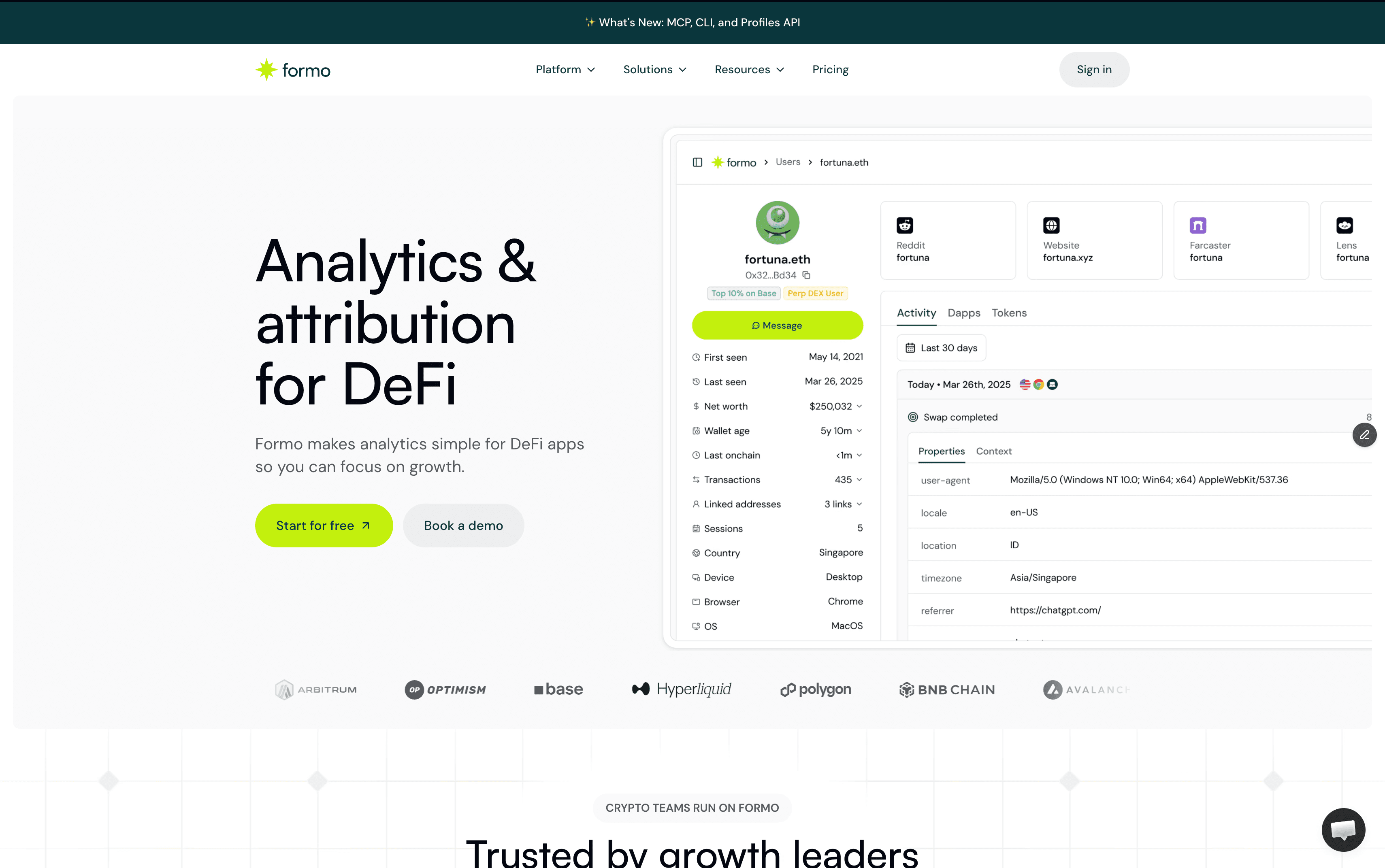
Navigate to the Users section to see unified profiles. These profiles combine offchain data (like referrer sources and device info) with onchain data (wallet balance, transaction history). This view allows teams to segment users based on their onchain behavior, such as “High Net Worth Traders” or “New Wallet Connections,” and analyze the retention rates of these specific cohorts.
Best Practices for Crypto and DeFi Analytics
To ensure data accuracy and privacy compliance, builders should adhere to specific configuration standards when setting up their analytics stack.
Unified Write Keys: Use the same project/SDK write key for both the marketing website and the application to maintain a continuous user session across domains.
Localhost Testing: Enable
tracking: truein the configuration options during development to verify events are firing correctly before deploying to production.Proxy Configuration: Set up a reverse proxy or use Next.js rewrites to route traffic through the app’s domain, preventing ad-blockers from stripping valuable analytics data.
Log Levels: Configure the logger to
debugorwarnduring the initial setup to catch any integration errors early.Security: Implement industry standard security best practices such as CSP and SRI.
Common Mistakes to Avoid
Errors in integration can lead to fragmented data or missing attribution. avoiding these common pitfalls ensures the analytics pipeline remains robust.
Ignoring Wagmi Hooks: When using Wagmi, failing to use hooks like
useWriteContractprevents the SDK from auto-capturing transactions and signatures.Multiple Query Clients: Creating separate
QueryClientinstances for Wagmi and Formo breaks the state management; always share the same instance.Overlooking Privacy: Failing to implement opt-out mechanisms for users who request privacy violates compliance standards like GDPR.
About Formo Analytics
Formo is a crypto-native analytics platform to give scrappy founders, product, and marketing teams in DeFi the clarity they need to grow. It helps you:
See the full user journey from offchain to onchain, to spot exactly where users are dropping off, helping you fix bottlenecks and improve your app.
Identify your most valuable users—the whales and power users—so you can more effectively engage and retain them.
Segment wallets into cohorts based on their behavior to see which users stick around and to help refine your ICP.
When you ship a new feature or launch a marketing campaign, you can measure its impact immediately on metrics that matter, not vanity metrics.
Use Formo with Privy embedded wallets to get enhanced analytics and dashboards, with unified web, product, and onchain analytics on one platform.
Next Steps
With Privy and Formo installed, the foundation for data-driven onchain growth is in place.
Teams should now focus on defining custom events that track critical value moments, such as “Swap Completed” or “Liquidity Added.”
Review the funnel analysis to identify where users drop off during the onboarding process.
Use audience insights and segments to measure the retention of users acquired through different channels.
Add new event properties and refine user segments to uncover deeper insights into product performance.
Iterate, iterate, and iterate rapidly with insights designed for crypto and DeFi teams.
Frequently Asked Questions
What is the difference between web2 and web3 analytics?
Web2 analytics tracks basic visitor metrics such as page views and clicks. Web3 analytics unifies web and product analytics with onchain data, linking wallets and transactions to provide a complete view of the crypto user journey from offchain to onchain.
Does this setup compromise user privacy?
No. Formo is designed with privacy in mind. It does not use third-party cookies or device fingerprinting. No IP is collected to protect user privacy. Analytics are tied to pseudonymous wallet addresses, and users can opt out of tracking.
Can I track users across different chains?
Yes. The Formo SDK supports all EVM-compatible chains and Solana. It automatically clusters activity from the same wallet across different networks, providing a unified cross-chain profile. Wallet intelligence is multichain out-of-the box across all major EVM chains.
Do I need to write custom SQL?
No. The Formo data platform provides out-of-the-box dashboards for common metrics like DAU, retention, and conversion funnels, eliminating the need for complex engineering resources. You can also ask AI to help you write SQL and build charts from natural language.
How much does Privy or Formo cost?
Privy offers a free tier for up to 500 monthly active users. Formo offers a free trial. Paid plans are available for higher MAUs.
What chains does the Formo SDK support beyond EVM and Solana?
The SDK tracks activity on Bitcoin, Ethereum L2s like Base and Optimism, and Cosmos chains via wallet address clustering. It aggregates cross-chain transactions into single user profiles without manual configuration.
How do I track custom events in Formo?
Call the SDK function formo.track('Swap Completed', { amount: 100, token: 'USDC' }) after any in-app action. You can include any relevant event properties such as volume and pool id for further analysis and precise attribution.
Can I export Formo data to other tools like Google Sheets or BigQuery?
Yes. Formo supports CSV exports from dashboards and direct integrations with BigQuery and AWS. Scheduled exports can be run daily or on-demand.
How long does it take for analytics data to appear in the Formo dashboard?
Data appears in real-time for activity feeds, with full user profiles updating within 5 minutes.


