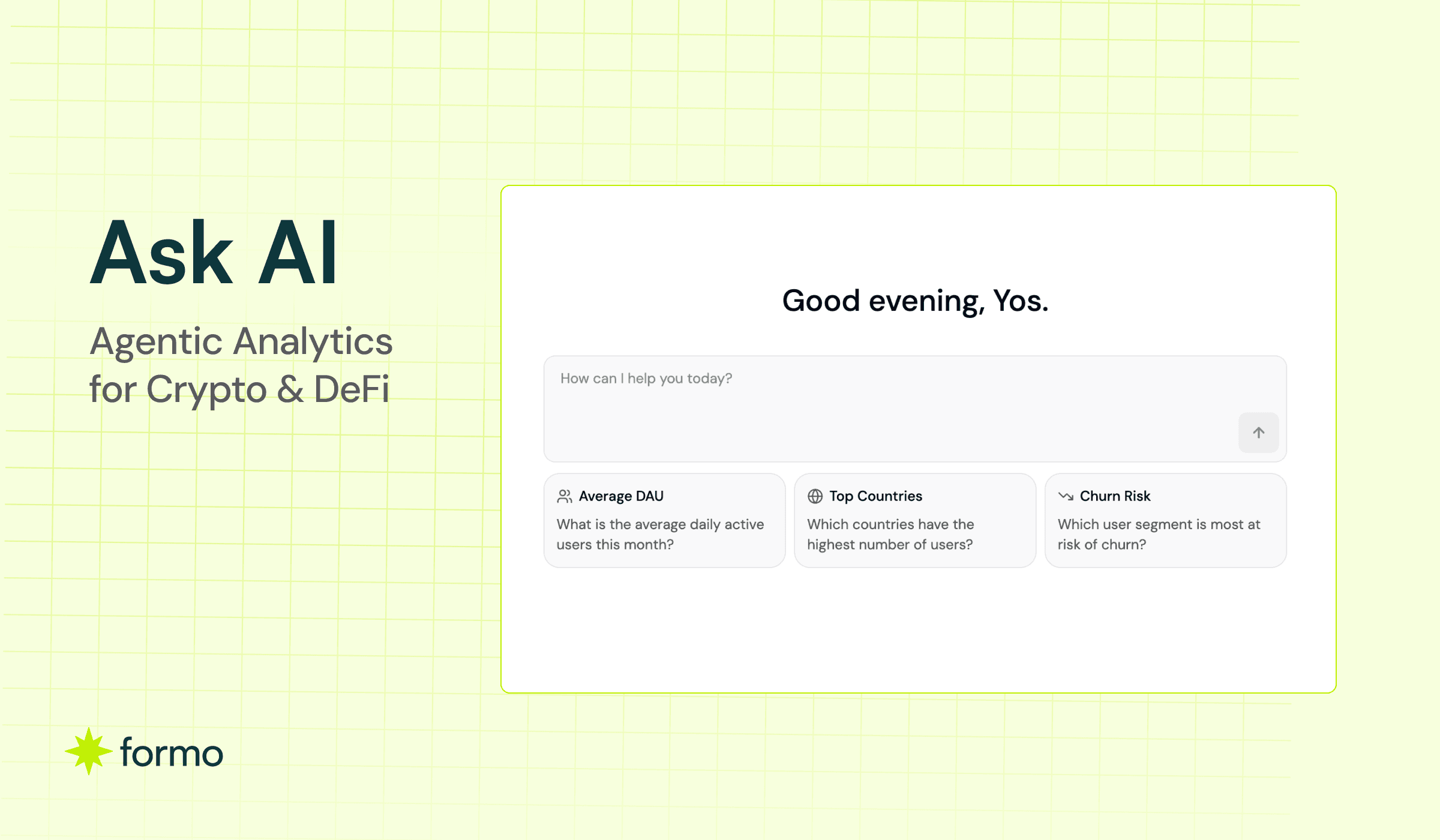
Formo Ask AI: Agentic Analytics for DeFi and Crypto Growth Teams

Key Takeaways
Ask AI enables DeFi teams to query onchain data in plain English and instantly generate SQL-backed charts without the bottleneck on engineers or data teams.
Agentic analytics turns questions into dashboards and saved metrics, letting teams continuously monitor acquisition, retention, and revenue in real time.
Agentic insights proactively surface anomalies in wallet behaviour unusual drop-off in a funnel step, a retention cohort that performs differently from others without the team needing to know what to look for.
The MCP integration connects Ask AI to external tools, letting growth teams pull context from connected systems into their onchain analysis without switching between platforms.
Because the platform tracks wallet-level data including net worth, token holdings, cross-chain activity, and app usage, you can ask questions that would be impossible in traditional analytics tools.
Stop waiting on data teams. Start asking questions and getting answers in seconds.
Every onchain product team has felt this friction: you know the data holds the answer, but getting to it requires writing SQL, wrangling dashboards, or filing a request with an analyst who is already buried in other work. By the time the insight lands, the window to act on it has closed.
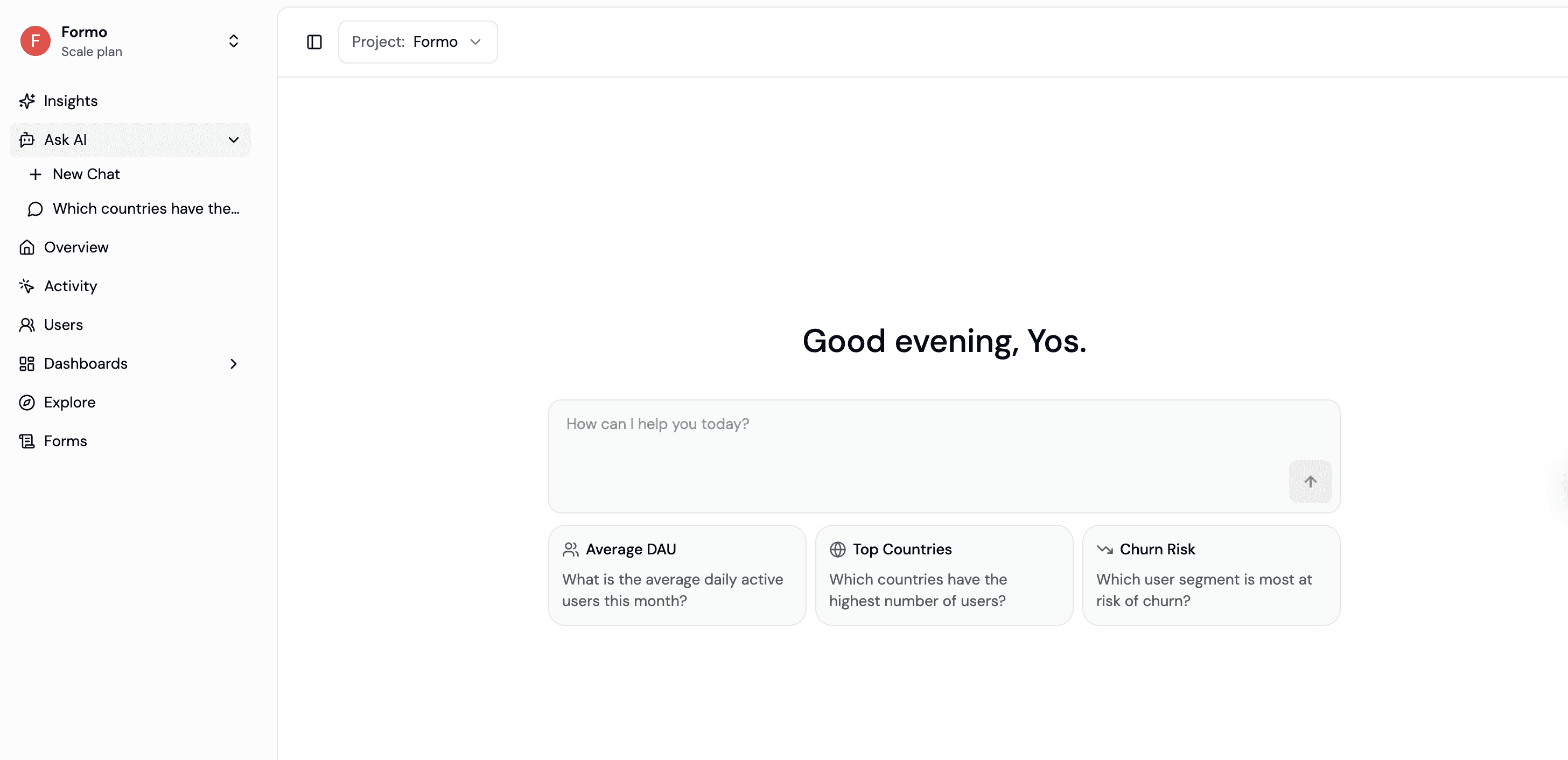
Formo’s Ask AI and Insights feature changes that equation entirely. It puts a dedicated analytics brain directly inside your product analytics dashboard, one that understands your onchain data, speaks natural language, and delivers actionable findings the moment you need them.
Introducing Ask AI
Ask AI is an AI-powered data analyst embedded into the Formo dashboard. Instead of writing SQL queries by hand or clicking through filter menus, you type a question the way you would ask a colleague sitting next to you.
“Where are my users coming from this week?”
“What’s the retention rate for wallets acquired through our newsletter campaign versus Twitter?”
“Show me daily active wallets over the last 90 days, broken down by chain.”
Behind the scenes, Formo translates your question into a precise SQL query, runs it against your analytics data in real time, and returns both a human readable explanation and a visual chart. Instant answers. No waiting for engineering or data teams. No SQL required.
Ask AI generates SQL queries against your actual data that you can run yourself, which means the answers are grounded in what is happening in your product right now.
Turn Questions into Charts
One of the most practical features of Ask AI is the ability to persist what you discover. When the AI surfaces a chart that captures exactly the metric you need to track, you can save it directly to your dashboard with a single click. Name it, set a refresh interval, and it becomes a living part of your analytics workflow.
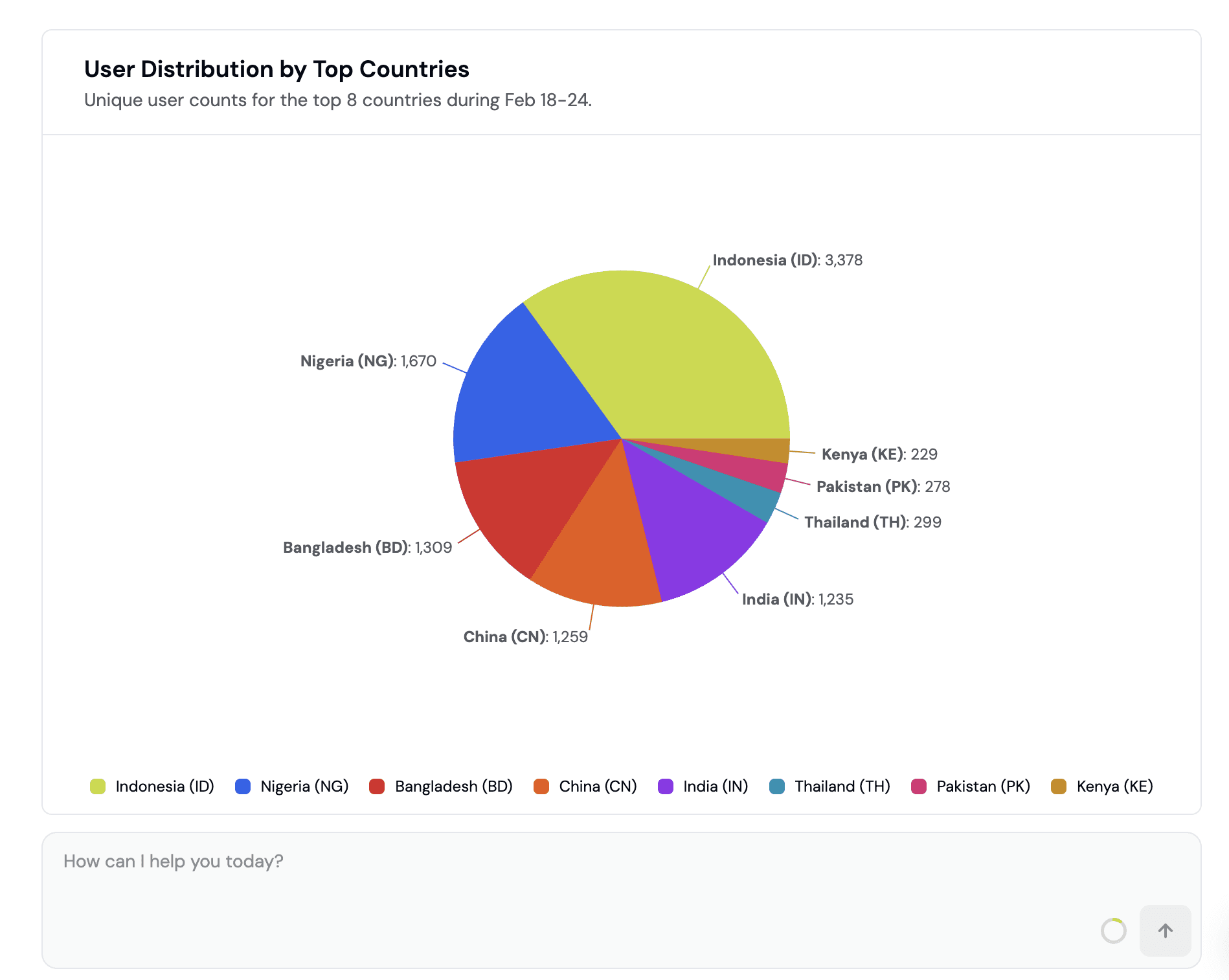
This turns exploratory conversations into permanent monitoring infrastructure. A question you asked on a Tuesday morning can become the chart your whole team checks every day.
What Kinds of Questions Can You Ask?
Ask AI covers the full spectrum of product analytics for onchain applications. Here are some of the areas where it excels:
Acquisition and growth questions help you understand where users are coming from and which channels are actually converting. You can ask about traffic sources, referral patterns, and campaign performance without needing a separate attribution tool.
Retention and cohort analysis lets you compare how different user segments behave over time. Ask about weekly retention curves, churn patterns for specific cohorts, or how users acquired through airdrops retain compared to organic users.
Revenue and transaction patterns reveal what is driving onchain activity. Dig into transaction volumes, fee generation, revenue trends, and which user segments are contributing the most value.
User segmentation and wallet intelligence is where Formo’s onchain-native data model really shines. Because the platform tracks wallet-level data including net worth, token holdings, cross-chain activity, and app usage, you can ask questions that would be impossible in traditional analytics tools. Things like “Which of my power users also use [competitor protocol]?” or “What’s the average net worth of wallets that completed onboarding this month?”
Anomaly detection works proactively. Ask AI can flag unusual spikes or drops in your metrics and offer potential explanations, so you catch problems (or opportunities) before they show up in your weekly review.
Get more questions from the docs.
How It Works Under the Hood
Formo’s AI layer is built on a real-time analytics infrastructure that processes onchain events as they happen.
When you ask a question, the system does several things simultaneously. It interprets the intent behind your natural language query. It maps that intent to the relevant data sources in your workspace, including smart contract events, user profiles, session data, and wallet intelligence. It generates an optimized SQL query. And it returns both a data-driven answer and a visualization.
Formo also offers a Model Context Protocol (MCP) server, which means you can connect Formo’s analytics capabilities to external AI tools and workflows. If your team already works inside Claude, Cursor, or other AI-native environments, you can query your Formo data without ever leaving those tools. This is particularly powerful for engineering and growth teams that want to build custom agents or automated reporting pipelines on top of their product analytics.
The MCP integration follows the same security model as the rest of Formo’s infrastructure, with token-based authentication ensuring that data access is scoped appropriately. In multi-tenant environments, row-level policies prevent data leakage between different users or organizations.
Proactive Insights: Patterns You Didn’t Know to Look For
While Ask AI responds to the questions you already have, the Insights feature addresses a different problem: the questions you did not think to ask.
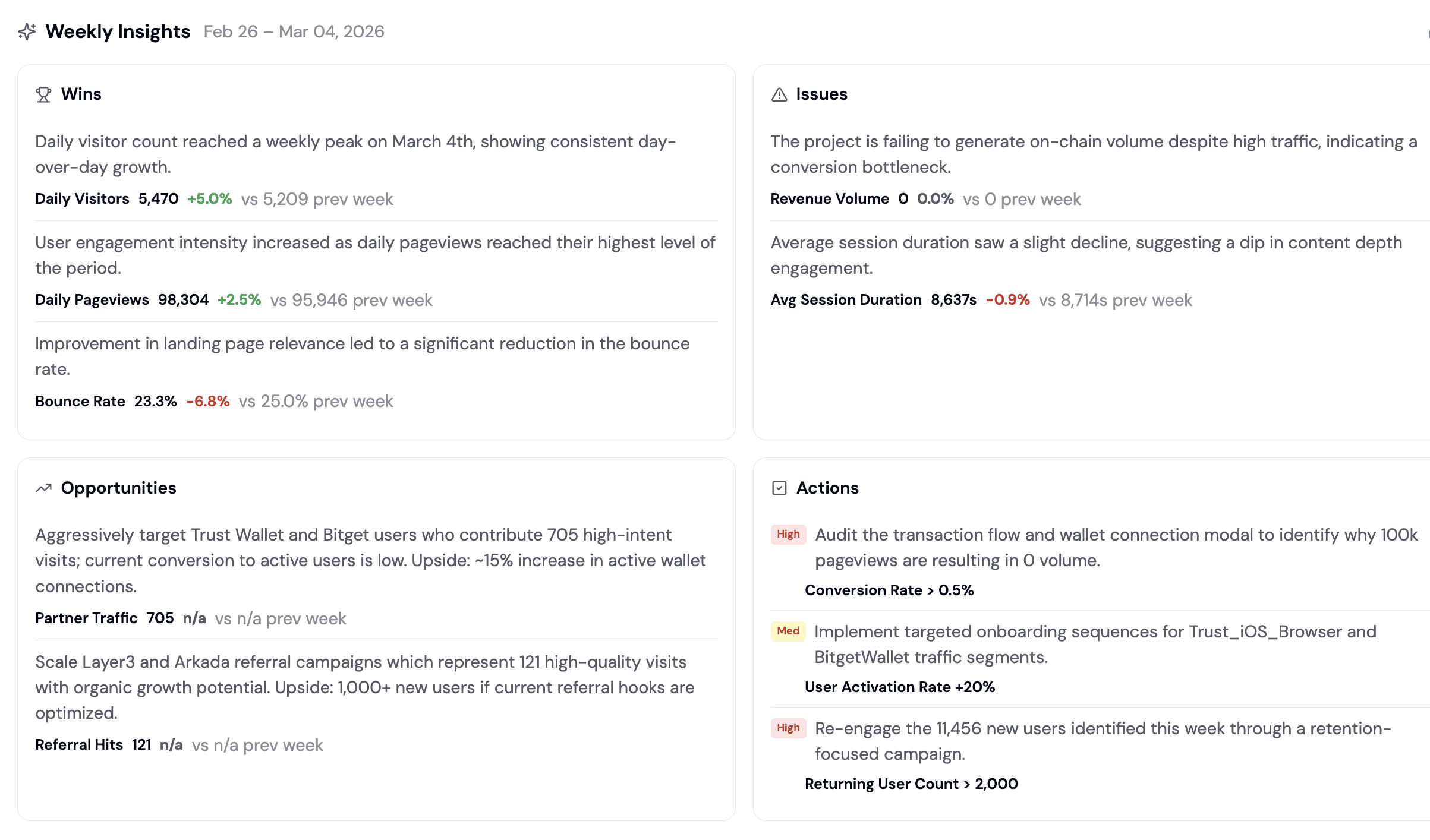
Insights continuously analyzes your product data to surface trends, anomalies, and behavioral patterns that might otherwise go unnoticed. It identifies seasonality in user activity, flags sudden changes in conversion rates, spots emerging user segments, and highlights correlations between different metrics.
Think of it as a background analyst that never stops looking at your data. When something meaningful shifts, Insights brings it to your attention along with context about why it might matter and what you could do about it.
For growth teams, this is where real leverage comes from. You are not just tracking the metrics you already defined. You are discovering new ones that reflect how your product is actually being used.
AI Designed for Crypto and DeFi, Not Retrofitted
Most analytics platforms were designed for web and mobile products and then adapted for crypto. That means they treat wallets as an afterthought, struggle with cross-chain data, and have no concept of onchain-native segmentation.
Formo was built from the ground up for onchain applications. The data model natively understands wallet addresses, smart contract events, token balances, cross-chain activity, and the unique behavioral patterns of decentralized applications. When Ask AI generates a query, it is working with a schema that was designed for this exact use case.
This matters in practice. When you ask “Show me my most engaged users,” the answer includes onchain activity signals like transaction frequency, contract interactions, and cross-protocol usage. Not just page views and click events.
Ten Prompts to Get Started
Here are some practical prompts you can try with Ask AI:
“Where are my users coming from?” to understand acquisition channels at a glance.
“What’s my daily active wallet count trending over the past 30 days?” for a quick health check.
“Compare retention rates for users acquired from Twitter vs Discord.” to evaluate channel quality.
“Which user segments have the highest transaction volume?” to find your most valuable cohorts.
“Show me the conversion funnel from wallet connection to first transaction.” to identify drop-off points.
“Are there any unusual spikes or drops in my metrics this week?” to catch anomalies early.
“What does my geographic distribution of users look like?” to understand where your audience lives.
“Which features have the highest adoption rate among new users?” to prioritize your product roadmap.
“Break down revenue by user segment for the last quarter.” to understand what drives value.
“What patterns do you see in my churned users?” to learn what drives people away.
For each you can ask for a chart you can save and make follow-up questions to dig deeper.
Getting the Most Out of Ask AI
A few practical tips to make your conversations with Ask AI more productive:
Be specific about time ranges. “Last 7 days” gives better results than “recently.” The AI works best when it knows exactly what window of data to query.
Name your segments. If you have defined user segments in Formo (whales, power users, new wallets), reference them by name. The AI understands your custom segmentation.
Ask follow-up questions. The best insights often come from the second or third question in a thread. Start broad, then narrow down based on what you find.
Validate with domain expertise. Ask AI is a powerful analytical tool, but your team’s knowledge of user behavior, market context, and product strategy is irreplaceable. Use the AI’s findings as a starting point for deeper investigation, not as the final word.
Save what matters. If a chart or metric proves useful, save it to your dashboard immediately. The best analytics workflows are built incrementally, one useful visualization at a time.
The Future of Analytics is Agentic
The shift happening in product analytics is not just about convenience. It is about who gets to participate in data-driven decision making.
When insights require SQL expertise and weeks of analyst time, only a small fraction of the team can work with data directly. Everyone else relies on secondhand summaries and pre-built dashboards that may not answer their specific questions.
Ask AI and Insights remove that bottleneck. Growth managers, community leads, product managers, and founders can all query the same data with the same depth, in real time. The result is faster iteration cycles, better-informed decisions, and a team that operates on shared evidence rather than competing intuitions.
For teams building onchain products in a fast-moving market, that speed advantage compounds quickly.
Frequently Asked Questions
Do I need to know SQL to use Ask AI?
No. Ask AI is designed so that anyone on your team can query product data using plain English. You type a question the way you would ask a colleague, and the system handles the query generation, execution, and visualization behind the scenes. That said, if you do know SQL, Formo also offers a custom SQL query editor for more advanced analysis.
What data can Ask AI access?
Ask AI queries against all the data in your Formo workspace. That includes offchain events tracked through Formo’s SDK (page views, button clicks, wallet connections), onchain smart contract events across supported chains (Ethereum, Base, Arbitrum, Optimism, Polygon, and more), wallet-level intelligence like token holdings, net worth, and cross-chain activity, and any custom user segments or properties you have defined.
How accurate are the results?
Ask AI generates real SQL queries against your actual data, so the numbers it returns are as accurate as the underlying dataset. Every response includes the generated query so you can inspect exactly what was run. For complex or high-stakes analysis, we recommend validating findings with your team’s domain expertise and using the results as a starting point for deeper investigation.
What is the difference between Ask AI and Insights?
Ask AI is reactive: you ask a question and get an answer. Insights is proactive: it continuously monitors your data for trends, anomalies, and behavioral patterns, then surfaces findings you might not have thought to look for. They complement each other. Ask AI helps you answer known questions fast, while Insights helps you discover unknown ones.
Can I connect Ask AI to other tools my team uses?
Yes. Formo supports a Model Context Protocol (MCP) server, which lets you query your analytics data from AI-native environments like Claude, Cursor, and other MCP-compatible tools. This means your engineering and growth teams can build custom agents, automated reports, or internal tools that pull directly from Formo’s data layer without needing to switch contexts.
Is my data secure when using Ask AI?
Ask AI operates within Formo’s existing security model. All queries are scoped to your workspace through token-based authentication. In multi-tenant setups, row-level policies ensure that users only see data they are authorized to access. No data leaves your workspace to train external models.
Can I save the charts and answers I get from Ask AI?
Yes. Any chart that Ask AI generates can be saved directly to your Formo dashboard with one click. You can name it, set a refresh interval, and it becomes a permanent part of your analytics workflow. This is one of the most practical features: exploratory questions can turn into persistent monitoring in seconds.