Changelog
We ship new features, fixes, and improvements to Formo every week
Here are this week’s highlights:
AI SQL Helpers
Ask AI Follow-up Questions
Funnels Compare Mode
Area Chart
Global Search
Profile Side Panel
Query API
Improvements and Fixes
AI SQL helpers
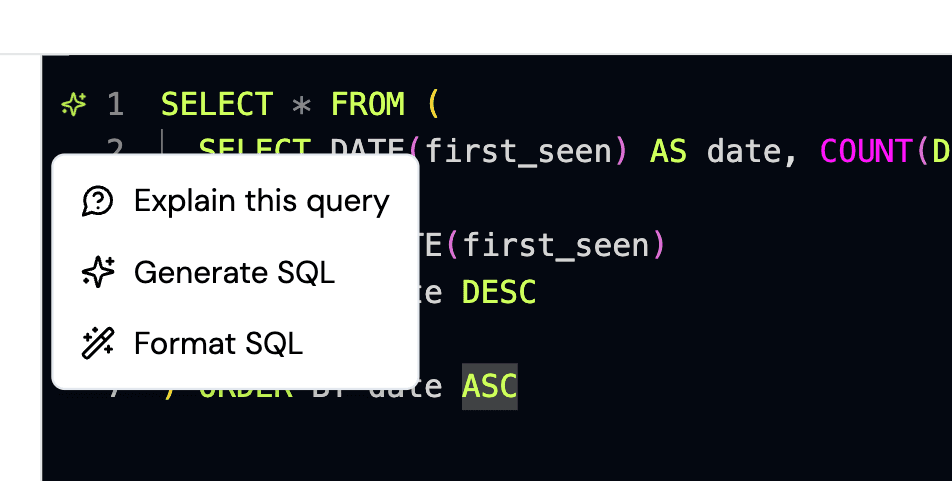
Three new AI helpers now sit next to the SQL editor on both the Explorer page and the create/edit chart page
Explain this Query describes what a SQL query does in plain English.
Generate SQL turns a prompt into SQL.
Format SQL cleans up an existing query in place.
Ask AI Follow-up Questions
Every Ask AI response now ends suggested follow-up questions you can click to keep digging.
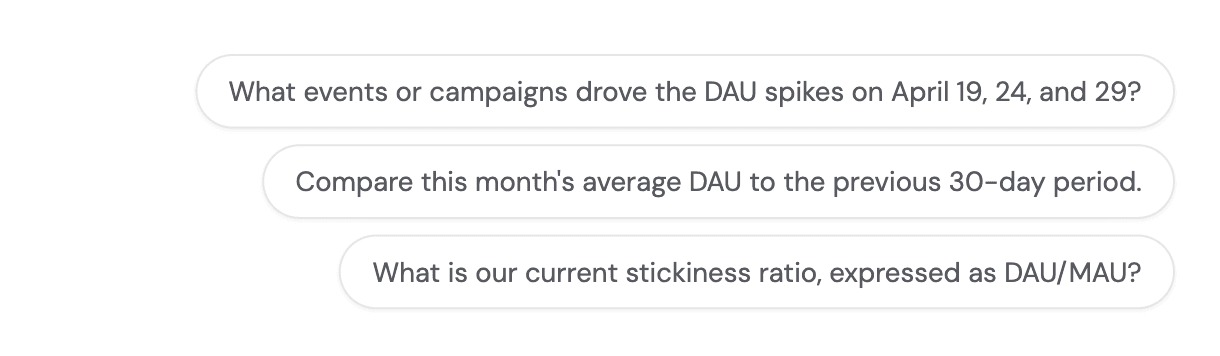
The suggestions are generated from the conversation so far and the project’s saved charts, events, and segments, so they stay relevant to the data you’re actually looking at instead of pulling you off-topic.
Funnels Compare Mode
The funnel chart now has a Compare mode toggle in its date controls, mirroring the one on the overview page, so you can put two date ranges side by side.
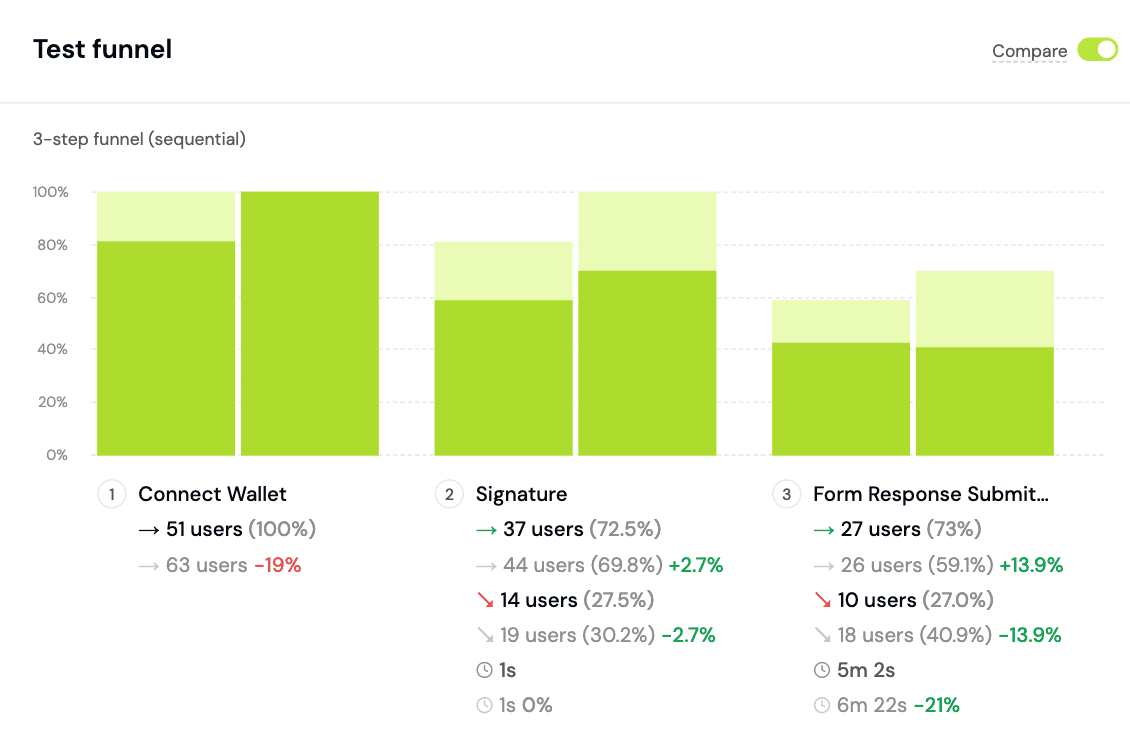
Each step now also shows the median time to convert from the previous step, so you can see where users stall, not just where they drop.
Area Charts
You can now create Area Charts.
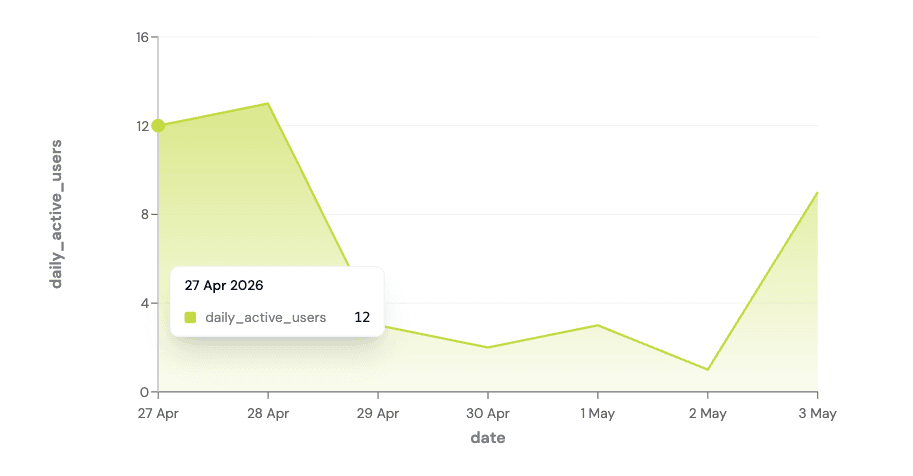
Area charts support stacking out of the box. It’s available alongside Line, Bar, Number, and the other existing chart types.
Global Search
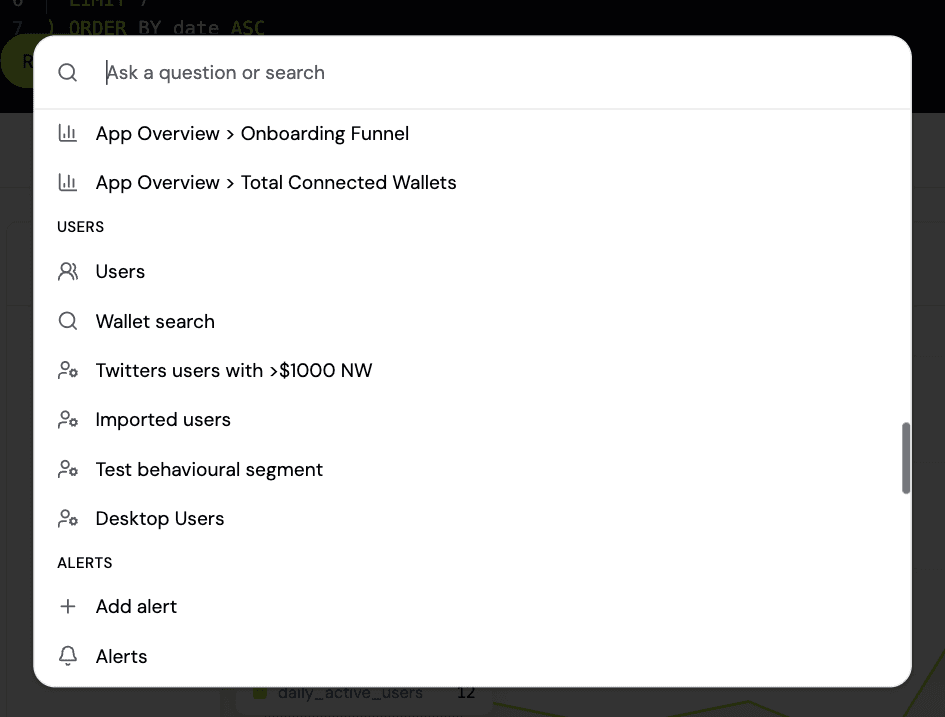
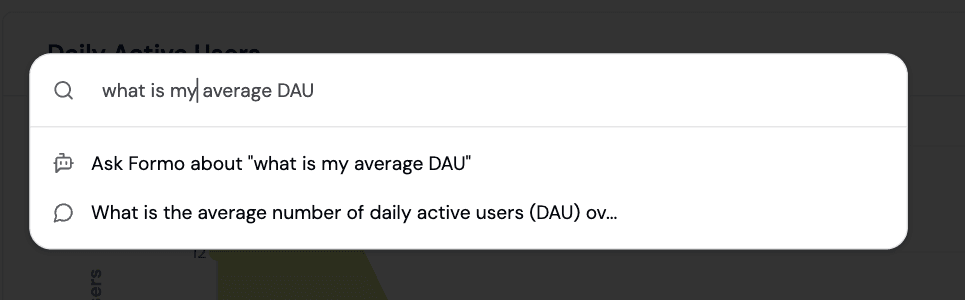
Hit Cmd+K (or Ctrl+K) anywhere in the app to open a command palette. Jump to key pages, custom boards, segments, past chats, and settings even more quickly.
If your query does not match a known action, ask the question directly to Ask AI.
Profile Side Panel
On the Users page, clicking a user now opens its profile in a side panel instead opening a new tab for a smoother experience.
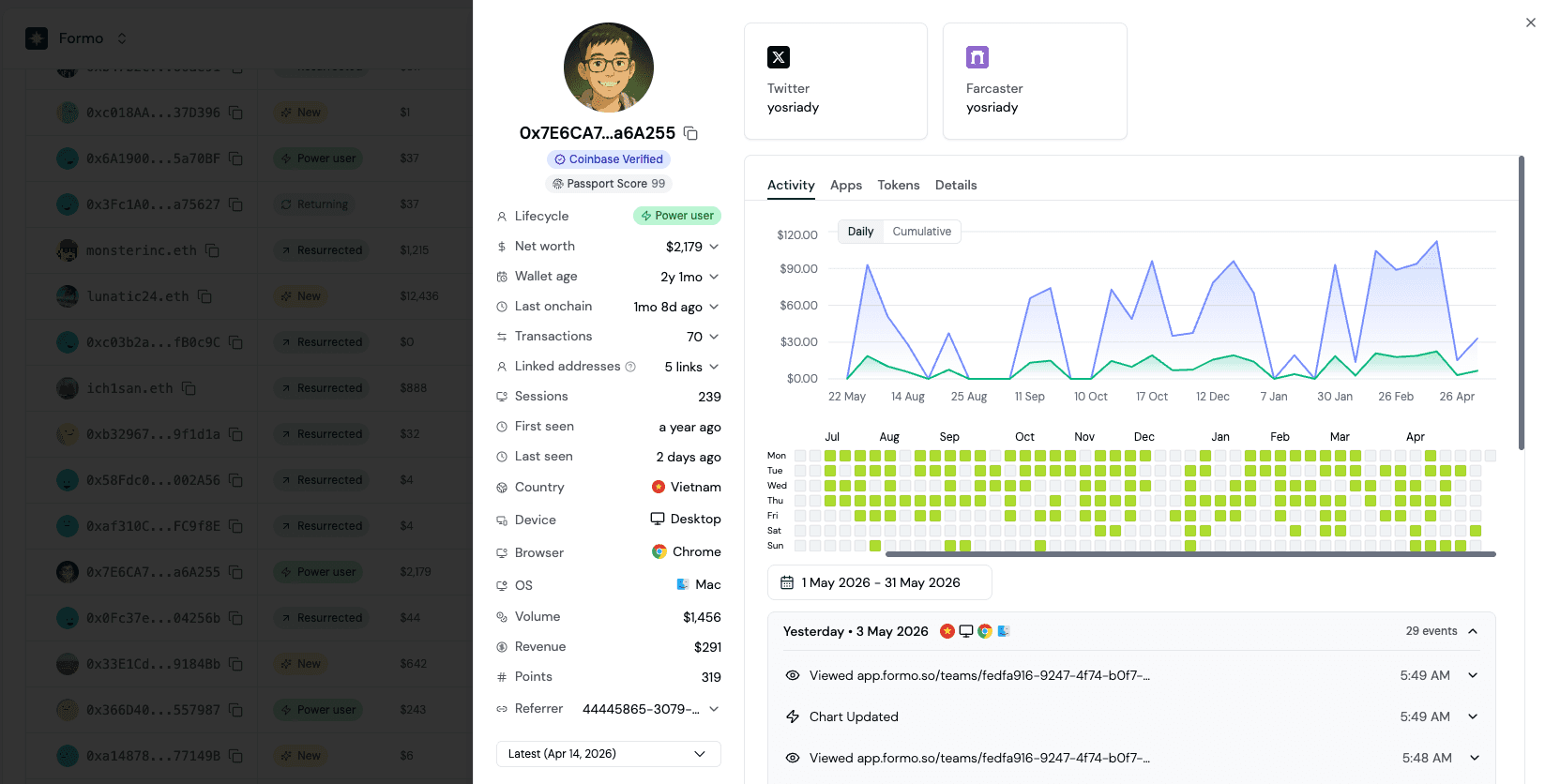
The side panel keeps your filtered list visible so you can scan a cohort and dip into individual wallets without losing context. A link to the standalone profile page is still there when you want to bookmark and share it.
Query API
The full Query API is now live, with 18 public endpoints that expose the same backed data that powers every chart on the Formo dashboard. Use this to build internal tooling and dashboards with Formo data.
Improvements and Fixes
Added standardized public API error codes.
Added Idempotency-Key support on writes to public API.
Added new Formo CLI
profiles updateandprofiles labels create/deletecommands.Added a
user_idfield to wallet profile data so server-side identifiers can be carried alongside wallet identity.Added a Send Test Alert action to alerts so you can verify your webhook endpoint and payload.
Added URL validation for external SSO and OAuth redirects for security.
Refactored account and workspace onboarding flow.
Standardized filter field naming across the public API surface.
Fixed sticky table column rendering and users filter bar UI issue.
Performance improvements and fixes.
Share this on
Crypto analytics that drive growth
Formo helps you define, measure, and drive impact onchain in less time.
Stay up to date with weekly product updates and the latest industry insights.
Platform